


Laser Tek Services
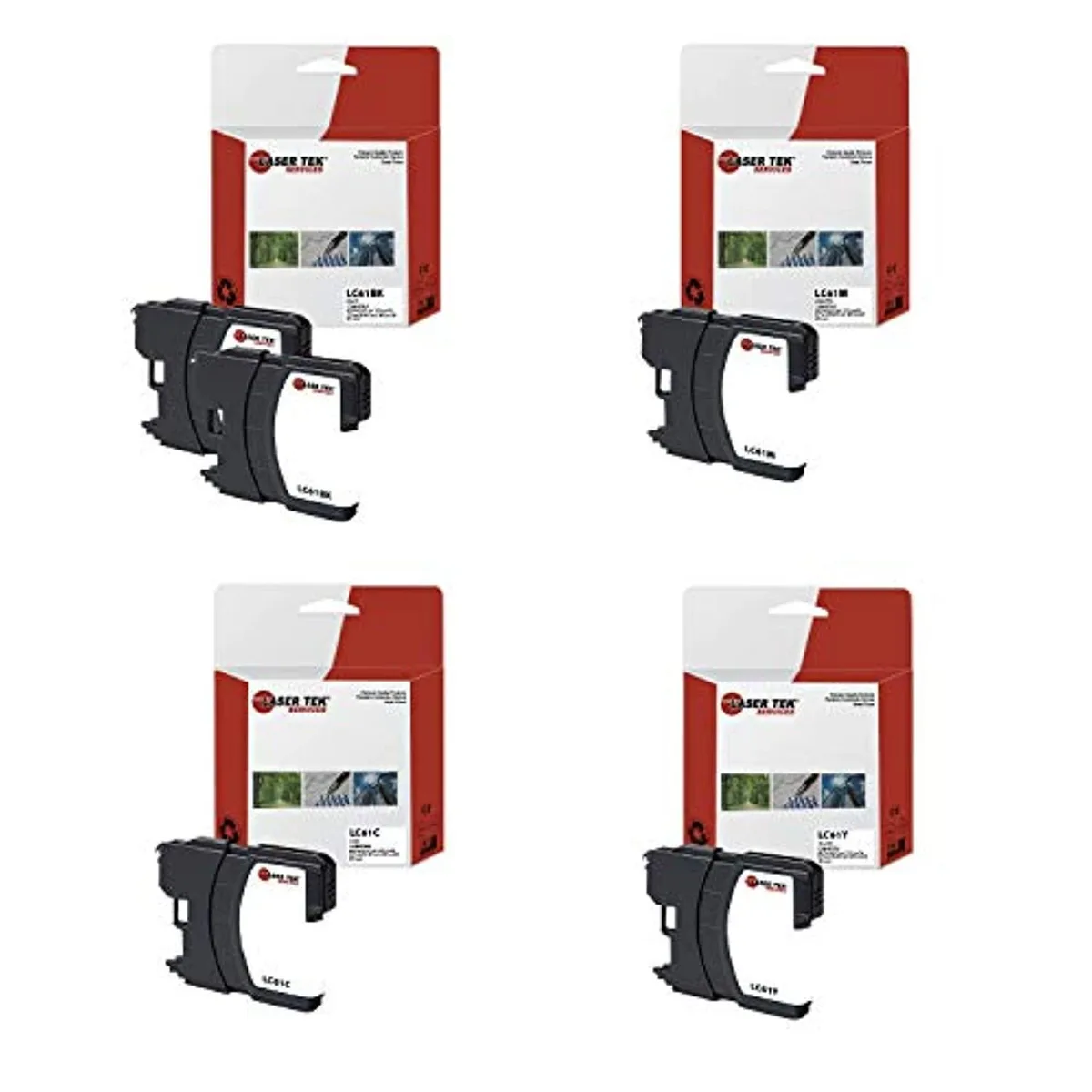
Laser Tek Services LC-61 5-pack toner cartridge (2BK, 1C, 1M, 1Y)
Compatible toner pack for Brother LC-61 printers, includes two black, cyan, magenta and yellow cartridges
- MICR TonerYes
- 5-pack covers black and colour printing
- two black cartridges reduce reload frequency
- compatible with many Brother DCP and MFC models
- ISO-9001 factory for consistent quality
- MICR toner enables secure document printing
Compatible Brother LC-61 ink multipack
This five-cartridge set contains two black, one cyan, one magenta and one yellow unit built for Brother inkjet printers. It suits home offices and small businesses that print mixed documents and photos on a regular basis.
New ISO-9001 factory production
Cartridges are manufactured in an ISO 9001 certified facility using new components, not remanufactured or recycled parts. The process aims to deliver consistent print quality and reliable operation across every unit in the pack.
Fits listed Brother DCP and MFC models
Compatibility covers the DCP-165C, DCP-375CW, DCP-385CW, DCP-395CN, DCP-585CW, DCP-J125, MFC-250C, MFC-255CW, MFC-290C, MFC-295CN, MFC-490CW, MFC-495CW, MFC-5490CN, MFC-5895CW, MFC-790CW, MFC-795CW, MFC-990CW, MFC-J220, MFC-J265W, MFC-J270W, MFC-J410W, MFC-J415W, MFC-J615W and MFC-J630W. Buyers with other printer models will need a different cartridge series.
Highlights
- 5-pack covers black and colour printing
- two black cartridges reduce reload frequency
- compatible with many Brother DCP and MFC models
- ISO-9001 factory for consistent quality
- MICR toner enables secure document printing
Specifications
| MICR Toner | Yes |
|---|
Questions about this item
How do I install the LC-61 cartridges and which step do people often miss?
Open the ink cover, press the lock lever to release each old cartridge, remove the orange protective cap from the new LC-61 unit, insert it until it clicks, then close the cover and run the printer's cleaning cycle — skipping the cleaning cycle is the step most often missed.
What maintenance will the LC-61 cartridges need later?
The cartridges are single-use; when the printer reports low ink you replace the empty LC-61BK, LC-61C, LC-61M or LC-61Y with a new one. Periodic print-head cleaning from the control panel keeps nozzles clear.
What limit appears first during long print runs with the LC-61 set?
Ink depletion is the first limit — each cartridge yields its rated pages until empty, after which the printer stops until that colour is replaced.
Also in this aisle
People compared these
Same shelf, same checkout — eight coins and a 30-minute rate lock.



CHIEF MANUFACTURING
CHIEF MANUFACTURING CMS018 18" 457 mm Fixed Extension Column projector accessory
- Extension Column
- Projector
$22.99$22.99
0.00027722BTC
In stock