


Kyocera
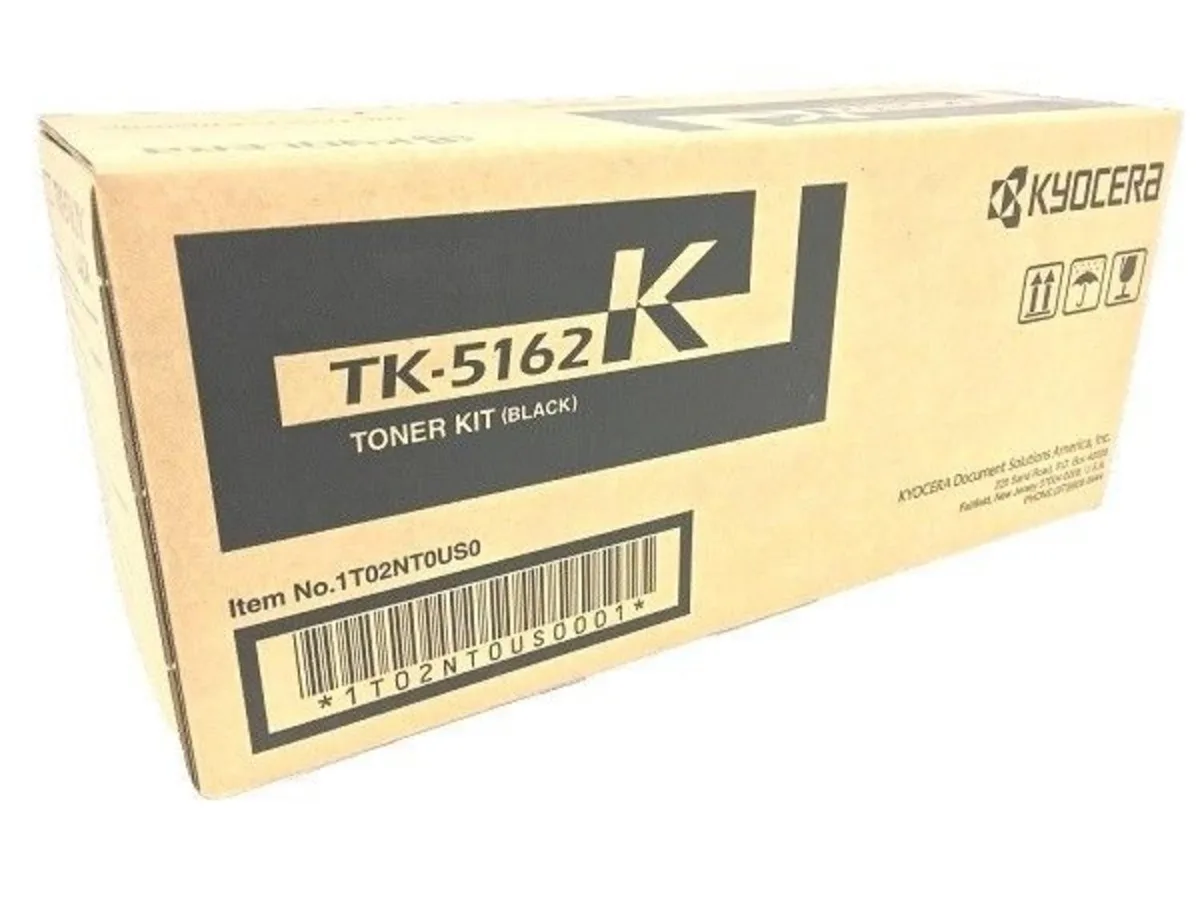
Kyocera TK5162K Black Toner Cartridge 16000 Pages
Genuine black toner cartridge yielding 16000 pages for Kyocera ECOSYS P7040CDN printers
- Cartridge ColorBlack
- Compatible ProductsKyocera ECOSYS P7040CDN
- Genuine Kyocera quality ensures reliable prints
- 16000-page yield reduces replacement frequency
- Black toner delivers sharp monochrome output
- Designed for ECOSYS P7040CDN compatibility
- Brand-new cartridge guarantees consistent performance
Genuine black toner cartridge
The Kyocera TK5162K is an original black toner cartridge manufactured by Kyocera for the ECOSYS P7040CDN printer. It is supplied new and sealed as a genuine OEM consumable. The cartridge delivers a maximum yield of 16000 pages.
Offices printing high-volume mono documents
This cartridge suits workgroups that rely on the ECOSYS P7040CDN for large runs of black-and-white output and want factory-certified reliability. It is not for users of other printer models, for colour printing requirements, or for buyers seeking a lower-cost compatible alternative.
16000-page rated yield
The declared yield of 16000 pages is the key figure for planning consumable budgets and replacement intervals. Only this cartridge carries that exact rating for the specified machine. Verify the model number TK5162K matches your device before ordering.
Highlights
- Genuine Kyocera quality ensures reliable prints
- 16000-page yield reduces replacement frequency
- Black toner delivers sharp monochrome output
- Designed for ECOSYS P7040CDN compatibility
- Brand-new cartridge guarantees consistent performance
Specifications
| Brand | Kyocera |
|---|---|
| Cartridge Color | Black |
| Compatible Products | Kyocera ECOSYS P7040CDN |
| Shipping weight | 17.45 kg |
| Package size | 330 × 127 × 25 mm |
Questions about this item
Does the TK5162K cartridge fit the Kyocera ECOSYS P7040CDN printer?
Yes, the TK5162K is the genuine Kyocera black toner cartridge designed specifically for the Kyocera ECOSYS P7040CDN.
How do I install the TK5162K toner cartridge, and what step is often missed?
Open the front cover, pull out the used black cartridge, unpack the new TK5162K, gently rock it five or six times to distribute toner evenly, remove the sealing tape, then slide it firmly into the black slot until it clicks.
When will the TK5162K need replacement and how many pages can I expect?
The cartridge is rated for approximately 16,000 pages at standard coverage; replace it when the printer indicates low toner or print quality fades.
Also in this aisle
People compared these
Same shelf, same checkout — eight coins and a 30-minute rate lock.



CHIEF MANUFACTURING
CHIEF MANUFACTURING CMS018 18" 457 mm Fixed Extension Column projector accessory
- Extension Column
- Projector
$22.99$22.99
0.00027169BTC
In stock