microMICR Corporation
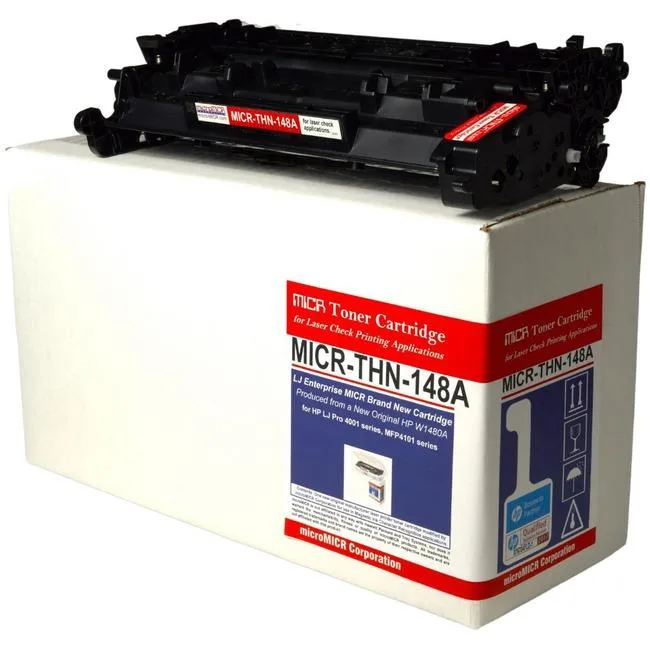
microMICR High Yield MICR Toner Cartridge 9500 Pages Black W1480A
$258.99
0.00303029BTC
In stockWe take cryptocurrency — so the coins you hold can buy real hardware.Pay in crypto, spend it on real hardware. Free insured shipping worldwide over $399. Plain, unbranded boxes, sent from Germany.Free insured shipping over $399. Your rate is locked for 30 minutes once checkout opens.Rate locked 30 minutes. Every item sealed, serial-checked and covered by a 24-month warranty.Sealed, 24-month warranty.


Konnwei
A 4-inch direct thermal and thermal transfer barcode printer with 203 DPI resolution and USB connectivity
The Konnwei ZD888T is a 203 DPI direct thermal and thermal transfer label printer built for cost-conscious businesses. It replaces legacy GK888T and GT820 models while keeping the same 4-inch print width. The unit ships new and connects via USB only.
Zebra’s 50-year manufacturing history shows in the sturdy chassis and straightforward media loading. The standard ZD888T accepts half-inch core ribbons, while the ZD888T+A variant adds compatible spindles for one-inch core rolls. A factory-installed peeler is available as an option.
This model provides a single USB interface with no Ethernet, Wi-Fi or Bluetooth options. Buyers who need network sharing or wireless printing must choose a different Zebra series. The printer is intended for direct PC attachment in low-volume workflows.
No published specifications for this item yet.
The printer only offers USB connectivity, so it must stay tethered to a host computer and cannot join a network or accept wireless print jobs.
It accepts 4-inch wide labels and works with either 1/2-inch core ribbons on the standard spindles or 1-inch core ribbons when the optional A-pair spindles are fitted.
Connect the USB cable, install the Zebra driver, load media and ribbon matching the chosen core size, then run the calibration routine — skipping calibration causes misaligned or blank labels.
Also in this aisle
Same shelf, same checkout — eight coins and a 30-minute rate lock.
What you pay in, and what you read prices in.
Sent from your wallet at checkout
Display only — the catalogue is priced in USD
No currency matches that.
Pick the language the site speaks to you in.
No language matches that.
New here?
Already have one?
There is no automatic reset: this shop sends no mail, so there is no one-time link to ask for. Leave the address on the account and it gets picked up by hand.
Request noted
Nothing is on its way to your inbox — this shop sends no mail at all. Someone picks these up by hand.
Remembered it?