


Kodak Alaris
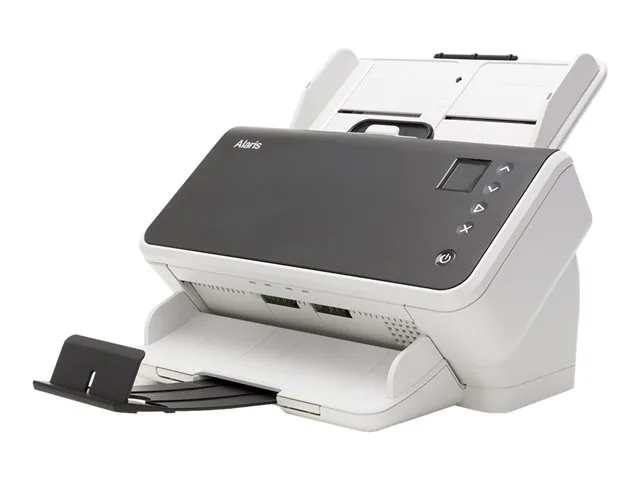
Kodak Alaris S2060w Document Scanner 1015114
Network document scanner captures colour pages at 60 ppm with Wi‑Fi, LAN and USB 3.1 Gen 1 connectivity
- TypeOthers
- Network-ready scanner connects via LAN and Wi-Fi for shared access
- 60 ppm mono speed processes high volumes quickly
- USB 3.1 Gen 1 interface enables fast data transfer
- Touchscreen display simplifies operation for multiple users
- Superior image quality ensures accurate information capture
Network document scanner for shared desktop use
The Kodak Alaris S2060w is a network document scanner built for desktop information capture in shared environments. It connects through LAN, Wi-Fi and USB 3.1 Gen 1 so multiple users can send scans directly into business processes without a dedicated PC. The 2060 model includes a touchscreen display that simplifies walk-up operation for workgroups.
Low heat and quiet operation from a desktop
As a desktop scanner the S2060w produces minimal heat and runs quietly during normal batch scanning. Power is drawn from the supplied external supply over the USB 3.1 Gen 1 link, so there is no large internal power supply to generate fan noise. The compact form factor keeps energy use low while the unit sits idle between jobs.
Touchscreen and network connectivity replace
The integrated touchscreen lets users select destinations, adjust settings and start scans without installing driver software on every workstation. LAN and Wi-Fi interfaces allow the scanner to sit anywhere within network reach, removing the need for a USB tether to a single computer. Cordless operation means the device can be moved to the point of entry for documents.
Highlights
- Network-ready scanner connects via LAN and Wi-Fi for shared access
- 60 ppm mono speed processes high volumes quickly
- USB 3.1 Gen 1 interface enables fast data transfer
- Touchscreen display simplifies operation for multiple users
- Superior image quality ensures accurate information capture
Specifications
| Brand | Kodak Alaris |
|---|---|
| Type | Others |
| Shipping weight | 4.99 kg |
| Package size | 368 × 292 × 248 mm |
Questions about this item
How is the Kodak Alaris S2060w installed and what step do people often miss?
Connect the scanner via USB 3.1 Gen 1, LAN or Wi-Fi, then run the installer. The step often missed is configuring the network scan destinations on the touchscreen before the first batch.
What maintenance or replacement will the S2060w need later?
The feed rollers and separation pad wear with high-volume use. Replace them when the touchscreen prompts or when multi-feed errors increase. Clean the glass daily with a lint-free cloth.
What limit appears first on the S2060w during sustained scanning?
The 60 ppm mono speed ceiling is reached first. Continuous high-speed runs fill the output tray quickly, so operators must empty it to avoid jams.
Also in this aisle
People compared these
Same shelf, same checkout — eight coins and a 30-minute rate lock.



CHIEF MANUFACTURING
CHIEF MANUFACTURING CMS018 18" 457 mm Fixed Extension Column projector accessory
- Extension Column
- Projector
$22.99$22.99
0.00026704BTC
In stock