
Kingston Technology Corp.
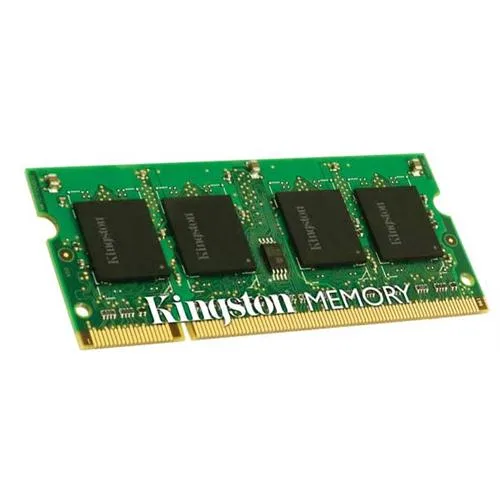
Kingston Technology Corp. laptop RAM 2 GB DDR3 1066 PC3 8500 204-pin SoDIMM 1.5 V
A 2 GB DDR3 1066 MHz SODIMM for laptops, 204-pin, 1.5 V, PC3-8500, non-ECC
- Capacity4GB (2 x 2GB)
- SpeedDDR3 1066 (PC3 8500)
- 2 GB DDR3 SoDIMM adds responsive memory capacity
- 1066 MHz data rate keeps older notebooks running smoothly
- 5 V operation matches standard DDR3 power requirements
- 204-pin PC3-8500 form factor fits compatible laptop slots
Capacity and fit
This is a single 2 GB DDR3 SoDIMM built for laptops that accept 204-pin modules at 1.5 V. It runs at a data rate of 1066 MHz with a 133 MHz memory clock. The non-ECC design suits mainstream notebooks that do not require error correction.
Upgrade path and limits
It replaces an existing 1066 MHz DDR3 stick or fills an empty slot in a compatible system. The jump is worth it when the machine currently has less than 2 GB installed and the chipset supports this density. Buyers who need higher capacity per module or a faster data rate cannot use this part.
Highlights
- 2 GB DDR3 SoDIMM adds responsive memory capacity
- 1066 MHz data rate keeps older notebooks running smoothly
- 5 V operation matches standard DDR3 power requirements
- 204-pin PC3-8500 form factor fits compatible laptop slots
Specifications
| Capacity | 4GB (2 x 2GB) |
|---|---|
| Speed | DDR3 1066 (PC3 8500) |
Questions about this item
Will this 204-pin SoDIMM fit my laptop memory slot?
The module uses the standard 204-pin DDR3 SoDIMM form factor used by laptops that support DDR3 1066 PC3 8500 memory.
What is the correct way to seat the module so it does not show errors?
Align the notch on the module with the key in the slot, insert at an angle until the contacts disappear, then press down evenly until both retaining clips snap into the side notches.
New to this? Buying memory and SSDs with crypto — what to check, what it costs to pay, and what is never asked for.
Also in this aisle
People compared these
Same shelf, same checkout — eight coins and a 30-minute rate lock.



Sunfounder
Sunfounder Raspberry Pi Ultimate Kit with PiCrawler AI Robot 337 components 131 projects
$174.99
0.00209644BTC
In stock
minisforum
minisforum MF-SRP01 SSD Heatsink accessories barebone
- SSD Heatsink
$6.99
0.00008374BTC
In stock