
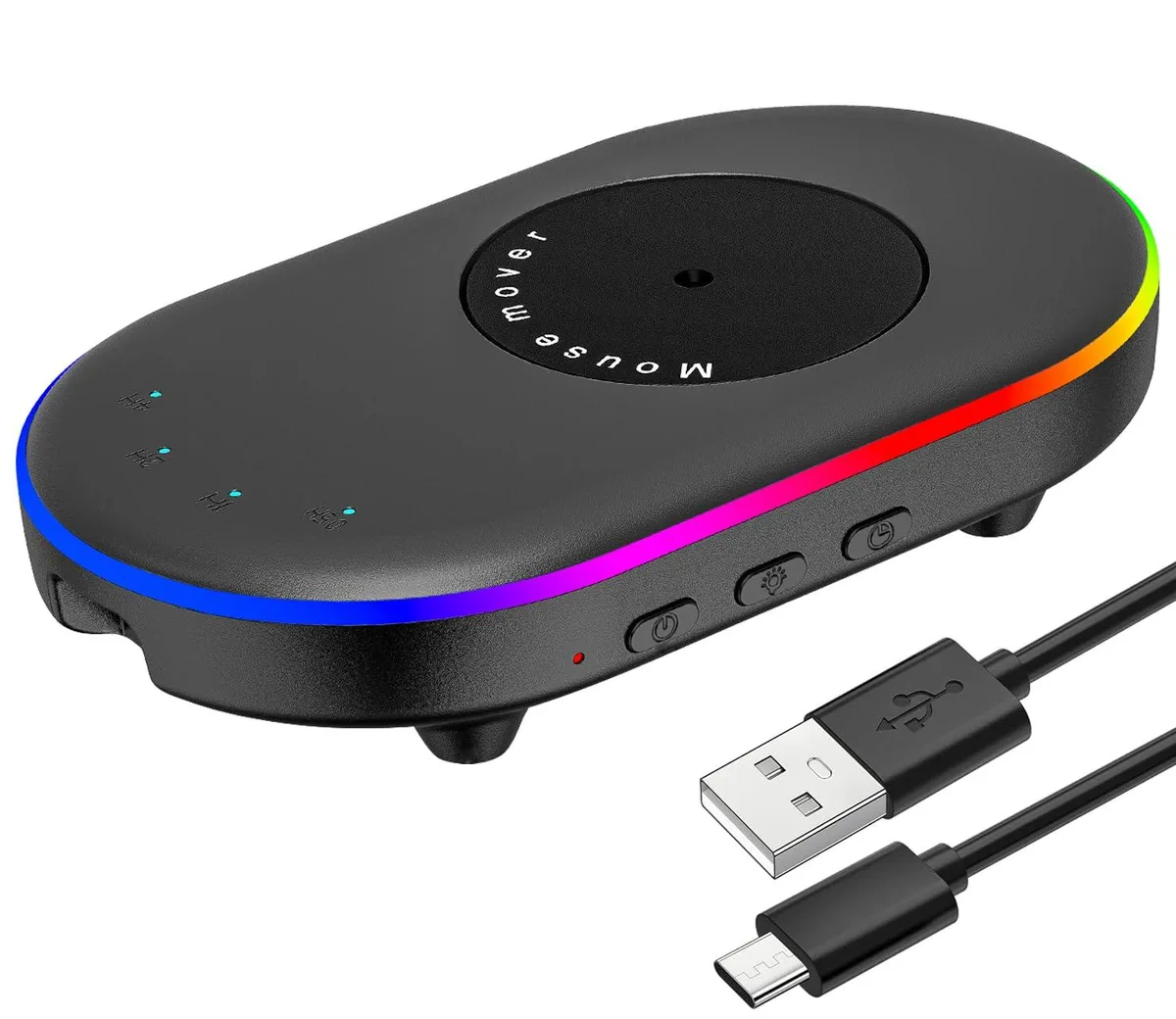


Keychron Mouse Jiggler USB Battery Powered Black .5 1 2 4h Timer ON/OFF Switch
A battery-powered mouse mover with four timer settings keeps the cursor active and prevents sleep mode
- TypeMousepad
- ColorBlack
- SpecificationsUSB, Battery Powered, 2, Ambidextrous, 1
- Keeps PC active with random mouse movement
- Ultra-quiet motor drives cursor across screen
- Four timer intervals: 0.5, 1, 2, 4 hours
- Simple ON/OFF switch with LED status indicator
- Driver-free USB or battery-powered operation
Keep computer active
This Keychron mouse jiggler prevents sleep mode and keeps communication apps such as Lync, Zoom, Skype and WebEx online by randomly moving an optical mouse on its turntable. It is driver-free and powered through USB or a 5 V charging head. The device suits remote workers who need their system to stay awake during breaks.
Ultra-quiet motor and timer
A powerful motor drives the large turntable so the cursor travels long distances in multiple directions without getting stuck in corners. Noise stays minimal during operation. An adjustable interval timer offers four settings of .5, 1, 2 and 4 hours, selectable by a dedicated button with synchronised indicator lights.
Simple daily setup
The package includes the mover, a USB-C power cord and a quick-start guide. Connect the unit, place the mouse sensor on the turntable and press the ON/OFF switch to start or stop movement. A separate lighting key controls aperture effects and colour changes, while the timer key cycles through the four interval options.
Highlights
- Keeps PC active with random mouse movement
- Ultra-quiet motor drives cursor across screen
- Four timer intervals: 0.5, 1, 2, 4 hours
- Simple ON/OFF switch with LED status indicator
- Driver-free USB or battery-powered operation
Specifications
| Brand | Keychron |
|---|---|
| Type | Mousepad |
| Color | Black |
| Specifications | USB, Battery Powered, 2, Ambidextrous, 1 |
Questions about this item
How do I install the Keychron mouse jiggler and which step do people miss?
Connect the USB-C power cord to a computer or 5 V charging head, place the mouse optical sensor on the turntable area, then press the ON/OFF switch; the step often missed is confirming the indicator light turns on before walking away.
What maintenance or replacement will the Keychron mouse jiggler need later?
No periodic maintenance is described; the device is driver-free and has no user-serviceable parts, so only the USB-C cord or the unit itself would need replacement if they fail.
What limit appears first during sustained use of the Keychron mouse jiggler?
The longest built-in timer interval is 4 hours, so the pause between turntable rotations cannot exceed that setting without manual reselection.
Also in this aisle
People compared these
Same shelf, same checkout — eight coins and a 30-minute rate lock.


Lenovo
Lenovo 42T3273 Black Replacement Keyboard for ThinkPad T60 T61
- Thinkpad T60 T61 Ke…
- Black
$29.99
0.00035563BTC
In stock