


Kenuco
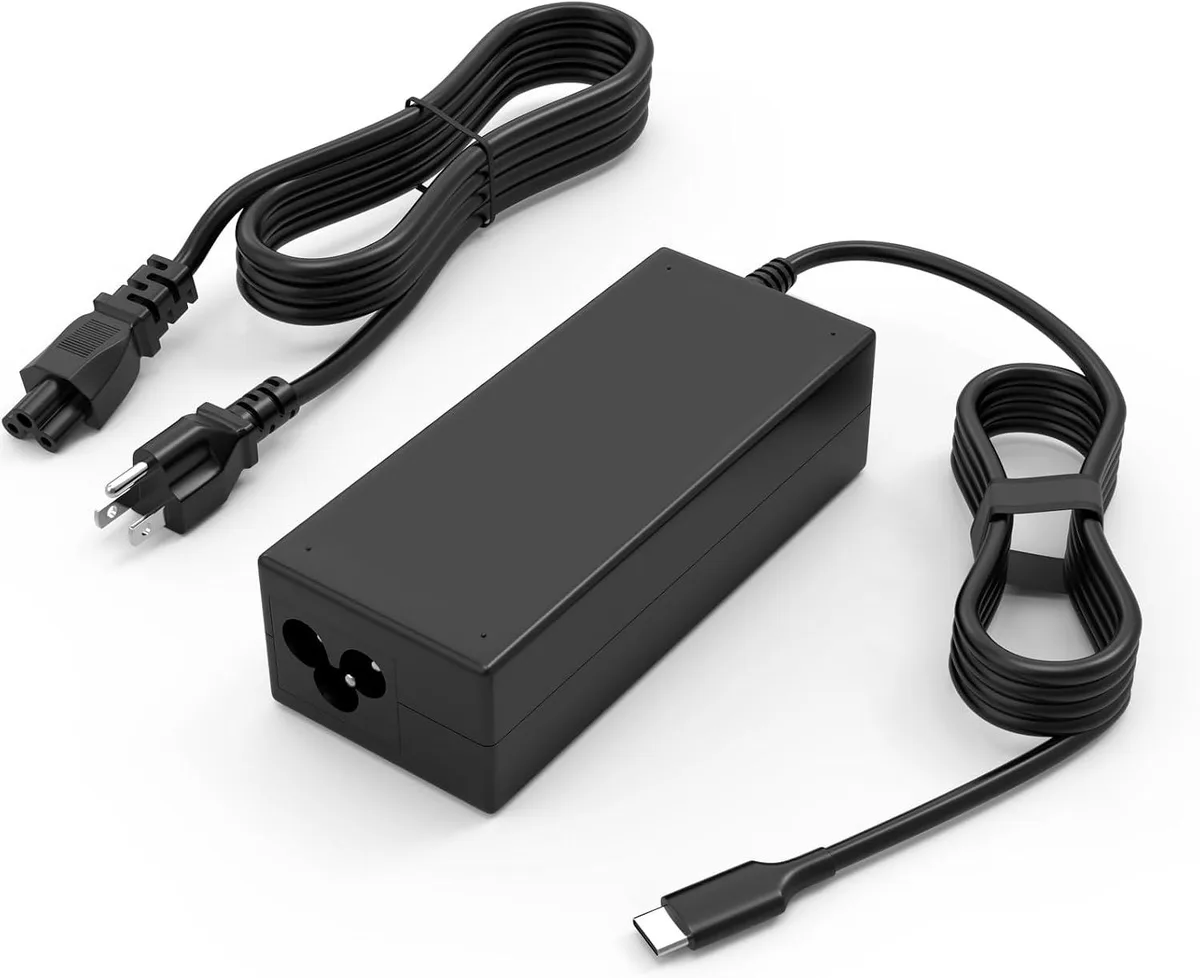
Kenuco 45W USB-C AC adapter ThinkPad Yoga Chromebook
A 45W USB-C charger delivers 5V, 9V, 12V, 15V or 20V for ThinkPad, Yoga and Chromebook models
- TypeAC Adapters
- 45 W USB-C output charges compatible laptops quickly
- 5 V to 20 V automatic voltage selection fits many USB-C devices
- 100–240 V 50–60 Hz input works worldwide
- Built-in overload, short-circuit and overheat protection safeguards hardware
- Includes AC power cord for immediate use
45 W USB-C charger for Chromebooks
This 45 W USB-C AC adapter supplies power to compatible ThinkPad Yoga Chromebooks and other USB-C laptops. It accepts a 100–240 V 50–60 Hz mains input and delivers selectable DC output voltages of 5 V, 9 V, 12 V, 15 V and 20 V. The unit is intended for users who need a replacement or spare charger for supported devices.
Thermals noise and power draw
The adapter includes a built-in heat-dissipation system designed to prevent overheating at full 45 W output. An internal IC chip provides overload, short-circuit and overheat protection during normal operation. The supplier states the charger has undergone professional technical inspections before shipment to ensure safe performance. No acoustic-noise figure is provided.
Build fit and cables
The package contains the power adapter and a detachable AC power cord with a USB-C output connector. The USB-C plug fits the charging port on compatible Chromebooks and other USB-C devices such as tablets or phones. The wide 100–240 V input range allows use on mains supplies worldwide without a separate voltage converter.
Highlights
- 45 W USB-C output charges compatible laptops quickly
- 5 V to 20 V automatic voltage selection fits many USB-C devices
- 100–240 V 50–60 Hz input works worldwide
- Built-in overload, short-circuit and overheat protection safeguards hardware
- Includes AC power cord for immediate use
Specifications
| Type | AC Adapters |
|---|
Questions about this item
How do I install the 45W USB-C adapter and what step is often missed?
Connect the AC power cord to the adapter, plug into a 100-240V 50-60Hz outlet, then attach the USB-C connector to the device; the step often missed is ensuring the cord is fully seated in the adapter before powering on.
What maintenance or replacement will this charger need later?
The USB-C cable and AC cord can wear from repeated bending; replace either if the connector feels loose, the jacket shows cuts, or charging becomes intermittent.
What limit appears first during sustained full-load use?
At continuous 45W output the built-in heat-dissipation system engages; if temperature rises further the overload and overheat protection will throttle or shut off the adapter.
Also in this aisle
People compared these
Same shelf, same checkout — eight coins and a 30-minute rate lock.


Kensington
Kensington Desk Mount Cable Anchor K64613WW accessory
- Black
- Provides a secure a…
$19.99
0.00023785BTC
In stock
Panasonic
Panasonic CF-VDR291U laptop cooling pad
- Optical Drive
- Buffer Size: 2 MB B…
$213.99
0.00254617BTC
In stock
eReplacements
eReplacements PB992A-ER laptop battery 14.4V
- Battery
- Lithium-Ion
$65.99
0.00078518BTC
In stock