


Kensington
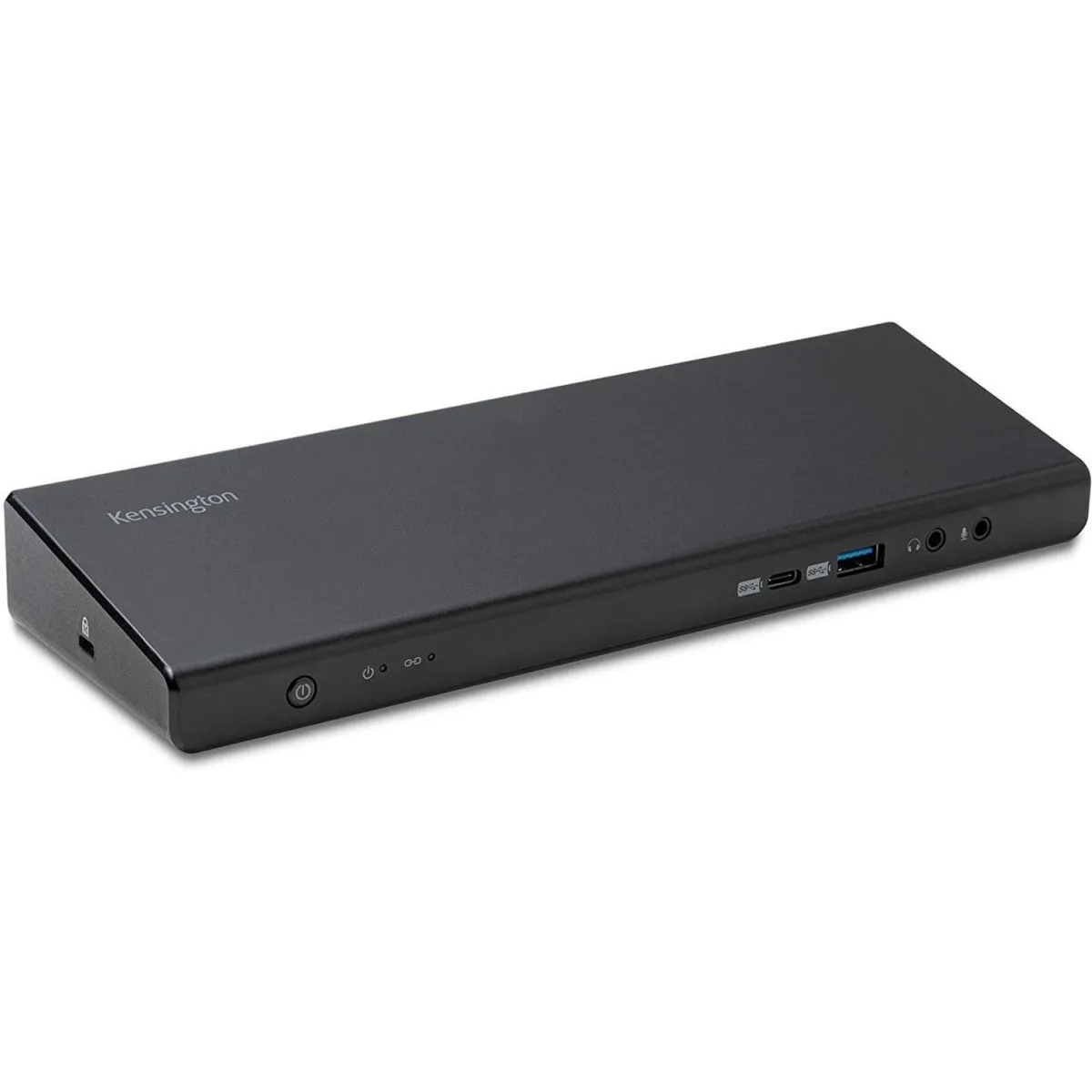
Kensington K39105NA SD4750P USB-C Docking Station Accessory
USB-C docking station with DisplayLink multi-monitor support for Apple M1 MacBooks
- Accessory TypeDocking Station
- FeaturesSold as 1 Each.
- Hybrid DisplayLink enables multi-monitor support on M1 MacBook
- USB-C/USB 3 wired host interface connects via single cable
- Sold as one complete docking station unit
- Kensington SD4750P model K39105NA designed for USB-C devices
- Three-year limited warranty covers the docking station
Hybrid USB-C Docking Station
This Kensington docking station provides wired USB-C connectivity for laptops and desktops. It supports multi-monitor configurations through DisplayLink technology. The unit is sold as a single accessory for professional workstations. A three-year limited warranty covers the hardware.
Suited for M1 MacBook multi-monitor setups
Users with Apple M1 MacBooks gain extended display support beyond the single external monitor limit. Windows and other USB-C laptops also benefit from additional video outputs. Buyers whose devices lack USB-C ports or DisplayLink driver support should consider other connection methods. This accessory does not function without host software installation.
USB-C DisplayLink interface
The dock connects via a USB-C port using USB 3 data rates to drive extra displays. DisplayLink compression handles video traffic over the standard USB link. This single interface determines whether your host can use the station. Verify that your operating system supports DisplayLink drivers before purchase.
Highlights
- Hybrid DisplayLink enables multi-monitor support on M1 MacBook
- USB-C/USB 3 wired host interface connects via single cable
- Sold as one complete docking station unit
- Kensington SD4750P model K39105NA designed for USB-C devices
- Three-year limited warranty covers the docking station
Specifications
| Brand | Kensington |
|---|---|
| Part Number | K39105NA |
| Accessory Type | Docking Station |
| Features | Sold as 1 Each. |
| Shipping weight | 1.25 kg |
| Package size | 292 × 178 × 89 mm |
Questions about this item
Does the K39105NA docking station require a USB-C port on the host device?
Yes, the unit connects through a wired USB-C interface on the host computer.
What is the common installation mistake with this DisplayLink dock?
Users often forget to install the DisplayLink driver before connecting the dock, so the extra monitors stay dark.
How long is the manufacturer's limited warranty for the K39105NA?
Kensington provides a three-year limited warranty on this docking station.
Also in this aisle
People compared these
Same shelf, same checkout — eight coins and a 30-minute rate lock.


Kensington
Kensington Desk Mount Cable Anchor K64613WW accessory
- Black
- Provides a secure a…
$19.99
0.00023096BTC
In stock
Panasonic
Panasonic CF-VDR291U laptop cooling pad
- Optical Drive
- Buffer Size: 2 MB B…
$213.99
0.00247242BTC
In stock
eReplacements
eReplacements PB992A-ER laptop battery 14.4V
- Battery
- Lithium-Ion
$65.99
0.00076244BTC
In stock