

Tilta Technology Co.,Ltd
Tilta Technology Co.,Ltd Mounting Bar for Boulder Camera Cart, Black
$114.99
0.00137663BTC
In stockWe take cryptocurrency — so the coins you hold can buy real hardware.Pay in crypto, spend it on real hardware. Free insured shipping worldwide over $399. Plain, unbranded boxes, sent from Germany.Free insured shipping over $399. Your rate is locked for 30 minutes once checkout opens.Rate locked 30 minutes. Every item sealed, serial-checked and covered by a 24-month warranty.Sealed, 24-month warranty.
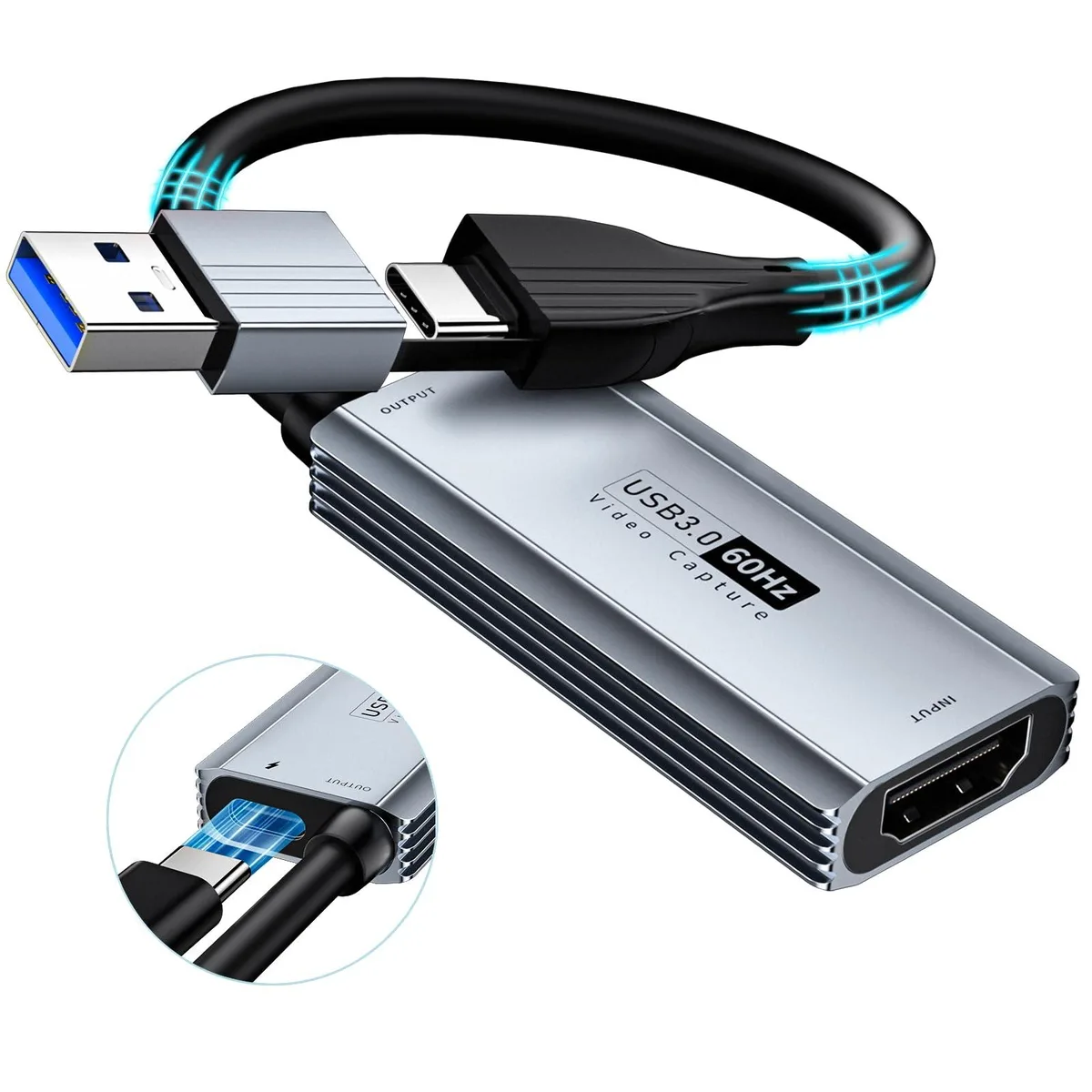


KEHIPI
HDMI capture up to 1440P 30fps or 1080P 60fps with 100W PD charging over USB 3.0
The KEHIPI USB 3.0 capture card converts HDMI sources up to 3840×2160 at 30 Hz into a 1920×1080 60 fps USB stream. It targets creators who need a lightweight device for live broadcasting or game recording on Windows, macOS, Linux, Android or iPadOS 17+ without installing drivers.
The MS2130 chip moves data at 5 Gbps over USB 3.0, cutting latency compared to older 2.0 models. The jump matters when you need 1080p 60 fps fluidity for fast-paced gameplay or when you want to charge a tablet at 100 W PD while capturing, something earlier cards cannot do.
Under continuous load the card maintains real-time preview without blue screens, tearing or flicker thanks to its intelligent transmission chip. The 100 W Power Delivery 3.0 and Quick Charge 5.0 support keeps the host device powered during long sessions, so recording or streaming does not stop because the battery drains.
| Brand | XIIXMASK |
|---|---|
| Model | MS2130 |
| Interface | , |
| Feature | , , , , |
| Features | , , , , |
| Weight | 0.041 kilograms |
| Package Content | Installation Guide, Video Capture Card, , , |
| Package Contents | Installation Guide, Video Capture Card, , , |
It has an HDMI input for the video source and both USB-A and USB-C outputs for the host device, plus a USB-C Power Delivery port for charging.
Plug the HDMI source into the card, connect the USB-A or USB-C lead to the computer or tablet, then select the MS2130 device in OBS Studio, QuickTime Player or the streaming platform — the step people skip is choosing the correct input device in the software.
The unit has no moving parts or replaceable modules; keep the connectors clean and replace the cable only if it becomes damaged.
Also in this aisle
Same shelf, same checkout — eight coins and a 30-minute rate lock.
What you pay in, and what you read prices in.
Sent from your wallet at checkout
Display only — the catalogue is priced in USD
No currency matches that.
New here?
Already have one?
There is no automatic reset: this shop sends no mail, so there is no one-time link to ask for. Leave the address on the account and it gets picked up by hand.
Request noted
Nothing is on its way to your inbox — this shop sends no mail at all. Someone picks these up by hand.
Remembered it?


