

Tilta Technology Co.,Ltd
Tilta Technology Co.,Ltd Mounting Bar for Boulder Camera Cart, Black
$114.99
0.00137602BTC
In stockWe take cryptocurrency — so the coins you hold can buy real hardware.Pay in crypto, spend it on real hardware. Free insured shipping worldwide over $399. Plain, unbranded boxes, sent from Germany.Free insured shipping over $399. Your rate is locked for 30 minutes once checkout opens.Rate locked 30 minutes. Every item sealed, serial-checked and covered by a 24-month warranty.Sealed, 24-month warranty.
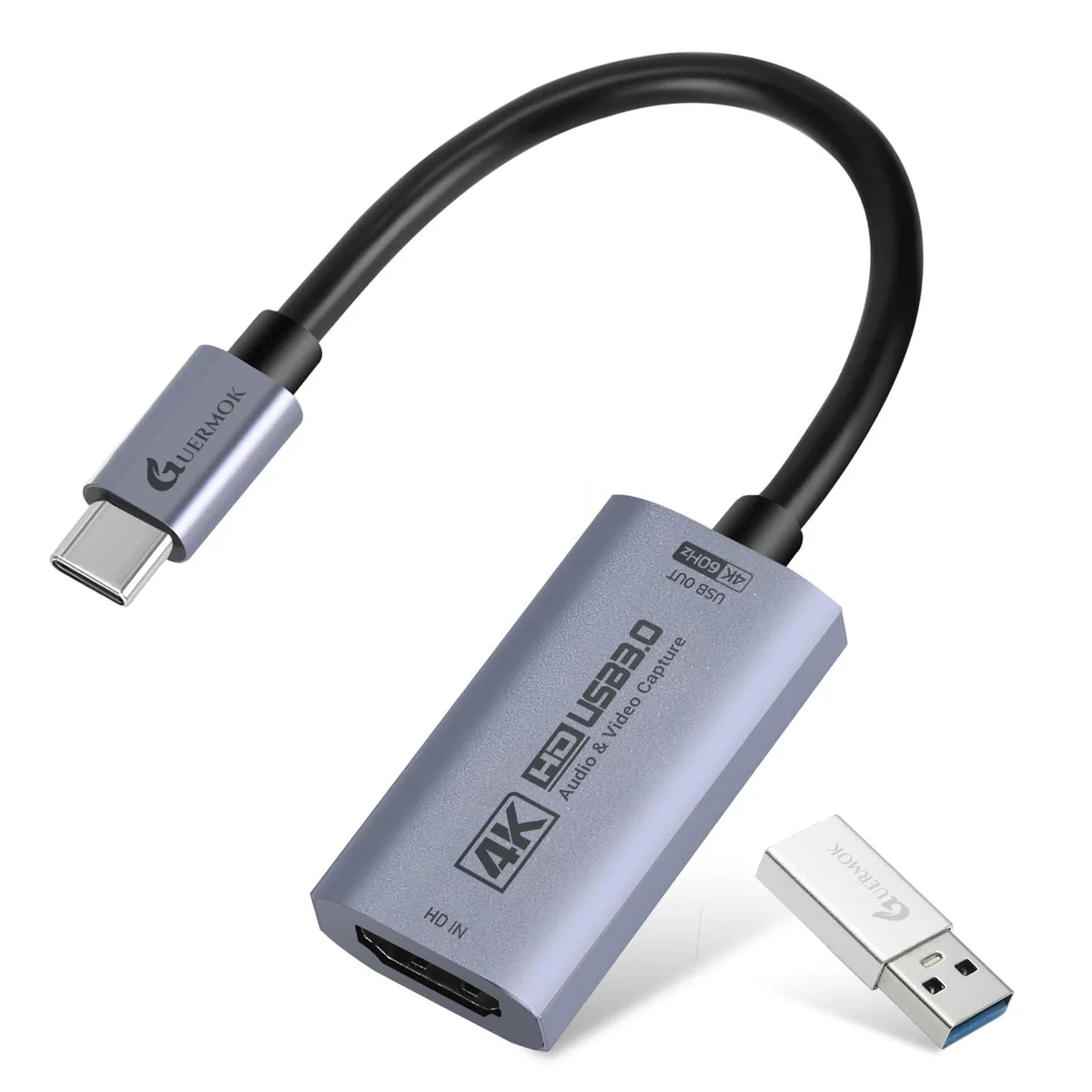


KEHIPI
Captures 4K at 60 FPS or 1080p at 240 FPS via USB 3.0 with ultra-low latency, plug-and-play on Windows, macOS, Linux, Android 5.0+ and iPadOS 17+
The KEHIPI HDMI capture card accepts 4K input at 60 frames per second and 1080p at 240 frames per second. It connects through USB 3.0 and includes a USB-A to USB-C adapter for flexible port compatibility. The device works with Windows 7 through 11, macOS, Linux, Android 5.0+, and iPadOS 17+ without requiring drivers.
The card supports MJPEG up to 4096×2160 at 60FPS and 1920×1080 at 240FPS. YUY2 and NV12 formats reach 2560×1440 at 50FPS and 1920×1080 at 120FPS. Supported video formats include MJPEG, YUY2, NV12, and XRGB. Builders who need higher frame rates at 4K or uncompressed 4K at 60FPS will find the bandwidth insufficient.
Weighing 0.07 pounds, the unit ships with a USB 3.0 to C adapter, enabling direct connection to either port type without extra dongles. No external power supply is needed, so the card draws power from the host device. Users who prefer a permanently mounted internal capture solution cannot install this external device.
| Brand | Guermok |
|---|---|
| Model | 4k |
| Interface | , |
| Feature | , , , , |
| Features | , , , , |
| Weight | 0.07 pounds |
| Package Content | Video Capture Card, USB 3.0 to C Adapter, Instruction Manual, , |
| Package Contents | Video Capture Card, USB 3.0 to C Adapter, Instruction Manual, , |
Choose 4K 60FPS for maximum detail on Switch 2, PS5, or Quest 3; switch to 1080P 240FPS when you need ultra-smooth motion for competitive shooters on Xbox or PC.
The card captures up to 3840×2160 at 60FPS via USB 3.0 with ultra-low latency, so gameplay and camera feeds appear smooth in OBS, Zoom, or iPadOS 17+ without extra drivers.
It runs on USB 3.0 with the included USB-A to USB-C adapter, supporting MJPEG up to 4096×2160 at 60FPS and YUY2/NV12 up to 2560×1440 at 50FPS.
Also in this aisle
Same shelf, same checkout — eight coins and a 30-minute rate lock.
What you pay in, and what you read prices in.
Sent from your wallet at checkout
Display only — the catalogue is priced in USD
No currency matches that.
New here?
Already have one?
There is no automatic reset: this shop sends no mail, so there is no one-time link to ask for. Leave the address on the account and it gets picked up by hand.
Request noted
Nothing is on its way to your inbox — this shop sends no mail at all. Someone picks these up by hand.
Remembered it?


