


KEHIPI
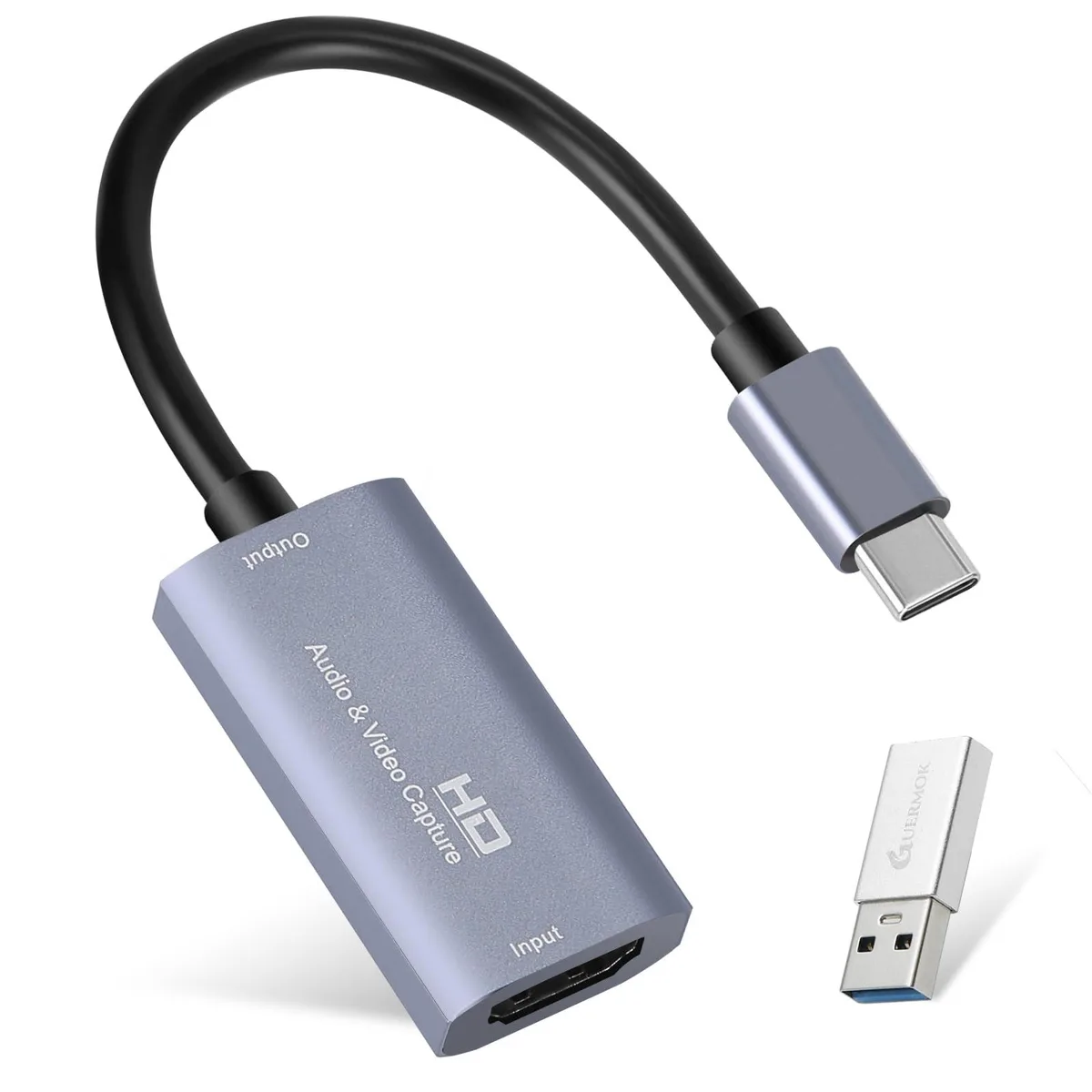
KEHIPI Hdcap01 Silver HDMI USB-C 1080p60 capture card
Captures 4K input at 30 Hz and outputs 1080p60 over USB 3.0 with ultra-low latency for streaming and recording
- ColorSilver
- FeaturesZero Latency Screen Share
- Dimension3.93 in x 2.7 in x 0.59 in
- Weight30 grams
- Zero-latency gameplay streaming via USB 3.0 1080p 60 fps capture
- Plug-and-play on Windows Mac Linux Android and consoles
- Records 4K 30 Hz input down to 1080p 60 Hz output
- Ultra-low delay with no crashes freezes or blue screens
- Pocket-size 3.93 x 2.7 x .59 in and 30 grams
Purpose & Audience
The KEHIPI Hdcap01 Silver is a USB 3.0 HDMI capture card that accepts up to 4K input at 30 Hz and delivers 1080p output at 60 fps. It is built for streamers, gamers and remote workers who need a compact way to bring external video into a computer for live broadcasting or recording.
Fit & Alternatives
This card suits creators using Windows 7 or later, macOS 10.9 or later, Linux or Android who want driver-free operation with OBS Studio, PotPlayer or VLC. It is not for buyers who need 4K 60 Hz capture, internal PCIe installation, or multi-channel audio mixing beyond the basic stereo feed.
What the Extras Change
The box includes a USB-C adapter that lets the same dongle plug into USB 3.0 Type-A or Type-C ports without extra cables. Flipping the connector forces USB 3.0 enumeration when a port defaults to USB 2.0, preserving the 192 Mbps bandwidth needed for 1080p60 MJPEG streaming.
Highlights
- Zero-latency gameplay streaming via USB 3.0 1080p 60 fps capture
- Plug-and-play on Windows Mac Linux Android and consoles
- Records 4K 30 Hz input down to 1080p 60 Hz output
- Ultra-low delay with no crashes freezes or blue screens
- Pocket-size 3.93 x 2.7 x .59 in and 30 grams
Specifications
| Brand | Guermok |
|---|---|
| Model | Hdcap01 |
| Color | Silver |
| Features | Zero Latency Screen Share |
| Dimension | 3.93 in x 2.7 in x 0.59 in |
| Weight | 30 grams |
Questions about this item
Do I need a USB-C port on my computer, or will the included USB 3.0 connection work?
The card connects via USB 3.0 Type-C; it also works when flipped into a USB 2.0 port, though at reduced bandwidth.
Will my Nintendo Switch output at 1080p60 through this capture device?
Yes, the Switch is listed as compatible and the card outputs up to 1080p at 60 fps.
How do I confirm the card is actually capturing at 1080p60 in OBS Studio?
In OBS, add a Video Capture Device source, select USB Video, set resolution to 1920 x 1080, FPS to 60, and video format to MJPEG.
Also in this aisle
People compared these
Same shelf, same checkout — eight coins and a 30-minute rate lock.




SIERRA WIRELESS DATA INC
SIERRA WIRELESS DATA INC 6001363 6-in-1 Dome TV Antenna
$202.99
0.00241224BTC
In stock
NEC Display Solutions
NEC Display Solutions 10 Point Infrared Touch Overlay for C431 OLR431R
$326.99
0.0038858BTC
In stock