


Jansicotek
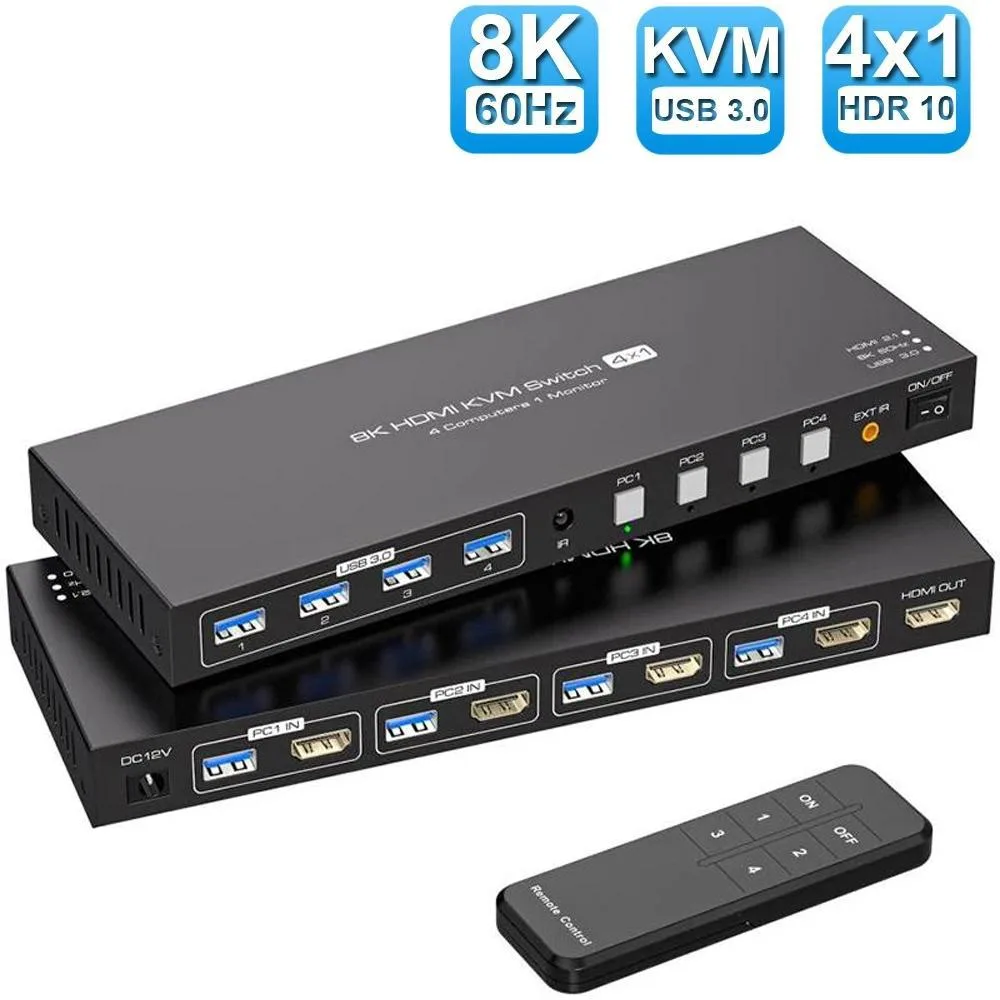
Jansicotek SW241-HD 4-Port HDMI KVM Switch 8K@60Hz
Lets four computers share one monitor and four USB 3.0 peripherals with 8K@60Hz video and push-button switching
- TypeHDMI, USB
- PC ConnectorsHDMI, USB
- Computer Connections4 Port - USB 3.0 HDMI
- Monitor Connections1 Port
- Video Resolution8K 60Hz
- PC SelectionPush Buttons/Desktop Controller
- Control four computers with one keyboard, mouse and monitor
- 8K@60Hz video for sharp, lag-free viewing
- Four USB 3.0 ports at 5Gbps for fast peripheral sharing
- Push-button and remote switching for instant PC selection
- Compact 5.43 x 5.35 x 1.46 inch design fits any desk
4-Port HDMI KVM for 8K@60Hz
The Jansicotek SW241-HD lets four computers share one monitor and a single keyboard and mouse set. It supports video up to 8K at 60 Hz and provides four USB 3.0 ports running at 5 Gbps for peripherals. Switching is handled by front push buttons or the included desktop controller. The unit ships with four USB 3.0 cables, a 12 V power adapter, an IR cable and a remote control.
Suits multi-system desks.
This switch targets users who need to control several PCs or laptops from one display and input set, such as developers, content creators or home-office workers juggling work and personal machines. It does not support multiple monitors, so buyers who want extended or duplicated desktops across two or more screens should look elsewhere. The single HDMI output also means it cannot drive separate displays for each connected system.
Fits a single-display, multi-PC build
Connect each computer with an HDMI cable and a USB 3.0 Type-A to Type-A cable, then link the switch to one monitor and your shared keyboard, mouse and other USB devices. The external 12 V supply powers the switch and the downstream USB ports, freeing the host machines from providing bus power. For 8K@60Hz operation use an HDMI 2.1 cable rated for the bandwidth; the switch is backward compatible with USB 2.0, 1.1 and 1.0 devices.
Highlights
- Control four computers with one keyboard, mouse and monitor
- 8K@60Hz video for sharp, lag-free viewing
- Four USB 3.0 ports at 5Gbps for fast peripheral sharing
- Push-button and remote switching for instant PC selection
- Compact 5.43 x 5.35 x 1.46 inch design fits any desk
Specifications
| Brand | Jansicotek |
|---|---|
| Series | SW241-HD |
| Model | SW241-HD |
| Type | HDMI, USB |
| PC Connectors | HDMI, USB |
| Computer Connections | 4 Port - USB 3.0 HDMI |
| Monitor Connections | 1 Port |
| Video Resolution | 8K 60Hz |
| PC Selection | Push Buttons/Desktop Controller |
| AutoScan Interval | 3 seconds |
| LED Indicators | Yes |
| USB Features | with USB support |
| Application | The hdmi kvm switch 4 port allows 4 computers or laptops to share 1 monitor and 4 USB 3.0 devices. You can control all 4 computers directly with a single set of mouse and keyboard. Switching between the 4 computers is easy using the panel buttons or an external remote. It's plug-and-play, streamlining your workspace and boosting office efficiency. |
| Features | 4 in 1 out HDMI KVM Switch: HDMI KVM Switch is a HDMI switch that help 4 computers/laptops to share 1 monitor and 4 USB 3.0 devices such as scanner, printer, mouse, keyboard. ? 4 computers/laptops share one set of keyboard, mouse and 1 monitors, and more USB 3.0 peripherals; Support maximum resolution up to 4K 120Hz HDMI monitors output support up to 8K@60Hz/4K@120Hz,2K@144Hz/1080P@240Hz for mirrored display; Compatible with Windows 11/10/7/2000/XP/Vista, Linux, UNIX, Ubuntu, Fedora, and other systems; Advanced switching modes: push button and IR remote control;No complicated install |
| Dimensions | 5.43 x 5.35 x 1.46 inches |
| Weight | 9.52 Ounces |
| Package Contents | You will receive a 1*4 in 1 out KVM switcher, 4*USB 3.0 A to A cables, 1*12V1A external power supply, 1*IR cable, 1*remote control (excluding battery), and 1*user manual. |
Questions about this item
What cables do I need to connect my four computers to the SW241-HD?
The package includes four USB 3.0 A-to-A cables for the computer links. You must supply four HDMI cables; for 8K@60Hz use HDMI 2.1 cables.
Will my USB 2.0 keyboard and mouse work through the four USB 3.0 ports?
Yes, the USB 3.0 ports are backward compatible with USB 2.0, 1.1 and 1.0 devices.
How can I confirm the switch is passing an 8K@60Hz signal after setup?
Check the display settings on the active computer — they should show 8K at 60 Hz — and verify the front-panel LED for that port is lit.
Also in this aisle
People compared these
Same shelf, same checkout — eight coins and a 30-minute rate lock.


Black Box Corporation
Black Box Corporation 4K60 HDMI Dual-Head KVM Switch 4 Port
$774.99
0.00933487BTC
In stock