


Jansicotek
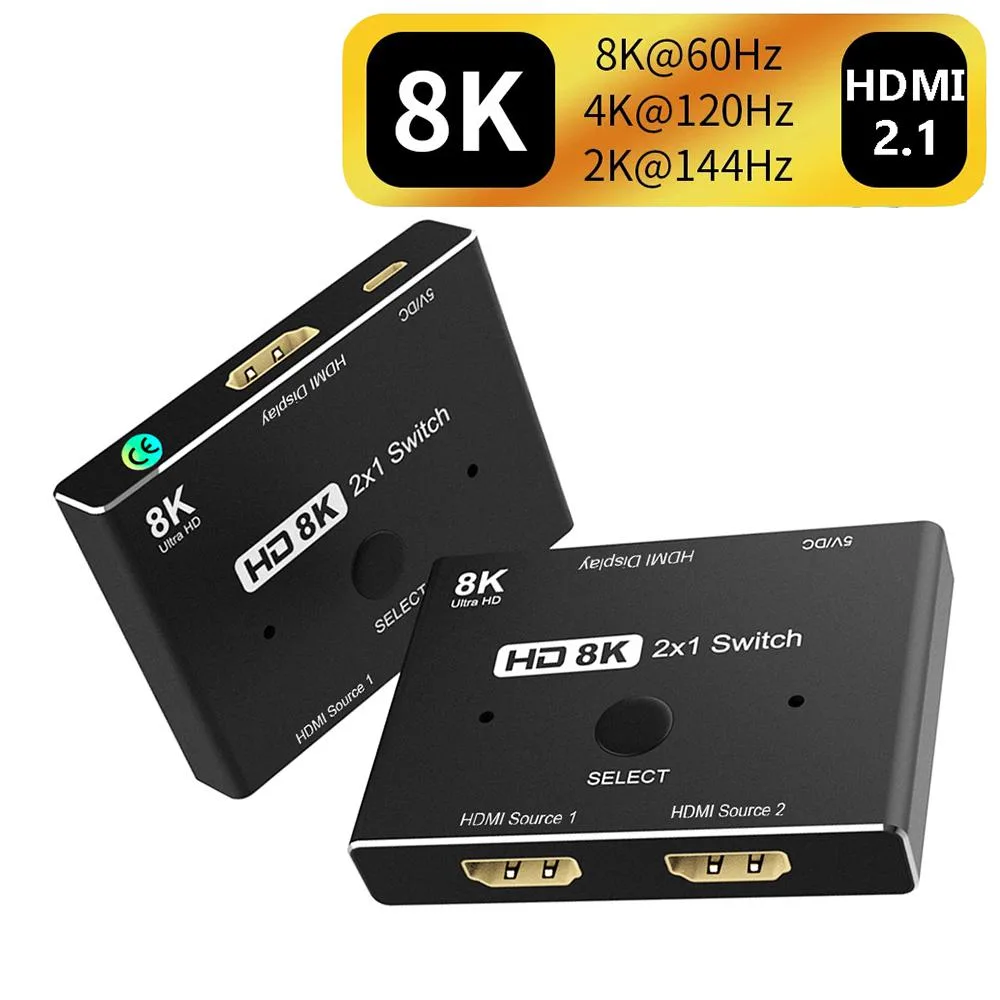
Jansicotek 2-port HDMI 2.1 switch 8K@60Hz 4K@120Hz 48Gbps
Connects two HDMI sources to one display, switching 8K at 60Hz or 4K at 120Hz with 48Gbps bandwidth
- TypeHDMI Splitters
- Ports2
- Output Connector2x HDMI female
- Maximum ResolutionsHD 8K(7680*4320) @60Hz 4K@120Hz
- Package Contents1 x HDMI-compatible switch unit 1 x USB A to Micro B cable 1
- Switch two 8K sources to one display with a single button press
- 48 Gbps bandwidth carries 8K at 60 Hz and 4K at 120 Hz without compression
- USB-powered design keeps the unit compact and eliminates a separate power brick
- HDMI 2.1 backward compatibility works with every earlier HDMI device you own
- LED indicators show the active port at a glance so you never guess which source is live
2-port HDMI 2.1 switch for dual-source setups
This Jansicotek switch connects two HDMI sources to a single display. It suits owners of a games console and a streaming box who share one TV or projector. Manual button switching selects the active input in about one second. The unit requires the supplied USB power cable to function.
8K60 and 4K120 bandwidth headroom
The switch passes 7680×4320 at 60 Hz and 4K at 120 Hz through its 48 Gbps pathway. It handles current high-refresh gaming consoles and 8K media players without compression. Older HDMI standards are also supported, so legacy sources still work. Bandwidth runs out if a future source exceeds the 48 Gbps limit.
External USB power is mandatory
The selector will not pass any signal unless the included USB-A-to-Micro-B cable is connected to a power source. There is no internal battery or bus-power option. Buyers without a spare USB port or charger on the display side cannot use this switch.
Highlights
- Switch two 8K sources to one display with a single button press
- 48 Gbps bandwidth carries 8K at 60 Hz and 4K at 120 Hz without compression
- USB-powered design keeps the unit compact and eliminates a separate power brick
- HDMI 2.1 backward compatibility works with every earlier HDMI device you own
- LED indicators show the active port at a glance so you never guess which source is live
Specifications
| Type | HDMI Splitters |
|---|---|
| Ports | 2 |
| Output Connector | 2x HDMI female |
| Maximum Resolutions | HD 8K(7680*4320) @60Hz 4K@120Hz |
| Package Contents | 1 x HDMI-compatible switch unit 1 x USB A to Micro B cable 1 x User Manual |
Questions about this item
Will this switch pass 4K at 120 Hz from my new console through an older HDMI 2.0 AV receiver?
The switch is HDMI 2.1 compliant and backward compatible with earlier standards, but the full 48 Gbps bandwidth needed for 4K 120 Hz requires HDMI 2.1 cables on every link; an HDMI 2.0 receiver will limit the signal to its own maximum capability.
How do I confirm the unit is powered and passing video after I connect everything?
Press the front selector button; the corresponding LED lights instantly and the display should show the active source within one second, confirming power and signal path.
Which cables come in the box and which ones must I provide?
The package includes the switch and a USB-A-to-Micro-B power cable; you must supply two HDMI 2.1 cables for the sources and one for the display to reach 8K 60 Hz or 4K 120 Hz.
New to this? Which coin should you pay with — what to check, what it costs to pay, and what is never asked for.
Also in this aisle
People compared these
Same shelf, same checkout — eight coins and a 30-minute rate lock.



Black Box Corporation
Black Box Corporation CAT6 EZ-RJ45 Modular Plugs 100-Pack
$95.99
0.00115495BTC
In stock
