


Jansicotek
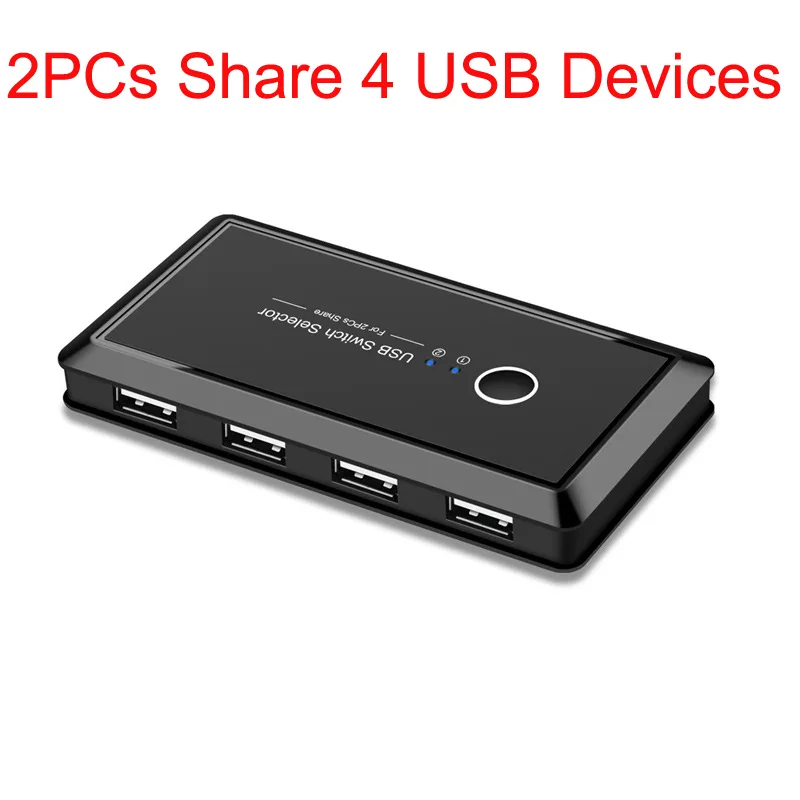
Jansicotek 2-in-4 USB 2.0 KVM Switch
Share four USB 2.0 peripherals between two computers using the hub with one-button switching and LED indication
- Computer Connections4 Ports
- Share four USB 2.0 peripherals between two computers
- One-button switching with LED status indication
- Plug-and-play across Windows, Mac, Linux and Chrome OS
- Optional Micro-USB power port for stable high-draw devices
- No driver installation required for instant setup
Jansicotek 2-in-4 USB 2.0 KVM Switch
This KVM switch lets two computers share four USB 2.0 peripherals with a single button press. It targets home users and small offices that want to avoid swapping cables or configuring network sharing for printers, scanners, keyboards, mice or storage drives. The unit is bus-powered and includes a micro-USB port for optional external power when connecting higher-draw devices. No driver installation is required for the listed operating systems.
Practical limits of USB 2.0 sharing
The switch operates at USB 2.0 speeds, so attached devices are limited to that bandwidth. Only one computer can access the four shared ports at any moment; the other system sees the devices as disconnected. Switching is manual via the front button with LED indication, not automatic or software-driven. The optional micro-USB power input accepts a standard 5 V adapter only; higher-voltage supplies are not permitted and may affect operation.
Two-computer, four-port constraint
This model supports exactly two connected computers and four downstream USB ports. Buyers who need to share peripherals among three or more systems cannot use this switch. It also does not support video, audio or dedicated keyboard/mouse emulation for BIOS-level switching.
Highlights
- Share four USB 2.0 peripherals between two computers
- One-button switching with LED status indication
- Plug-and-play across Windows, Mac, Linux and Chrome OS
- Optional Micro-USB power port for stable high-draw devices
- No driver installation required for instant setup
Specifications
| Computer Connections | 4 Ports |
|---|
Questions about this item
One button switches between two computers — how do I pick the right setup for my desk?
The switch has four downstream USB 2.0 ports; connect up to four peripherals and use the single button to toggle both computers between them.
The box says USB 2.0 — what speed will I actually see when printing or scanning?
Data moves at USB 2.0 rates, so print jobs and scan transfers run at the standard 2.0 throughput without extra drivers.
The unit has a micro-USB power port — do I need an adapter for a keyboard, mouse and external drive?
It is bus-powered for low-draw devices; plug a 5 V adapter into the micro-USB port when you attach power-hungry peripherals such as an external hard drive.
Also in this aisle
People compared these
Same shelf, same checkout — eight coins and a 30-minute rate lock.


Black Box Corporation
Black Box Corporation 4K60 HDMI Dual-Head KVM Switch 4 Port
$774.99
0.00900701BTC
In stock