Yealink Network Technology Co., Ltd
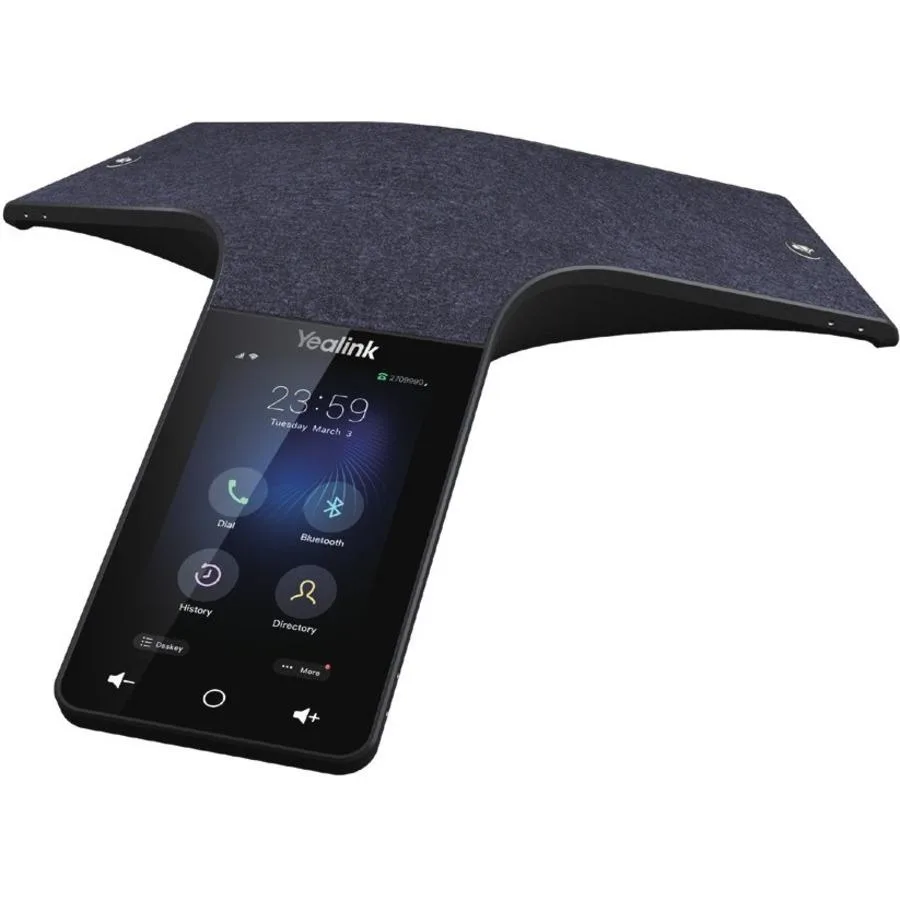
Yealink Network Technology Co., Ltd Optima HD IP Conference CPW65 1204612
- Voice Conferencing…
$690.99
0.00821717BTC
In stockWe take cryptocurrency — so the coins you hold can buy real hardware.Pay in crypto, spend it on real hardware. Free insured shipping worldwide over $399. Plain, unbranded boxes, sent from Germany.Free insured shipping over $399. Your rate is locked for 30 minutes once checkout opens.Rate locked 30 minutes. Every item sealed, serial-checked and covered by a 24-month warranty.Sealed, 24-month warranty.


Jabra Enterprise Products
Ethernet-connected touchscreen panel with integrated lightbar for meeting-room scheduling, certified for Microsoft Teams and Zoom Rooms, includes versatile mounting hardware
The Jabra 8020-239 is a dedicated touchscreen device for booking and displaying meeting-room status. It connects via Ethernet and is certified for Microsoft Teams panels and Zoom Rooms scheduling displays. Office managers and facilities teams use it to remove hallway bottlenecks and give instant visibility of room availability.
The unit draws power over its Ethernet connection so no separate mains adapter is required. With no moving parts it runs silently and produces negligible heat in normal use. The always-on display and integrated lightbar remain readable throughout the working day without active cooling.
The box supplies an integral wall-or-table bracket, a mullion mount for narrow frames and a glass-mount adhesive pad, plus the screw tool needed for installation. This hardware lets IT teams fix the panel to drywall, glass partitions or door frames without sourcing extra parts.
| Brand | Jabra |
|---|---|
| Model | Room Scheduling Touch Screen |
| Type | Room Scheduling Touch Screen |
| Connectivity | Ethernet |
| Part Number | 8020-239 |
| Specification | Jabra Room Scheduling Touch Screen - VPN: 8020-239. Includes Integral Wall/Table Mount, Mullion Mount, Glass Mounting Adhesive, Screw Tool. |
| Shipping weight | 1.32 kg |
| Package size | 277 × 196 × 91 mm |
Use the supplied glass mounting adhesive to attach the mullion mount directly to the glass surface, then secure the panel.
The capacitive touchscreen surface may wear from repeated cleaning and finger contact, requiring panel replacement.
The Ethernet link bandwidth can become saturated by frequent calendar sync traffic before the processor or memory reaches capacity.
Also in this aisle
Same shelf, same checkout — eight coins and a 30-minute rate lock.
What you pay in, and what you read prices in.
Sent from your wallet at checkout
Display only — the catalogue is priced in USD
No currency matches that.
Pick the language the site speaks to you in.
No language matches that.
New here?
Already have one?
There is no automatic reset: this shop sends no mail, so there is no one-time link to ask for. Leave the address on the account and it gets picked up by hand.
Request noted
Nothing is on its way to your inbox — this shop sends no mail at all. Someone picks these up by hand.
Remembered it?