


j5create
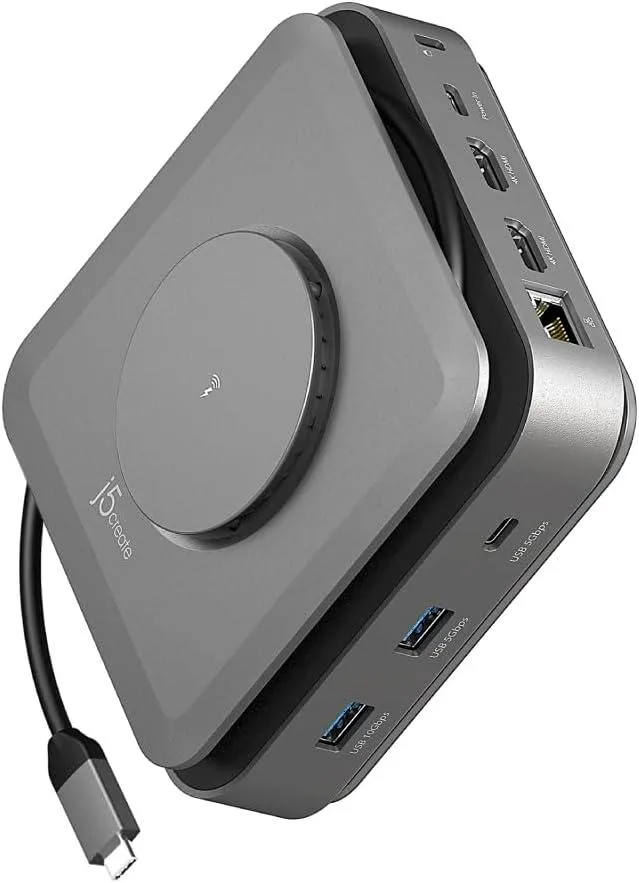
j5create JCD3199 USB-C Dock Dual 4K HDMI 15W Wireless Charger
Connects two 4K displays, adds Gigabit Ethernet and multiple USB ports, and includes a 15W magnetic wireless charger for phones
- Charge phones magnetically at 15W while docked
- Connect two 4K screens to Windows or M1/M2/M3 Mac
- Transfer files fast via 10Gbps and 5Gbps USB ports
- Stable wired internet through Gigabit Ethernet
- Mount vertically to save desk space with cable storage
Compact Dock for Dual 4K and Wireless Charging
The j5create JCD3199 is a USB-C docking station built for office and remote work. It adds two 4K HDMI outputs, two USB-A ports, two USB-C ports, Gigabit Ethernet, an SD/microSD card reader and an audio jack. An integrated 15 W magnetic wireless charger on the top surface powers compatible smartphones and earbuds.
Upgrade from Basic Hubs When You Need Two Extended
This dock replaces simple single-video adapters by driving two extended 4K monitors from a USB-C laptop, including M1, M2 and M3 MacBooks with the required driver installed. The jump is worth it when you need simultaneous dual-display productivity plus wired networking and high-speed peripheral ports in one device.
Check Host Port and Power Adapter Before Ordering
Verify that your laptop’s USB-C port supports video output and Power Delivery 3.1 to unlock the dock’s full capability. The wireless charger will not operate when the dock is powered by a USB-C adapter rated at 60 W or less, so a higher-wattage supply is necessary for that feature.
Highlights
- Charge phones magnetically at 15W while docked
- Connect two 4K screens to Windows or M1/M2/M3 Mac
- Transfer files fast via 10Gbps and 5Gbps USB ports
- Stable wired internet through Gigabit Ethernet
- Mount vertically to save desk space with cable storage
Specifications
No published specifications for this item yet.
Questions about this item
What clearance or mounting option does the JCD3199 dock need on a desk?
The dock includes a vertical-mount bracket so it can stand upright, plus a built-in cable storage compartment to keep the host cable tidy regardless of port location.
What is the driver step that macOS users often miss when setting up dual 4K displays?
On M1/M2/M3 MacBooks you must install the DisplayLink driver before the second extended 4K screen will appear; Windows works without extra software.
Which part of the JCD3199 will need the most frequent cleaning to keep wireless charging reliable?
The magnetic charging pad on top should be kept free of dust, metal shavings and thick cases so the 15 W coil stays aligned with phones such as iPhone 12 through 15 or Galaxy S21 through S23.
Also in this aisle
People compared these
Same shelf, same checkout — eight coins and a 30-minute rate lock.


Kensington
Kensington Desk Mount Cable Anchor K64613WW accessory
- Black
- Provides a secure a…
$19.99
0.00023757BTC
In stock
Panasonic
Panasonic CF-VDR291U laptop cooling pad
- Optical Drive
- Buffer Size: 2 MB B…
$213.99
0.00254311BTC
In stock
eReplacements
eReplacements PB992A-ER laptop battery 14.4V
- Battery
- Lithium-Ion
$65.99
0.00078424BTC
In stock