


iTekiro
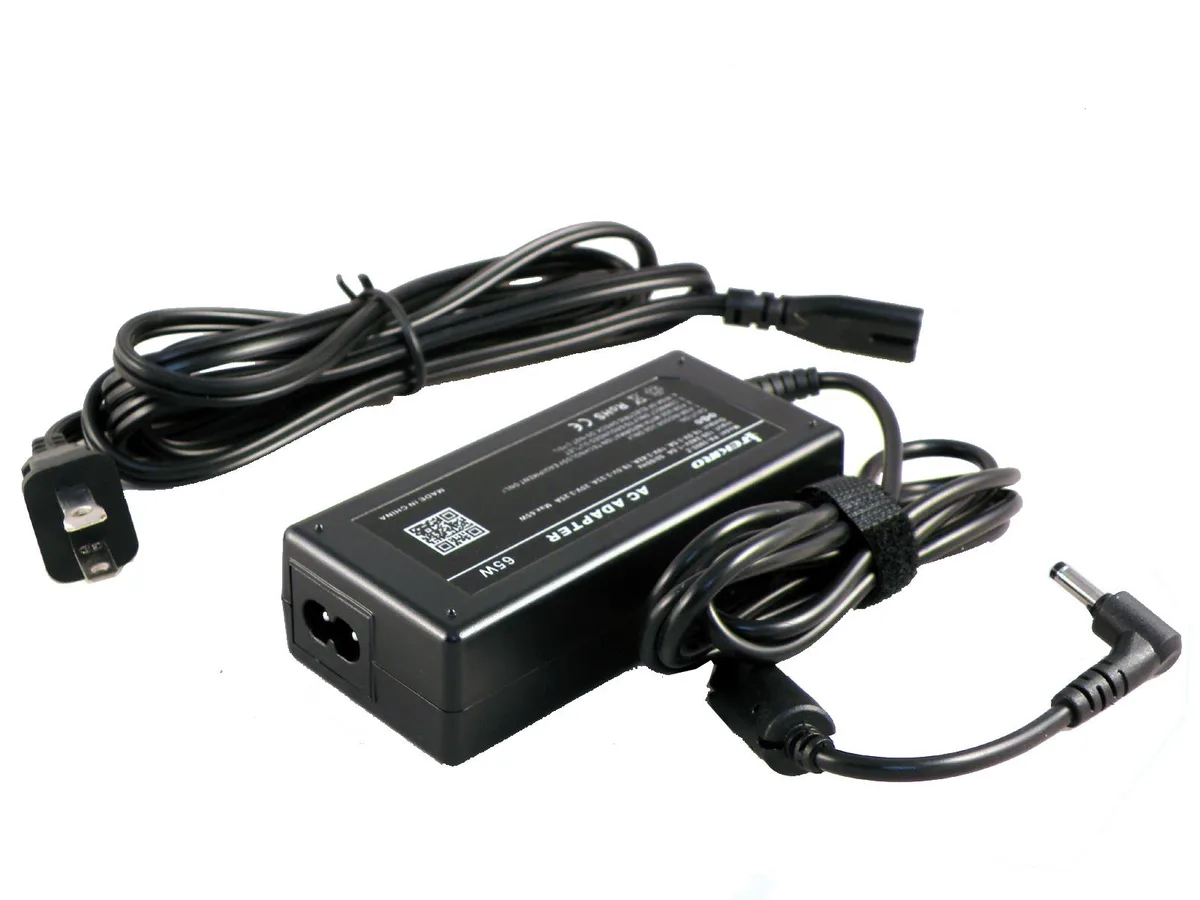
iTekiro 65W AC Adapter for Lenovo 100S Chromebook 11.6
A 45 W, 20 V replacement charger with a 90-degree L-tip and two 6 ft cords for Lenovo 100S Chromebook 11.6 models
- AC Adapter Voltage20V
- AC Adapter Current2.25A
- AC Adapter Output Power45W
- Right-angle DC connector reduces port stress and lasts longer
- Extra-long 6 ft AC cord plus 6 ft DC cord reaches distant outlets
- UL-listed AC cord and internal surge protection guard against voltage spikes
- High power efficiency delivers consistent 45 W output for reliable charging
- Rugged sealed case withstands moisture and harsh mobile environments
Replacement adapter for Lenovo 100S Chromebook 11.6
This 65W AC adapter replaces the original charger for Lenovo 100S Chromebook 11.6 models including the 80QN series. It supplies 20V at 2.25A for a 45W output that powers the laptop and charges the battery while the system is on or off. The right-angle DC plug reduces strain on the device power jack.
Travellers and students needing a durable spare
The 6 ft AC cord plus 6 ft DC cord gives extra reach in tight outlets or lecture halls without an extension lead. The rugged case resists moisture and humidity for daily carry. Buyers who need a higher-wattage supply for larger laptops or a USB-C power source should look elsewhere.
20V 2.25A output with L-shape tip
The adapter delivers a fixed 20V 2.25A DC output through a 90-degree elbow connector designed to protect the laptop power jack from bending stress. UL-listed AC cord and internal surge protection guard against voltage spikes. This specification determines whether the unit matches the device power requirements.
Highlights
- Right-angle DC connector reduces port stress and lasts longer
- Extra-long 6 ft AC cord plus 6 ft DC cord reaches distant outlets
- UL-listed AC cord and internal surge protection guard against voltage spikes
- High power efficiency delivers consistent 45 W output for reliable charging
- Rugged sealed case withstands moisture and harsh mobile environments
Specifications
| AC Adapter Voltage | 20V |
|---|---|
| AC Adapter Current | 2.25A |
| AC Adapter Output Power | 45W |
Questions about this item
How do I install the 65W AC adapter on my Lenovo 100S Chromebook 11.6 and what step do people get wrong?
Connect the L-shaped 90-degree DC tip to the laptop's power jack first, then plug the 2-prong AC cord into a wall outlet; the common mistake is forcing the straight orientation instead of aligning the right-angle connector which reduces strain on the port.
What maintenance or replacement will the 65W AC adapter need later?
The UL-listed 6 ft AC power cord and 6 ft DC cord should be inspected periodically for fraying or damage; the ruggedized case resists moisture but the right-angle DC connector is the primary wear point and may need replacement if the tip becomes loose or intermittent.
What limit shows up first under sustained use with the 65W AC adapter?
The adapter delivers 20V at 2.25A for a 45W continuous output; sustained loads approaching this 45W limit will trigger internal voltage and current limiting protection to prevent overheating and protect the connected Chromebook.
Also in this aisle
People compared these
Same shelf, same checkout — eight coins and a 30-minute rate lock.


Case Logic
Case Logic 3203990 briefcase for 15.6 in laptop with 10.1 in tablet pocket
$30.99
0.00037069BTC
In stock