


iTekiro
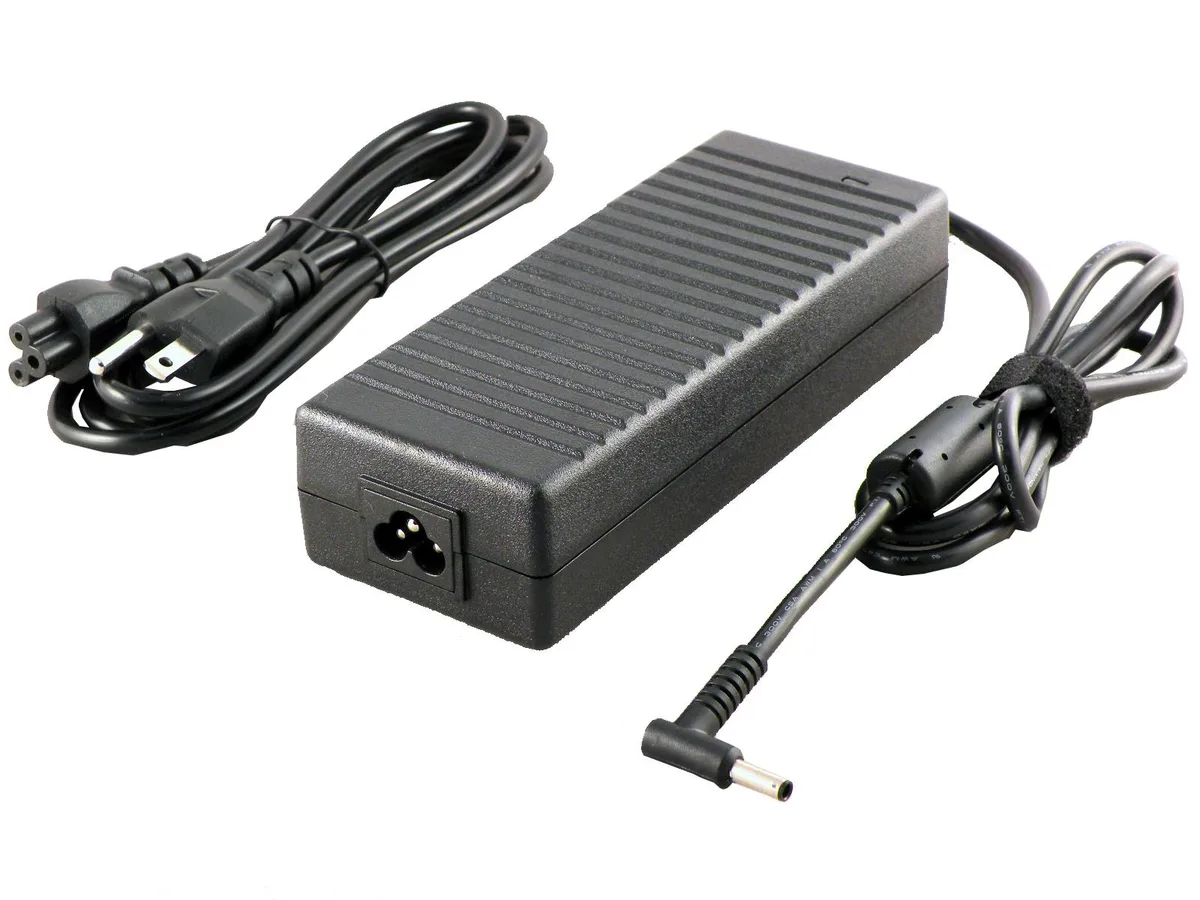
iTekiro 150W 20V 7.5A AC Adapter 4.5mm Tip
150W 20V laptop charger with 4.5mm tip replaces 120W Asus models and includes extra-long 6ft cords
- TypeAC Adapter
- Battery TypeLithium-Ion
- AC Adapter Voltage20V
- AC Adapter Current7.5A
- AC Adapter Output Power150W
- 150W output powers demanding laptops
- 20V 7.5A matches original charger specs
- 5mm tip with centre pin fits listed Asus models
- 6ft AC cord plus 6ft DC cord gives extended reach
- 100-240V input works worldwide without a converter
Purpose & Audience
This 150W AC adapter replaces the original charger for a wide range of Asus laptops including the K571, M6500, M7600, N7600, Q530, Q539, Q540, UM535, UX535, UX550 and UX580 series. It suits owners who need a direct replacement or a spare unit that matches the factory voltage and current ratings. Builders who require a different tip size or a higher wattage unit will not find a match here.
Thermals, Noise & Power
The adapter accepts a worldwide AC input of 100 to 240 volts at 50 to 60 hertz and delivers up to 150 watts at 20 volts and 7.5 amps, with alternative 19.5 volt 7.7 amp and 19 volt outputs supported. Overload, short-circuit, over-voltage, over-current and over-temperature protections manage heat and safety during normal operation. No fan is present, so the unit runs silently.
Build Integration
A 4.5 mm diameter barrel plug with a centre pin connects to the laptop, while a six-foot UL-listed three-prong AC cord and a six-foot DC cord provide generous reach. The durable, sealed case resists water and humidity, allowing the adapter to sit on a desk or travel in a bag without extra protection. Buyers needing a right-angle connector or a USB-C output must look elsewhere.
Highlights
- 150W output powers demanding laptops
- 20V 7.5A matches original charger specs
- 5mm tip with centre pin fits listed Asus models
- 6ft AC cord plus 6ft DC cord gives extended reach
- 100-240V input works worldwide without a converter
Specifications
| Type | AC Adapter |
|---|---|
| Battery Type | Lithium-Ion |
| AC Adapter Voltage | 20V |
| AC Adapter Current | 7.5A |
| AC Adapter Output Power | 150W |
Questions about this item
How do I install the 4.5 mm tip with center pin on my Asus laptop?
Align the center pin with the laptop's charging port and push the 4.5 mm plug straight in until it seats firmly; the step people miss is forcing it at an angle, which bends the pin.
Will the 6 ft AC cord or 6 ft DC cord need replacement first?
The DC cord sees repeated flexing at the laptop end and typically wears before the stationary AC cord; inspect both for fraying after extended use.
At what load does the 150 W adapter hit its thermal limit during sustained use?
Continuous output at 20 V 7.5 A (150 W) triggers the built-in over-temperature protection first, causing the unit to throttle or shut down until it cools.
Also in this aisle
People compared these
Same shelf, same checkout — eight coins and a 30-minute rate lock.


Kensington
Kensington Desk Mount Cable Anchor K64613WW accessory
- Black
- Provides a secure a…
$19.99
0.00023307BTC
In stock
Panasonic
Panasonic CF-VDR291U laptop cooling pad
- Optical Drive
- Buffer Size: 2 MB B…
$213.99
0.00249493BTC
In stock
eReplacements
eReplacements PB992A-ER laptop battery 14.4V
- Battery
- Lithium-Ion
$65.99
0.00076938BTC
In stock