


IOGEAR
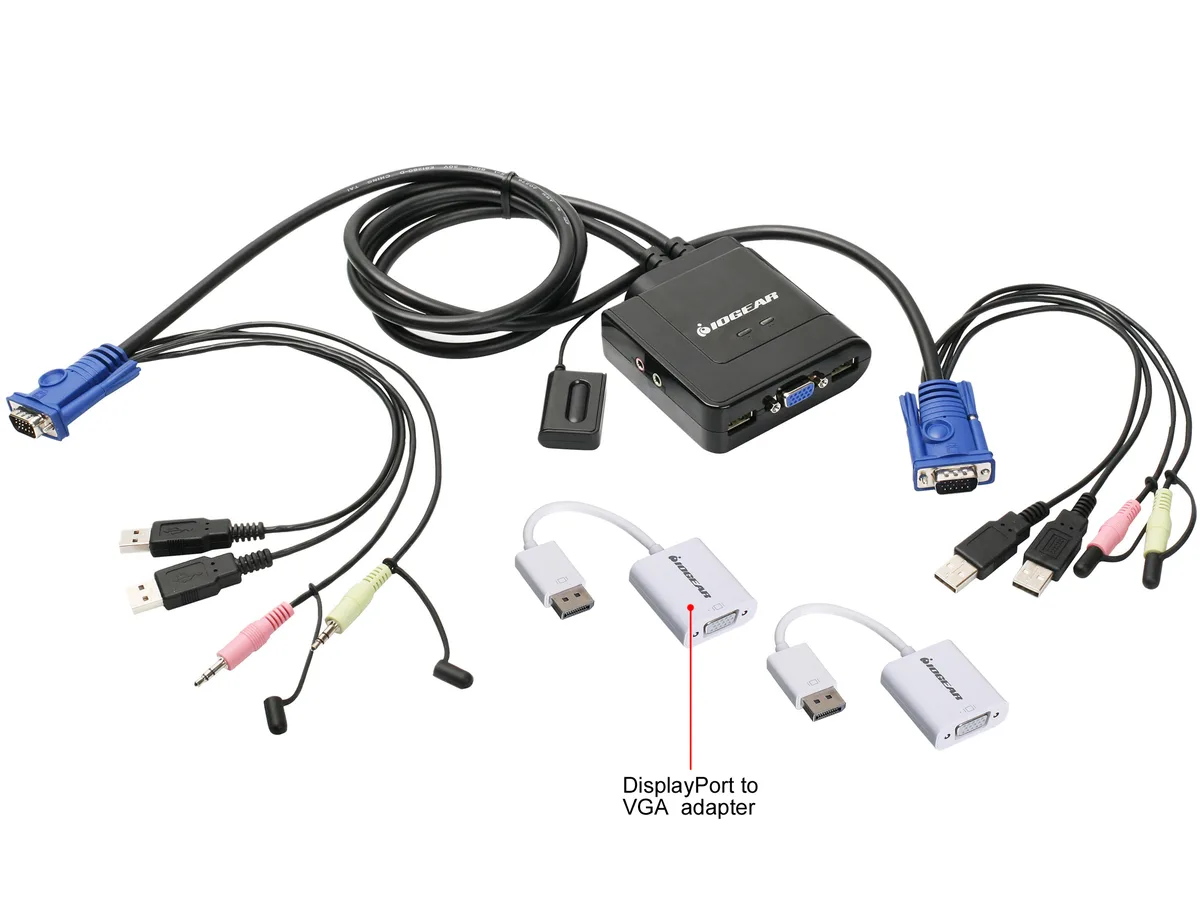
IOGEAR GCS72DPKIT 2-Port VGA DisplayPort KVM Switch with Audio
Controls two computers from one VGA monitor, keyboard and mouse using mixed VGA and DisplayPort inputs with included adapters and no external power
- TypeConsumer Electronics
- PC ConnectorsMonitor: 2 x VGA; 2 x DisplayPort (with adapters) Keyboard &
- Console ConnectorsMonitor: VGA Keyboard: USB Mouse: USB
- Video Resolution2048 x 1536 (VGA), 1920 x 1200 (with adapters)
- PC SelectionRemote Pushbutton
- LED IndicatorsOn Line: Green
- Switch two computers instantly with a single button press
- Mix VGA and DisplayPort sources on one VGA console
- Two DisplayPort-to-VGA adapters included for hybrid setups
- Operates without an external power adapter for cleaner desks
- All required cables ship in the box for immediate use
Two-Port VGA and DisplayPort KVM
The IOGEAR GCS72DPKIT lets one user control two computers from a single VGA monitor, USB keyboard and USB mouse. It accepts both VGA and DisplayPort video outputs on the computer side, with two DisplayPort-to-VGA adapters included so mixed sources can share the same display. No external power supply is required, and switching is handled by a wired push-button remote. The unit supports resolutions up to 2048 x 1536 over native VGA and 1920 x 1200 through the adapters.
Replaces dual-monitor and dual-peripheral setups
Users who currently run two separate desks — each with its own monitor, keyboard and mouse — can consolidate to one console and reclaim desk space. The switch is worth the change when both computers need only occasional access, such as a work laptop and a home PC, or a test bench and a production machine. It does not suit workflows that require simultaneous viewing of both systems or independent displays for each computer.
Plug-and-play with included cables and adapters
All necessary cables ship in the box, so installation is a matter of connecting each computer’s video and USB ports to the switch, attaching the console peripherals, and placing the remote button within reach. The most common issue is forgetting to set the computer’s output resolution within the supported 1920 x 1200 limit when using the DisplayPort adapters, which can result in a blank screen until the setting is lowered.
Highlights
- Switch two computers instantly with a single button press
- Mix VGA and DisplayPort sources on one VGA console
- Two DisplayPort-to-VGA adapters included for hybrid setups
- Operates without an external power adapter for cleaner desks
- All required cables ship in the box for immediate use
Specifications
| Brand | IOGEAR |
|---|---|
| Model | GCS72DPKIT |
| Type | Consumer Electronics |
| PC Connectors | Monitor: 2 x VGA; 2 x DisplayPort (with adapters) Keyboard & Mouse: 2 x USB |
| Console Connectors | Monitor: VGA Keyboard: USB Mouse: USB |
| Video Resolution | 2048 x 1536 (VGA), 1920 x 1200 (with adapters) |
| PC Selection | Remote Pushbutton |
| LED Indicators | On Line: Green |
| Features | Switch between two computers with the push of a button Offers the flexibility to mix and match computer connections: VGA and DisplayPort Includes 2 x DisplayPort to VGA adapters No external power needed Cost effective, Plug-N-Play solution One USB keyboard, USB mouse, and VGA monitor control two computers Max resolution: 2048 x 1536, DDC2B 2.1 Stereo audio and microphone support 3' long molded-in cables to simplify setup Compatible with PC, MAC and SUN operating platforms Supports Windows XP or higher, Mac OS 9.0 or higher, Sun Solaris 9 or higher Full Mac keyboard support Supports p |
| Dimensions | 6.00" x 2.00" x 7.00" |
| Weight | 0.82 lbs. |
| Shipping weight | 0.59 kg |
| Package size | 193 × 155 × 61 mm |
Questions about this item
What console monitor connector does the switch require?
The console side uses a single VGA port for the shared monitor.
How do you select the active computer and what common step is missed?
Press the remote pushbutton to switch; the step often missed is connecting the included DisplayPort-to-VGA adapters before linking DisplayPort sources.
What consumable or wear item will need replacement over time?
The included DisplayPort-to-VGA adapters or USB cables may wear out and need replacing after extended use.
Also in this aisle
People compared these
Same shelf, same checkout — eight coins and a 30-minute rate lock.


Black Box Corporation
Black Box Corporation 4K60 HDMI Dual-Head KVM Switch 4 Port
$774.99
0.00922124BTC
In stock