


IOGEAR
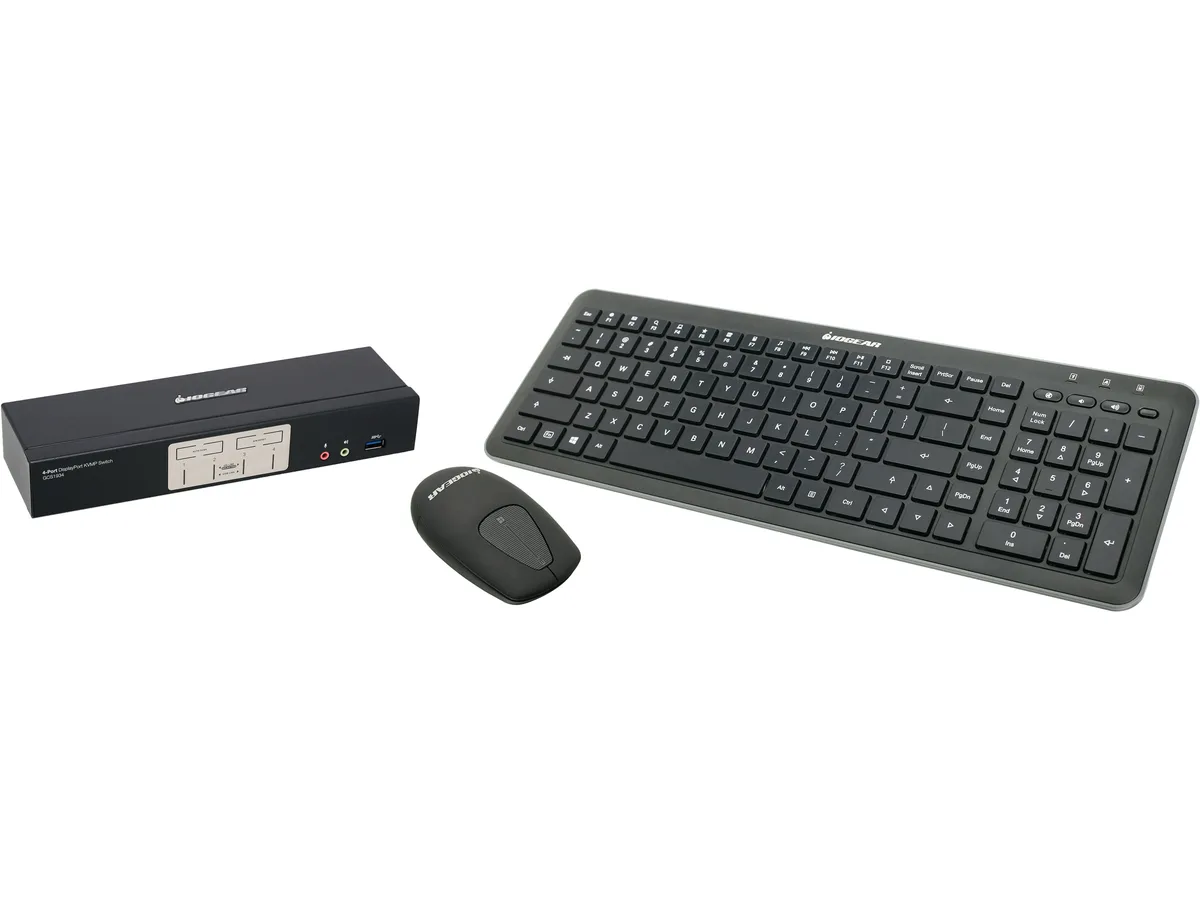
IOGEAR GCS1934-KM 4-Port DisplayPort 1.2 KVM Switch with Wireless Keyboard and Mouse
Controls four computers from one DisplayPort console at 4096 x 2160 60 Hz with included wireless keyboard and mouse
- TypeDisplayPort, USB
- PC ConnectorsMonitor: 4 x DisplayPort Keyboard & Mouse: 4 x USB 3.1 Gen1
- Console ConnectorsMonitor: 1 x DisplayPort Keyboard: 1 x USB Type A Mouse: 1 x
- Monitor Connections4 x DisplayPort
- Video Resolution4096 x 2160 @ 60Hz (4K DCI)
- AutoScan Interval1~99 seconds (5 seconds default)
- Control two computers with one wireless keyboard and mouse set
- True 4K DCI video quality at 4096 x 2160 60 Hz
- Auto-scan switches ports automatically every 1 to 99 seconds
- Nine USB ports plus five DisplayPort connections for peripherals
- Operates reliably from 0 to 50 °C ambient temperature
Four-computer DisplayPort KVM
The IOGEAR GCS1934-KM lets one user control four computers from a single DisplayPort monitor, wireless keyboard and wireless mouse. It supports 4096 x 2160 resolution at 60 Hz and switches video, USB peripherals and analogue audio with front-panel buttons or hot-keys. The bundle includes a low-profile Chiclet keyboard and a laser mouse with a USB RF receiver rated for 33 ft range.
Build integration and cabling
Each computer connects through one DisplayPort cable, one USB 3.1 Gen1 Type-B cable and two 3.5 mm audio jacks for speaker and microphone. The console side provides one DisplayPort output, two USB Type-A ports for the included wireless set, plus front and rear 3.5 mm jacks for headset flexibility. A DC 5.3 V power adapter supplies the switch, and auto-scan can cycle ports at intervals from 1 to 99 seconds.
Upgrade context
This unit replaces a basic two-port KVM or separate cable swapping when four DisplayPort sources must share one 4K DCI display and USB 3.1 peripherals. It is not suited for users who need more than four computer ports, dual-monitor console output, or wireless connectivity beyond the 33 ft RF link.
Highlights
- Control two computers with one wireless keyboard and mouse set
- True 4K DCI video quality at 4096 x 2160 60 Hz
- Auto-scan switches ports automatically every 1 to 99 seconds
- Nine USB ports plus five DisplayPort connections for peripherals
- Operates reliably from 0 to 50 °C ambient temperature
Specifications
| Brand | IOGEAR |
|---|---|
| Model | GCS1934-KM |
| Type | DisplayPort, USB |
| PC Connectors | Monitor: 4 x DisplayPort Keyboard & Mouse: 4 x USB 3.1 Gen1 Type B Audio: 4 x 3.5mm Mini Stereo Jack Microphone: 4 x 3.5mm Mini Stereo Jack |
| Console Connectors | Monitor: 1 x DisplayPort Keyboard: 1 x USB Type A Mouse: 1 x USB Type A Audio: 2 x 3.5mm Mini Stereo Jack (Front and Rear) Microphone: 2 x 3.5mm Mini Stereo Jack (Front and Rear) |
| Monitor Connections | 4 x DisplayPort |
| Video Resolution | 4096 x 2160 @ 60Hz (4K DCI) |
| AutoScan Interval | 1~99 seconds (5 seconds default) |
| LED Indicators | Mode: 4 x Orange KVM: 4 x Orange Audio: 4 x Orange USB Peripherals : 4 x Green |
| Temperature | Operation Temperature: 0~50C Storage Temperature: -20~60C |
| Humidity | 0~80% RH, Non-condensing |
| Power Features | DC 5.3V |
| Features | DisplayPort KVMP: Switch between 2 computers at the push of a button Control 2 computers using a single keyboard, mouse, and up to 3 DisplayPort monitors Superior video quality - True 4K (4096 x 2160@60Hz) DisplayPort 1.2 compliant, HDCP compliant 2-Port USB3.1 Gen1 Hub with SuperSpeed 5Gbps transfer rate MST (Multi-Stream Transport) DP++ supports HDMI and DVI output Switch between computers via front panel pushbuttons, hotkeys Independent switching of the video, USB, and audio Supports superior HD quality audio Multi-platform support - Windows 7, Windows 8.1, Windows 10, Mac, and Li |
| Dimensions | 10.00" x 9.00" x 22.00" |
| Shipping weight | 3.85 kg |
| Package size | 511 × 264 × 170 mm |
Questions about this item
Does the KVM switch throttle or shut down if it runs at 50 °C for hours?
The unit is rated for continuous operation from 0 °C to 50 °C, so sustained use at the top of that range stays within specification.
How much fan noise or heat should I expect when the switch and wireless set run all day?
The switch has no fan and draws only 5.3 V DC, so it adds negligible heat and runs silently; the wireless keyboard and mouse are battery powered and also produce no audible noise.
Which cables do I need to connect two computers and three DisplayPort monitors right away?
You must supply four DisplayPort cables for the computer video inputs, one DisplayPort cable for the monitor output, and four USB 3.1 Gen1 Type B cables for the keyboard and mouse links; the bundle includes the wireless receiver and a pair of DisplayPort cables.
Also in this aisle
People compared these
Same shelf, same checkout — eight coins and a 30-minute rate lock.


Black Box Corporation
Black Box Corporation 4K60 HDMI Dual-Head KVM Switch 4 Port
$774.99
0.00913106BTC
In stock