


Insta360
Insta360 Link 2 PTZ 4K Webcam
A PTZ 4K webcam with a 1/2" sensor, AI tracking, HDR, AI noise-canceling mic and gesture control for streaming and calls
- 1/2" sensor delivers true-to-life 4K HDR video in any light
- AI noise-canceling mic filters background sound for clear calls
- Phase Detection Auto Focus locks on fast for crisp footage
- Physical pan/tilt tracks movement to keep you framed
- Privacy tilt-down activates after 10 seconds of inactivity
What the webcam is and who it serves
The Insta360 Link 2 is a PTZ 4K webcam built around a 1/2" sensor that captures HDR video and natural bokeh. It suits streamers, remote professionals and educators who want a single camera that tracks movement and adapts to different room setups without extra hardware.
Capacity and headroom: what it handles
Phase Detection Auto Focus keeps subjects crisp during fast motion, while AI noise-canceling microphones suppress background sound in busy spaces. The camera physically pans and tilts to follow you around the room, yet it cannot cover a full 360-degree sweep, so very wide areas need manual repositioning.
Bundled software and accessories that change
Link Controller software unlocks DeskView, Whiteboard and 4K Portrait modes plus gesture and remote smartphone control. Privacy mode tilts the lens down after 10 seconds of inactivity, and the camera works with Zoom, Teams, Twitch and other major platforms without extra drivers.
Highlights
- 1/2" sensor delivers true-to-life 4K HDR video in any light
- AI noise-canceling mic filters background sound for clear calls
- Phase Detection Auto Focus locks on fast for crisp footage
- Physical pan/tilt tracks movement to keep you framed
- Privacy tilt-down activates after 10 seconds of inactivity
Specifications
No published specifications for this item yet.
Questions about this item
Will the 1/2" sensor and HDR still look sharp on an older 1080p monitor?
The webcam outputs up to 4K HDR, so it downscales cleanly to 1080p displays while keeping the sensor's low-light advantage and colour depth.
How do I confirm Phase Detection Auto Focus is active after plugging it in?
Open Link Controller on the desktop; the focus panel shows PDAF status in real time, and you will see the lens snap sharply when you move your hand toward the camera.
Does the box include a privacy cover or do I need to buy one?
No separate cover is required — the camera tilts downward automatically after 10 seconds of inactivity for built-in privacy.
Also in this aisle
People compared these
Same shelf, same checkout — eight coins and a 30-minute rate lock.


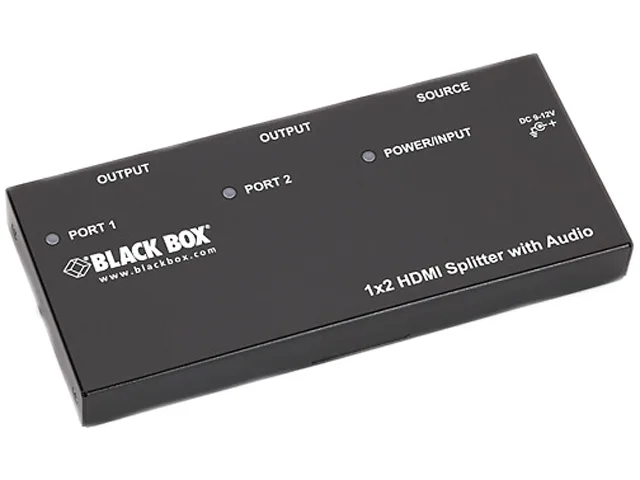
Black Box Corporation
Black Box AVSP-HDMI1X2 HDMI splitter 1×2 with audio
- HDMI
- Approvals: CE, RoHS…
$104.99
0.00121208BTC
In stock