
Inogeni
Inogeni Host Button with 13' Terminal Block Cable
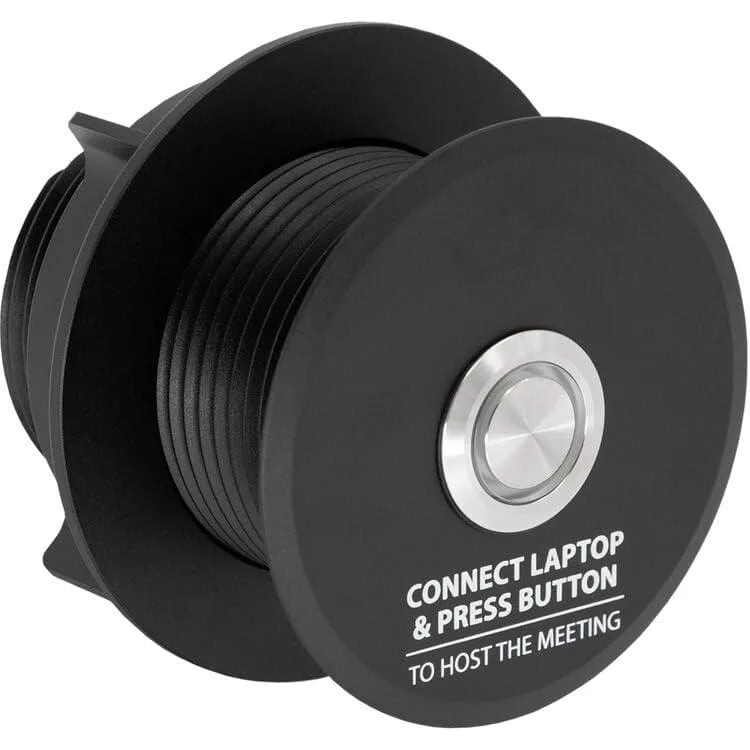
A conference-room switch with illuminated metal button and 13-foot terminal-block cable for toggling between room PC and laptop in BYOM setups
- Effortless PC switching in conference rooms via illuminated metal button
- 13-foot pre-terminated terminal block cable simplifies professional installation
- LED ring illumination confirms active BYOM peripheral connection
- GPI interface enables direct device mode and host selection
- Anodized metal construction integrates cleanly into modern conference tables
Conference Room Host Switch
The Inogeni Host Button provides a physical toggle for switching between a room PC and a connected laptop in BYOM meeting spaces. It mounts into conference tables and links to Toggle Rooms systems through a CAT cable using the included 13-foot terminal block cable. An anodized metal button with an LED ring shows the active host status at a glance. The device operates through a GPI interface for mode management.
Teams Rooms and BYOM Users
This button suits meeting rooms that run Toggle Rooms or Toggle Rooms XT and need a simple way to hand peripheral control to a visitor's laptop. It works when the laptop is connected via USB-C or USB-B plus HDMI. Rooms without a Toggle Rooms backbone, or setups that rely on wireless presentation only, will not be able to use the GPI switching function.
13-Foot Terminal Block Cable Included
The kit ships with a pre-terminated 13-foot cable that connects the button to the Toggle Rooms host using terminal block connections. This length covers typical table-to-rack runs without extra termination work. Installers should verify the cable route fits the 13-foot allowance before committing to the mounting location.
Highlights
- Effortless PC switching in conference rooms via illuminated metal button
- 13-foot pre-terminated terminal block cable simplifies professional installation
- LED ring illumination confirms active BYOM peripheral connection
- GPI interface enables direct device mode and host selection
- Anodized metal construction integrates cleanly into modern conference tables
Specifications
No published specifications for this item yet.
Questions about this item
How does the GPI interface control the switch between the room PC and laptop?
The GPI interface manages device modes including PC selection and BYOM activation through the terminal block connection to TOGGLE ROOMS.
What mounting requirements does the anodized metal button have for conference table installation?
The button kit is engineered for integration into modern conference tables with the 13-foot pre-terminated terminal block cable simplifying the installation process.
What cables must be connected to the laptop before pressing the button to activate BYOM mode?
The laptop must be connected via USB-C or USB-B plus HDMI cables before the button's LED ring illuminates to confirm BYOM activation.
Also in this aisle
People compared these
Same shelf, same checkout — eight coins and a 30-minute rate lock.


Black Box Corporation
Black Box Corporation 4K60 HDMI Dual-Head KVM Switch 4 Port
$774.99
0.00894701BTC
In stock