


InfiRay
InfiRay Xinfrared X2 (XH09) Thermal Imaging Camera for iPhone iOS with Bracket
Turns an iPhone 8 or later running iOS 13 into a 384×288 thermal imager with 50 Hz frame rate, 870 m detection range, 2–15× zoom and IP65 sealing
- TypeThermal Imager
- Turns your iPhone into a thermal camera
- X³ algorithm boosts IR resolution to 384×288
- Detects heat sources up to 870 metres away
- 50 Hz frame rate gives smooth, real-time video
- 04 °C sensitivity reveals tiny temperature differences
Turns iPhone into thermal camera
The Xinfrared XH09 attaches to an iPhone running iOS 13 or later and works with iPhone 8 and newer models. It converts the phone into a thermal imager and a night-vision monocular using the InfiRay sensor and X³ Super Algorithm. The device is aimed at homeowners, technicians and outdoor users who need portable thermal vision.
All-metal IP65 body and bracket mount
An all-metal housing gives the unit a solid feel and an IP65 rating protects it against heavy rain. The included bracket secures the imager to the phone for stable handheld use. A 50 Hz frame rate delivers smooth video while tracking moving targets at night.
Replaces standalone thermal scopes for occasional
The imager upgrades from a native 256×192 sensor to an enhanced 384×288 image through the X³ algorithm. Detection reaches 870 m with 2–15× digital zoom and 0.04 °C sensitivity. Buyers who need continuous recording or built-in storage should consider dedicated units instead.
Highlights
- Turns your iPhone into a thermal camera
- X³ algorithm boosts IR resolution to 384×288
- Detects heat sources up to 870 metres away
- 50 Hz frame rate gives smooth, real-time video
- 04 °C sensitivity reveals tiny temperature differences
Specifications
| Type | Thermal Imager |
|---|
Questions about this item
Does the Lightning interface on the XH09 cap the frame rate or resolution compared to the sensor specs?
The XH09 delivers its full 50 Hz frame rate and the X³ algorithm upscales the 256×192 sensor to 384×288 over the Lightning connection on iPhone 8 or later running iOS 13+.
What physical clearance does the supplied bracket need on the iPhone?
The bracket clamps around the iPhone body and aligns the XH09's metal housing with the Lightning port; it requires a bare phone or a case thin enough that the connector seats fully.
How is the XH09 installed on iOS, and what step do users often miss?
Plug the XH09 into the Lightning port, allow the accessory prompt, then install the Xinfrared app from the App Store; the step users miss is granting the app camera and local-network permissions on first launch.
Also in this aisle
People compared these
Same shelf, same checkout — eight coins and a 30-minute rate lock.


Lab Safety Supply Inc
Lab Safety Supply Inc 667123 24 Well Tissue Culture Plate w/Lid PK50
- Assortments & Kits
$66.99
0.0008023BTC
In stock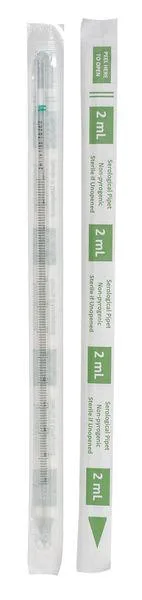
Lab Safety Supply Inc
Lab Safety Supply Inc 11L806 2mL Pipet Individually Wrapped PK600
- Assortments & Kits
$106.99
0.00128136BTC
In stock