


InfiRay
InfiRay Xinfrared X2 XH09 for Hunti iPhone iOS Thermal Imager
Turn your iPhone into a thermal camera with 384×288 resolution, 50 Hz frame rate, 870 m detection range and IP65 protection
- TypeThermal Imager
- Turns your iPhone into a thermal camera with 384×288 resolution via X³ algorithm
- Detects heat sources up to 870 m away for night spotting
- 50 Hz frame rate gives smooth video of fast-moving targets
- IP65-rated metal body withstands heavy rain during outdoor use
- 04 °C sensitivity with AItemp reveals subtle temperature differences
Smartphone thermal imager for iOS
The Xinfrared XH09 attaches to an iPhone 8 or later running iOS 13 and turns the handset into a thermal camera and night-vision monocular. It is aimed at homeowners, technicians and outdoor users who want infrared vision without buying a dedicated handheld unit.
Resolution upgrade via X³ algorithm
The device uses InfiRay's X³ algorithm to interpolate the native 256×192 sensor up to 384×288, giving a noticeable clarity jump over basic phone attachments. The improvement is worth it when you need to distinguish small heat leaks, identify animals at distance or inspect electrical panels where extra detail changes the diagnosis.
Sustained 50 Hz imaging in tough conditions
A 50 Hz frame rate keeps motion smooth during long scanning sessions, while the IP65-rated metal housing shrugs off heavy rain. Thermal sensitivity of 0.04 °C maintains contrast over extended use, and 2–15× digital zoom lets you hold on distant targets without the image breaking up.
Highlights
- Turns your iPhone into a thermal camera with 384×288 resolution via X³ algorithm
- Detects heat sources up to 870 m away for night spotting
- 50 Hz frame rate gives smooth video of fast-moving targets
- IP65-rated metal body withstands heavy rain during outdoor use
- 04 °C sensitivity with AItemp reveals subtle temperature differences
Specifications
| Type | Thermal Imager |
|---|
Questions about this item
Does the XH09 connect directly to an iPhone Lightning port or does it need an adapter?
The XH09 is built for iPhone iOS models from iPhone 8 running iOS 13 or later and plugs straight into the Lightning port with no adapter required.
What is the first step people skip when setting up the XH09 on iOS?
After plugging the imager in, you must grant the companion app permission to access the camera and location services before a thermal image will appear.
How should the all-metal IP65 housing be cleaned after exposure to heavy rain?
Rinse the body with fresh water, shake off excess moisture, and let it air-dry completely before the next use; no disassembly or special lubricants are needed.
Also in this aisle
People compared these
Same shelf, same checkout — eight coins and a 30-minute rate lock.


Lab Safety Supply Inc
Lab Safety Supply Inc 667123 24 Well Tissue Culture Plate w/Lid PK50
- Assortments & Kits
$66.99
0.0008026BTC
In stock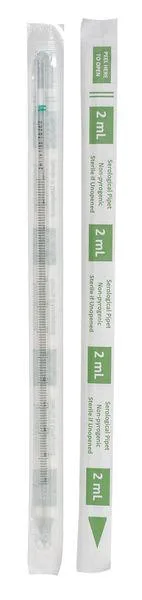
Lab Safety Supply Inc
Lab Safety Supply Inc 11L806 2mL Pipet Individually Wrapped PK600
- Assortments & Kits
$106.99
0.00128184BTC
In stock