


InfiRay
InfiRay T3S Thermal Camera 384x288 Android 6.0
Compact 384x288 thermal imager plugs into Android 6.0 phones for PCB and floor heat detection
- TypeThermal Imager
- 384 x 288 thermal resolution reveals heat patterns
- Android 6.0 and above compatibility enables phone-based inspection
- Compact Type-C design fits directly to mobile device
- Industrial-grade sensor supports PCB and floor-heating analysis
- Real-time infrared imaging assists night-vision detection
InfiRay T3S Thermal Camera 384x288
The InfiRay T3S is a compact thermal imager that plugs into an Android device via USB Type-C. It is aimed at technicians, DIY enthusiasts and homeowners who need to visualise heat patterns for PCB inspection, underfloor heating checks or general building diagnostics.
USB Type-C connection and Android 6.0 requirement
The unit draws power directly from the phone, so no separate battery or charger is needed. Because it relies on the host device for processing and display, the handset must run Android 6.0 or newer and the specific app must be installed before use.
384 by 288 sensor resolution for thermal detail
The 384x288 detector provides enough pixels to distinguish temperature variations across circuit boards or floor surfaces. Passive cooling keeps the module silent during extended scans, and the low current draw has minimal impact on phone battery life.
Highlights
- 384 x 288 thermal resolution reveals heat patterns
- Android 6.0 and above compatibility enables phone-based inspection
- Compact Type-C design fits directly to mobile device
- Industrial-grade sensor supports PCB and floor-heating analysis
- Real-time infrared imaging assists night-vision detection
Specifications
| Type | Thermal Imager |
|---|
Questions about this item
What Android version does the T3S thermal camera require?
The T3S works with Android 6.0 and above, so your phone must run at least that version to use the imager.
What connector does the T3S use to attach to the phone?
It plugs into a USB Type-C port, so the handset needs a physical Type-C socket for the camera to fit.
How is the T3S set up once it is plugged in?
After connecting the camera to the Type-C port, install the companion app and grant it permission to access the USB device; skipping the permission step is the most common reason the imager does not start.
Also in this aisle
People compared these
Same shelf, same checkout — eight coins and a 30-minute rate lock.


Lab Safety Supply Inc
Lab Safety Supply Inc 667123 24 Well Tissue Culture Plate w/Lid PK50
- Assortments & Kits
$66.99
0.00077997BTC
In stock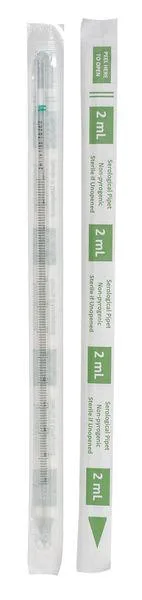
Lab Safety Supply Inc
Lab Safety Supply Inc 11L806 2mL Pipet Individually Wrapped PK600
- Assortments & Kits
$106.99
0.00124569BTC
In stock