


IHDAPP
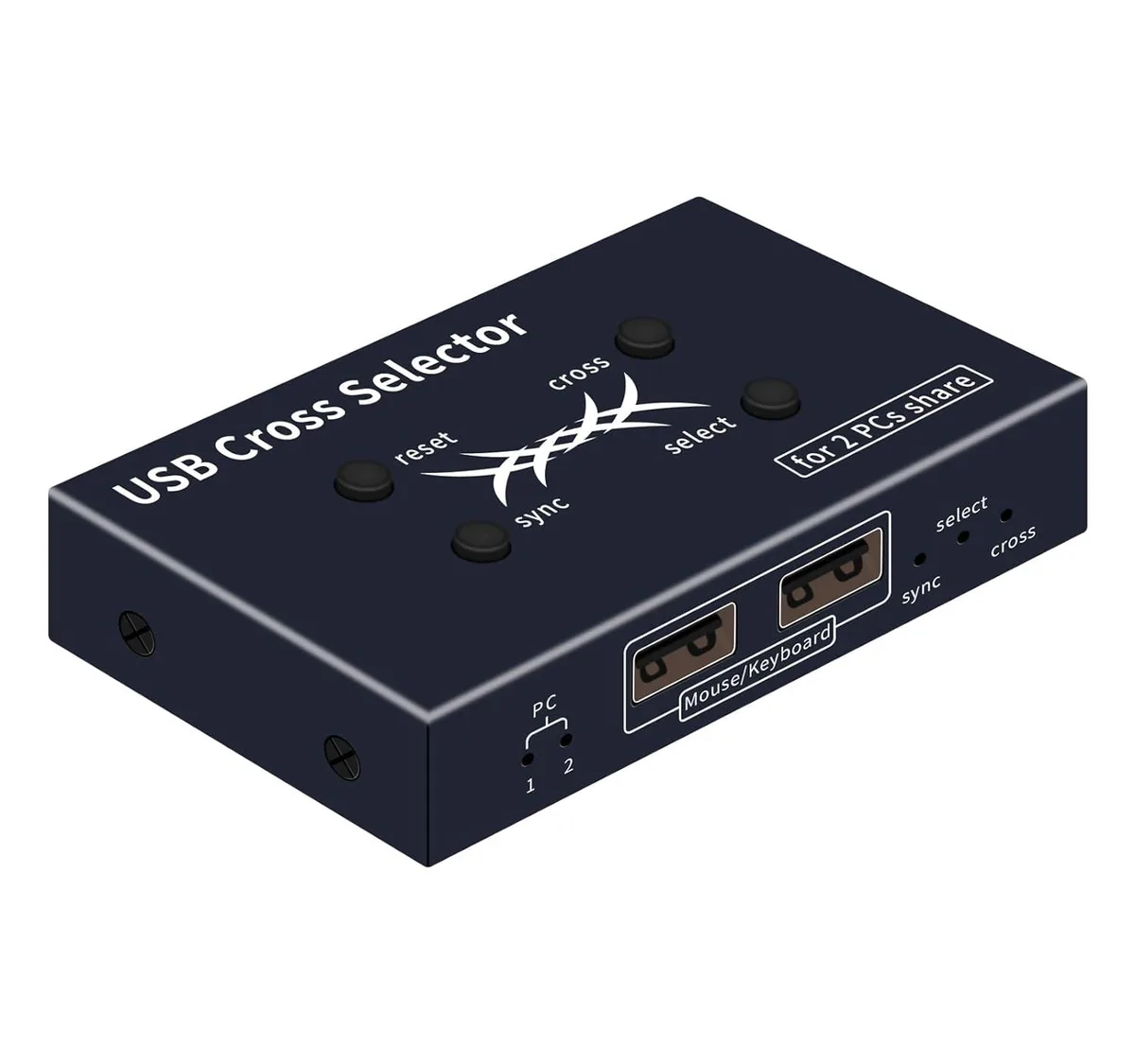
IHDAPP USB Cross Selector 2-Port KVM Switch
A compact USB KVM switch lets two computers share one keyboard and mouse with cross-screen, synchronized, or hotkey switching modes
- TypeUSB
- PC ConnectorsUSB
- Computer Connections2 Ports
- PC SelectionHot Keys
- Power FeaturesRequires no additional power supply
- USB Featureswith USB support
- Switch instantly by moving the mouse to the screen edge in cross mode
- Control two computers simultaneously with one keyboard and mouse in synchronized mode
- Select a single active computer with a hotkey in select mode
- Operates without an external power supply for simple setup
- Compact 3.8 x 1.5 x 0.6 inch design fits any desk
Two-Computer USB Switch
The IHDAPP USB Cross Selector lets two computers share one wired keyboard and mouse without extra power. It connects through two USB-A cables and is aimed at users who want to control a pair of desktops or laptops from a single input set.
Three Operating Modes
Cross mode switches focus when the mouse pointer reaches a screen edge, while synchronized mode sends every keystroke and click to both machines at once. Select mode works like a traditional KVM, changing the active computer with a hotkey press. Mechanical keyboards and gaming mice are not supported.
Hotkey-Only Control Limits
The device relies entirely on keyboard shortcuts for mode changes and has no physical buttons or on-screen display. It passes standard USB keyboard and mouse signals only, so advanced peripheral features such as macro keys or high-DPI toggles will not function through the switch.
Highlights
- Switch instantly by moving the mouse to the screen edge in cross mode
- Control two computers simultaneously with one keyboard and mouse in synchronized mode
- Select a single active computer with a hotkey in select mode
- Operates without an external power supply for simple setup
- Compact 3.8 x 1.5 x 0.6 inch design fits any desk
Specifications
| Type | USB |
|---|---|
| PC Connectors | USB |
| Computer Connections | 2 Ports |
| PC Selection | Hot Keys |
| Power Features | Requires no additional power supply |
| USB Features | with USB support |
| Application | The usb cross selector is a handy usb Switcher 2 computer sharer that offers three modes of operation: cross mode, Select mode, and synchroniz mode; the default is cross mode, which requires no keystrokes. |
| Features | The USB Cross Selector allows 2 computers to use a single mouse and keyboard in three modes of operation: Cross Mode, Synchronized Mode and Select Mode. USB Cross Selector is a convenient Keyboard Mouse Switch that supports keyboard hotkey selection. |
| Dimensions | 3.8 x 1.5 x 0.6 inches |
| Weight | 7.05 ounces |
| Package Contents | 1 x USB Cross Selector, 2 x 1m USB-A cables and user manual |
Questions about this item
Does the USB KVM switch use a specific USB standard that limits mouse or keyboard polling rates?
The switch connects with standard USB-A cables and does not impose a polling-rate ceiling; mouse and keyboard performance matches what the host computers provide.
What physical space and cabling does the IHDAPP selector need on a desk?
The unit measures 3.8 x 1.5 x .6 inches, weighs 7.05 ounces, and includes two 1 m USB-A cables for the computer links.
How do I set up the three operating modes and what is the common mistake?
Plug both USB-A cables into the computers, attach keyboard and mouse to the selector, then use hotkeys to choose Cross, Synchronized or Select mode; the frequent error is using a gaming or macro mouse that the device does not support.
Also in this aisle
People compared these
Same shelf, same checkout — eight coins and a 30-minute rate lock.


Black Box Corporation
Black Box Corporation 4K60 HDMI Dual-Head KVM Switch 4 Port
$774.99
0.00894897BTC
In stock