


IHDAPP
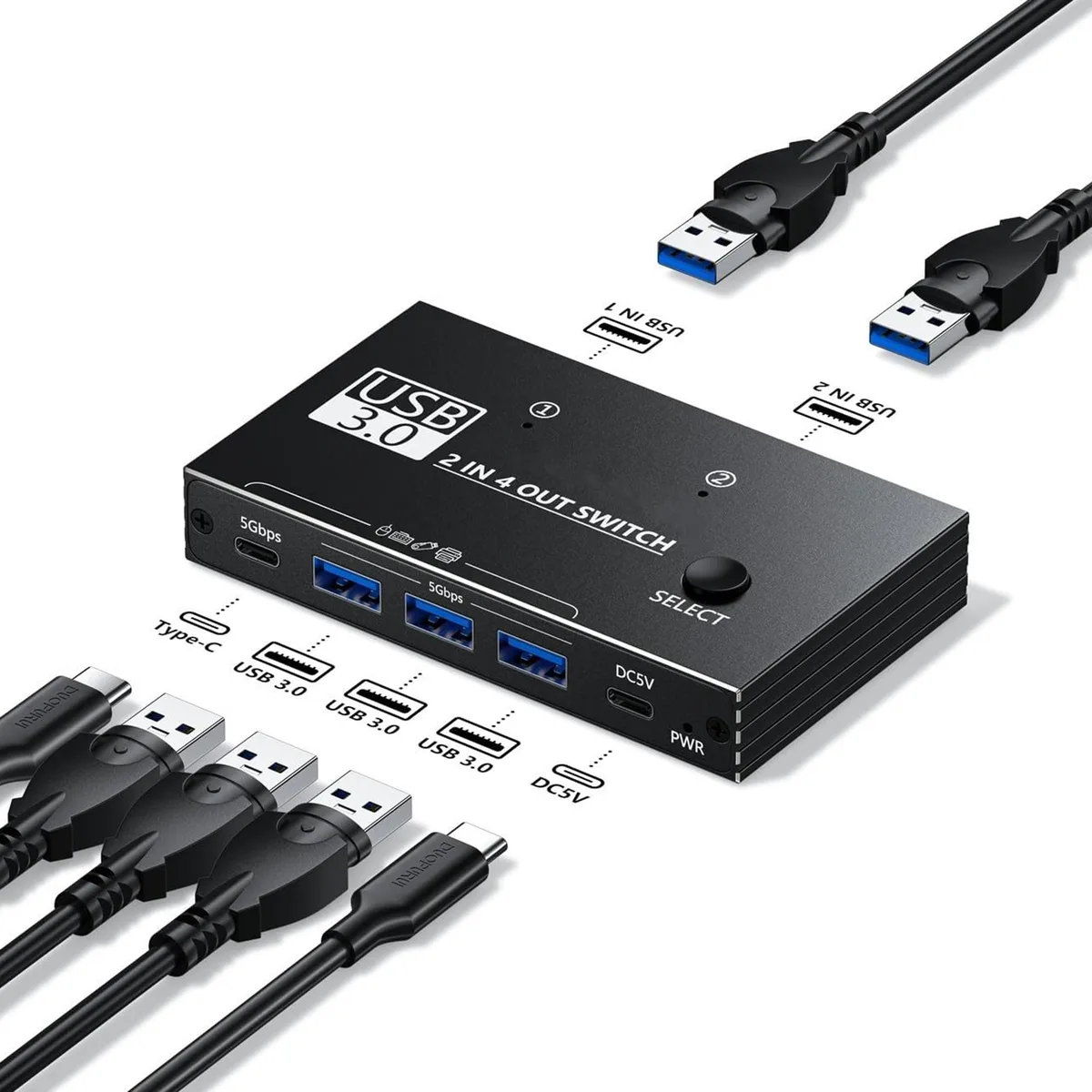
IHDAPP USB 3.0 KVM Switch 2 Port 4 Device 4.09 x 2.5 in
Shares four USB peripherals between two computers with one-button switching and no external power needed
- Computer Connections2 Ports
- PC SelectionPush Buttons
- LED IndicatorsYes
- Power FeaturesRequires no additional power supply
- USB Featureswith USB support
- ApplicationThe USB kvm switch can switch multiple devices between two c
- Share 4 USB peripherals between 2 computers with one button press
- No cables to unplug when switching between host devices
- Two independent USB 3.0 circuits maintain simultaneous data paths
- Bus-powered design needs no extra power adapter
- Compact 4.09 x 2.5 in form fits tight desk spaces
Two-computer USB 3.0 KVM
This IHDAPP switch lets you share up to four USB peripherals between two host computers with a single button press. It removes the need to unplug keyboards, mice, printers or cameras when moving between systems. The unit operates without an external power adapter, drawing what it needs from the connected hosts. It suits anyone who regularly works across two desktops or a desktop and a laptop.
Compact build with push-button control
Measuring 4.09 by 2.5 inches, the switch sits unobtrusively on a desk and includes two USB-A to USB-A cables for immediate connection. Front-mounted push buttons select the active computer while LED indicators show which host is currently linked. The pure USB 3.0 and Type-C transmission paths mean no software drivers are required for basic switching operation.
Bus-powered with silent operation
Because the device takes power directly from the host USB ports, it adds no extra wall-wart or fan noise to the setup. Normal use stays within standard USB 3.0 current limits, so thermals remain negligible even during extended sessions. The lack of active cooling makes it suitable for quiet environments such as home offices or recording spaces.
Highlights
- Share 4 USB peripherals between 2 computers with one button press
- No cables to unplug when switching between host devices
- Two independent USB 3.0 circuits maintain simultaneous data paths
- Bus-powered design needs no extra power adapter
- Compact 4.09 x 2.5 in form fits tight desk spaces
Specifications
| Computer Connections | 2 Ports |
|---|---|
| PC Selection | Push Buttons |
| LED Indicators | Yes |
| Power Features | Requires no additional power supply |
| USB Features | with USB support |
| Application | The USB kvm switch can switch multiple devices between two computers at the same time with one button and without plugging or unplugging any cables. |
| Features | Effortlessly manage 4 USB peripherals (keyboards, mice, printers, cameras, etc.) between 2 host devices. |
| Dimensions | 4.09 inches x 2.5 inches |
| Package Contents | 1 x USB Switch, 2 x USB Cable, 1 x User Manual |
Questions about this item
What USB standard does the IHDAPP KVM switch use, and what speed does it cap at?
It uses USB 3.0, capping data transfer at 5 Gbps for all four shared peripherals.
What are the exact dimensions I need to clear on my desk for this switch?
The unit measures 4.09 inches wide by 2.5 inches deep, so allow at least that footprint plus cable bend radius.
How do I install it, and which step do people often miss?
Connect both included USB-A to A cables from the switch to each computer, plug peripherals into the four front ports, then press the button to toggle — the step often missed is ensuring both host cables are firmly seated before switching.
Also in this aisle
People compared these
Same shelf, same checkout — eight coins and a 30-minute rate lock.


Black Box Corporation
Black Box Corporation 4K60 HDMI Dual-Head KVM Switch 4 Port
$774.99
0.00922388BTC
In stock