


IHDAPP
IHDAPP KVM Switch VGA 2 Port 3 USB Hub 1920x1080
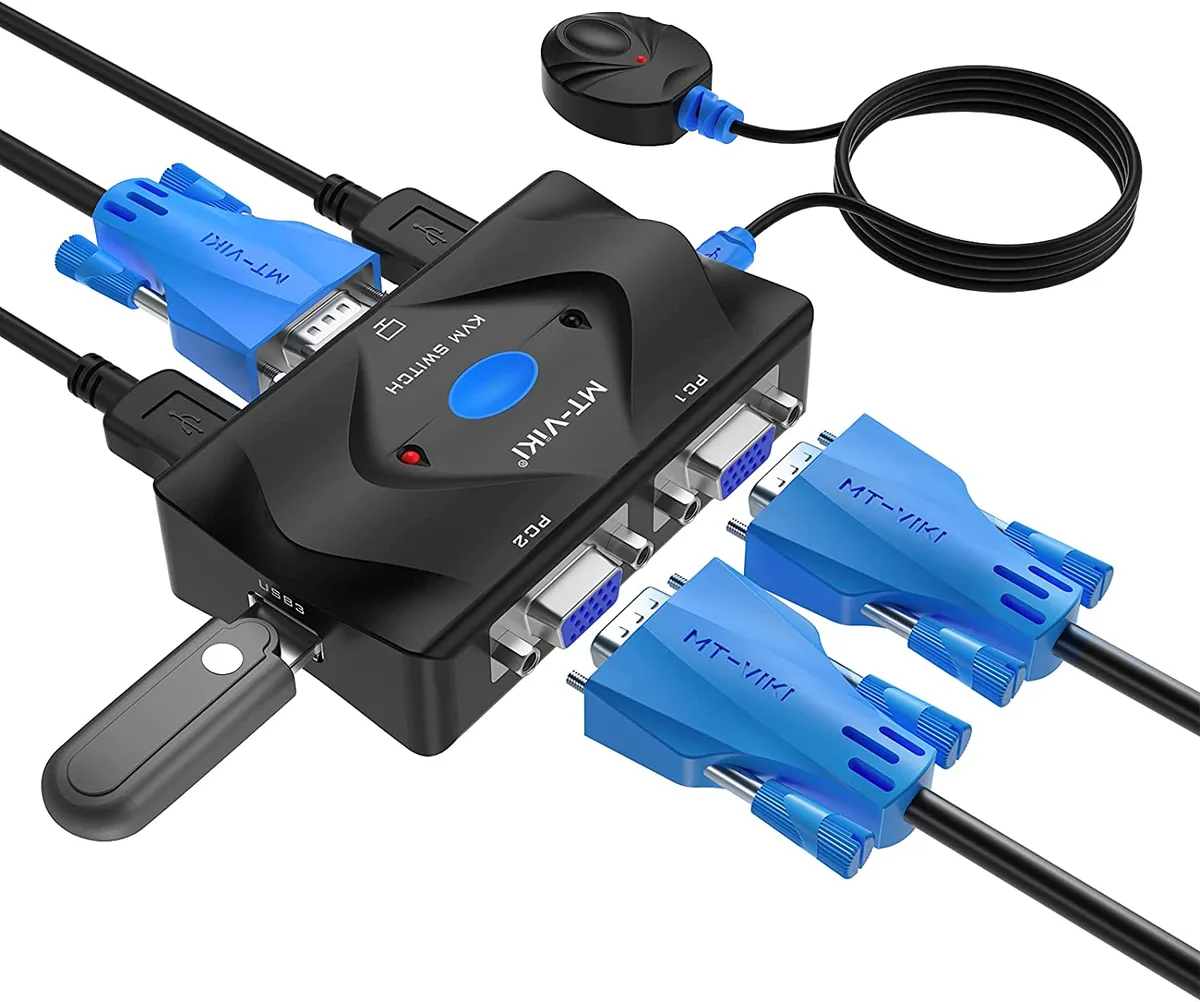
A 2-port VGA KVM switch sharing one monitor, keyboard and mouse between two computers at 1920 x 1080 with three USB ports and a desktop selector
- TypeUSB
- Computer Connections2 Ports
- Monitor Connections2 Ports
- Video Resolution1920 x 1080
- Control two computers with one monitor, keyboard and mouse
- Three USB ports connect keyboard, mouse and printer or flash drive
- Supports 1920 x 1080 resolution for clear 1080p display
- Desktop selector and LED indicators enable quick switching
- Powered through USB pigtail — no separate AC adapter needed
Two-Computer VGA KVM Switch
This VGA KVM switch lets you control two computers with a single monitor, keyboard and mouse. It provides two VGA inputs and one VGA output together with three USB ports for keyboard, mouse and a printer or flash drive. The unit supports wireless keyboard and mouse combinations, though some gaming or multimedia keyboard features may not function. No external power adapter is needed because each 2-in-1 cable draws power from the host USB port.
Passive Operation and Thermal Profile
The switch operates without a dedicated power supply, so it adds no fan noise or measurable heat to the desk. Power is taken from the connected computers through the USB pigtail on each cable, keeping the device itself cool and silent during normal use. Hot-plug support means you can connect or disconnect cables without powering down either system.
Bundled Cables and Desktop Selector
The package includes two combined VGA-and-USB cables, a wired desktop selector for switching at a distance, and a user manual. The 2-in-1 cables handle both video and power, reducing cable clutter and removing the need for a separate mains adapter. The desktop selector lets you toggle between computers without reaching the switch itself.
Highlights
- Control two computers with one monitor, keyboard and mouse
- Three USB ports connect keyboard, mouse and printer or flash drive
- Supports 1920 x 1080 resolution for clear 1080p display
- Desktop selector and LED indicators enable quick switching
- Powered through USB pigtail — no separate AC adapter needed
Specifications
| Type | USB |
|---|---|
| Computer Connections | 2 Ports |
| Monitor Connections | 2 Ports |
| Video Resolution | 1920 x 1080 |
Questions about this item
How do I install the 2-in-1 VGA KVM cables and what step do people often miss?
Connect both VGA heads and USB pigtails to each computer; the USB pigtail supplies power, so skipping it leaves the switch unpowered.
What maintenance or replacement will the desktop selector need later?
The wired desktop selector is a passive mechanical button; it has no battery or firmware, so it only needs replacement if the cable frays or the switch fails.
What limit appears first during sustained use at 1920 x 1080 resolution?
The VGA analog signal degrades over long cable runs, so image quality at 1920 x 1080 drops before the switch itself overheats or throttles.
Also in this aisle
People compared these
Same shelf, same checkout — eight coins and a 30-minute rate lock.


Black Box Corporation
Black Box Corporation 4K60 HDMI Dual-Head KVM Switch 4 Port
$774.99
0.00904992BTC
In stock