


IHDAPP
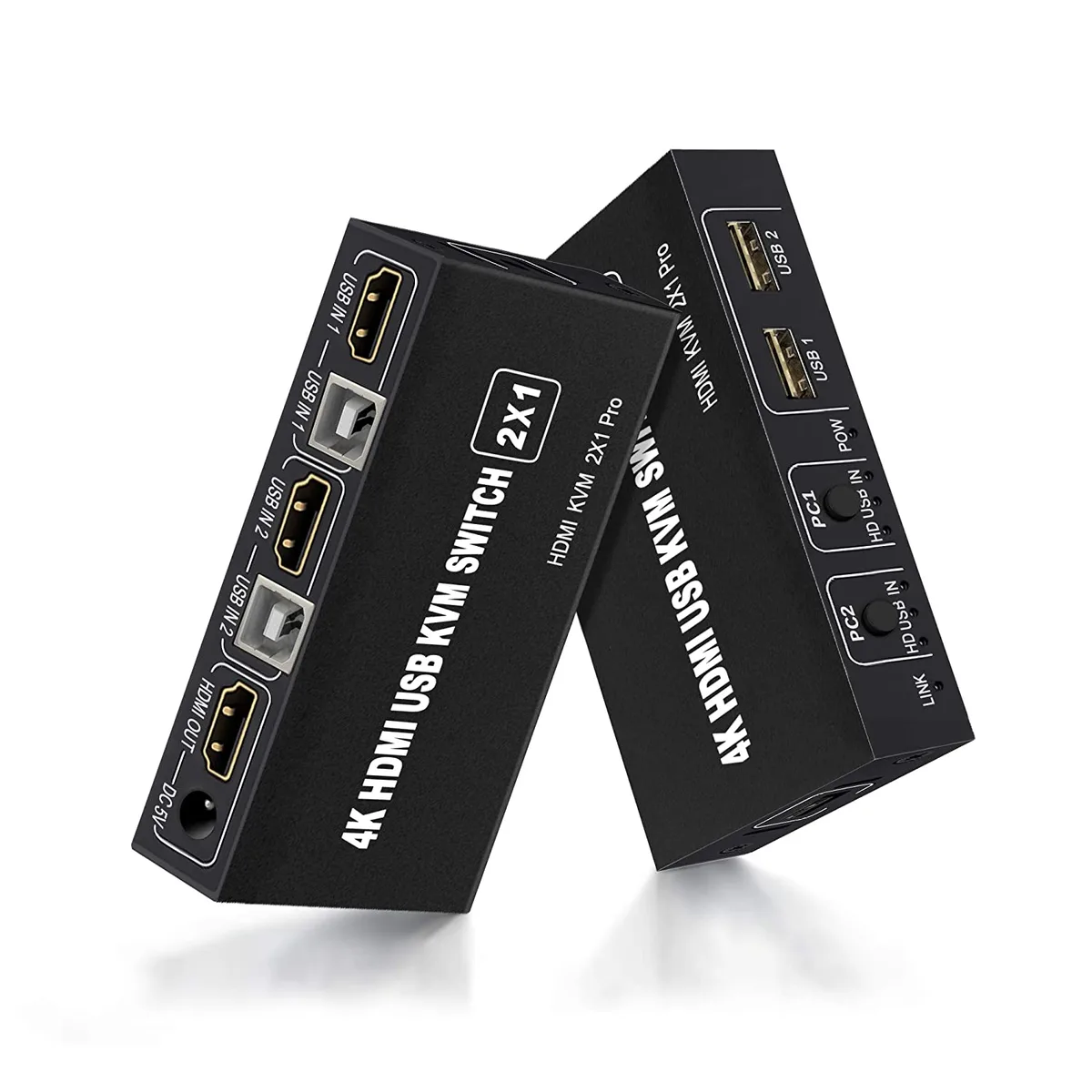
IHDAPP 2-Port HDMI KVM Switch 4K 30Hz 3×USB 2.0 Button & Desktop Control
Share two computers on one monitor, keyboard and mouse with 4K 30 Hz video and three USB 2.0 ports switched by button or desktop control
- TypeHDMI, USB
- Computer Connections2 Ports
- Monitor Connections2 Ports
- Video Resolution4K
- Control two computers with one keyboard and mouse via HDMI KVM switch
- Switch sources instantly using front-panel button or desktop controller cable
- Share three USB 2.0 peripherals such as printer or flash drive between both PCs
- View up to 4K resolution at 30 Hz with backward compatibility to 1080p and 720p
- Plug-and-play operation requires no drivers and works with PC, laptop or console
Two-Port HDMI KVM with 4K 30 Hz
This HDMI KVM switch lets a single keyboard, mouse and monitor control two computers. It supports video up to 4K at 30 Hz and passes through 1080p, 720p and 480p signals. Three USB 2.0 ports allow both systems to share peripherals such as printers, flash drives or scanners. Switching is done by a front-panel button or the included desktop controller.
Home and office users sharing two systems
The switch suits anyone who moves between a desktop and a laptop, or between a PC and a console, without unplugging cables. It requires no drivers and works with Windows, macOS and Linux. Buyers who need to control more than two computers or who need 4K at higher refresh rates should look at other models.
4K at 30 Hz maximum video
The highest resolution the unit can pass is 4K at 30 Hz; all connected sources, cables and the display must support that timing for it to work. Lower resolutions such as 1080p, 720p and 480p are also supported.
Highlights
- Control two computers with one keyboard and mouse via HDMI KVM switch
- Switch sources instantly using front-panel button or desktop controller cable
- Share three USB 2.0 peripherals such as printer or flash drive between both PCs
- View up to 4K resolution at 30 Hz with backward compatibility to 1080p and 720p
- Plug-and-play operation requires no drivers and works with PC, laptop or console
Specifications
| Type | HDMI, USB |
|---|---|
| Computer Connections | 2 Ports |
| Monitor Connections | 2 Ports |
| Video Resolution | 4K |
Questions about this item
What resolution does the HDMI interface cap at in practice?
The HDMI interface supports a maximum of 4K at 30Hz and is compatible with 1080P, 720P and 480P resolutions.
What physical connections does the unit need to fit two computers and one monitor?
It requires two HDMI inputs from the computers, one HDMI output to the monitor, and two USB 2.0 cables for keyboard and mouse sharing.
How is the switch installed and which step do people often miss?
Connect all HDMI and USB cables, add the DC 5V power adapter for power-hungry devices, then press the top-panel button or desktop controller to change sources.
Also in this aisle
People compared these
Same shelf, same checkout — eight coins and a 30-minute rate lock.


Black Box Corporation
Black Box Corporation 4K60 HDMI Dual-Head KVM Switch 4 Port
$774.99
0.0091916BTC
In stock