

Accsoon
Accsoon CineView SE Multi-Spectrum Wireless Video Transmitter 1200ft 1080p HDMI SDI
$181.99
0.0021139BTC
In stockWe take cryptocurrency — so the coins you hold can buy real hardware.Pay in crypto, spend it on real hardware. Free insured shipping worldwide over $399. Plain, unbranded boxes, sent from Germany.Free insured shipping over $399. Your rate is locked for 30 minutes once checkout opens.Rate locked 30 minutes. Every item sealed, serial-checked and covered by a 24-month warranty.Sealed, 24-month warranty.


I-XTECH LLC
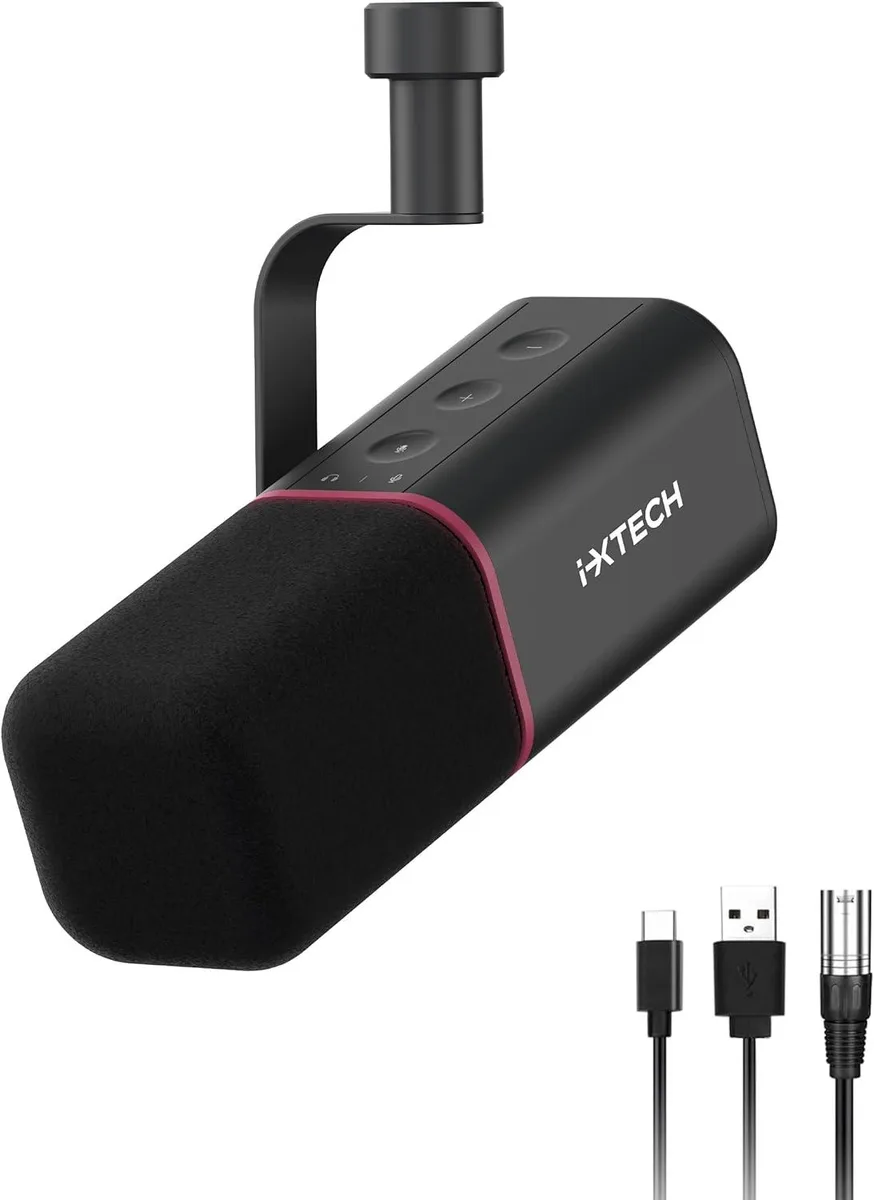
Cardioid dynamic microphone with USB and XLR outputs, 20 Hz–20 kHz response, 96 kHz/24-bit sampling and built-in noise suppression for streaming and recording
The I-XTECH cardioid dynamic microphone serves streamers, podcasters and voice-over artists who need a single mic for both direct computer connection and professional audio gear. Its dynamic capsule captures a 20Hz-20KHz frequency response while suppressing keyboard clicks and room noise. A supplied cover further reduces plosives during close-up vocal work.
Moving to this model makes sense when you want the flexibility to plug straight into a PC via USB today and later route the same microphone through a mixer or PA system using the XLR output. The 96KHz/24Bit maximum sampling rate preserves detail for later editing, so the jump is worth it once your workflow demands both simplicity and studio routing options.
The microphone connects by USB for power and digital audio or by XLR for analogue output, letting you choose the path that matches your interface or mixer. No phantom power is required because the dynamic capsule operates without it. Builders who need an integrated headphone monitoring jack or on-body gain control will not find those features here.
No published specifications for this item yet.
The microphone ships with a built-in desk stand so you can place it directly on a table without extra hardware.
Plug the USB cable into the computer first, then choose the microphone as the input device in your software settings.
The included foam cover is washable and reusable, so it does not require periodic replacement under normal use.
Also in this aisle
Same shelf, same checkout — eight coins and a 30-minute rate lock.
What you pay in, and what you read prices in.
Sent from your wallet at checkout
Display only — the catalogue is priced in USD
No currency matches that.
Pick the language the site speaks to you in.
No language matches that.
New here?
Already have one?
There is no automatic reset: this shop sends no mail, so there is no one-time link to ask for. Leave the address on the account and it gets picked up by hand.
Request noted
Nothing is on its way to your inbox — this shop sends no mail at all. Someone picks these up by hand.
Remembered it?



