

Accsoon
Accsoon CineView SE Multi-Spectrum Wireless Video Transmitter 1200ft 1080p HDMI SDI
$181.99
0.00216258BTC
In stockWe take cryptocurrency — so the coins you hold can buy real hardware.Pay in crypto, spend it on real hardware. Free insured shipping worldwide over $399. Plain, unbranded boxes, sent from Germany.Free insured shipping over $399. Your rate is locked for 30 minutes once checkout opens.Rate locked 30 minutes. Every item sealed, serial-checked and covered by a 24-month warranty.Sealed, 24-month warranty.
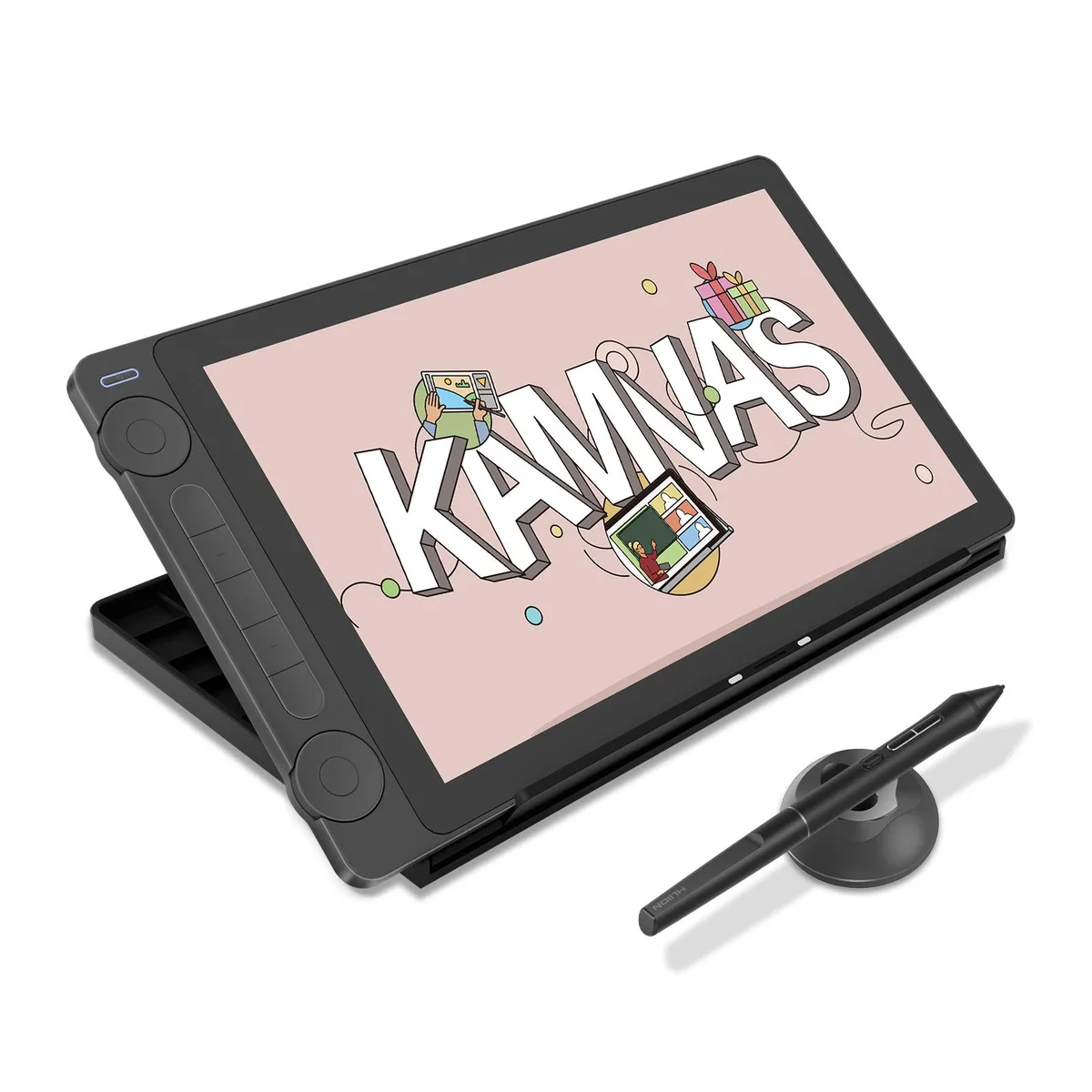


HUION
A 13.3-inch pen display with anti-sparkle Canvas Glass 2.0, 99% sRGB, factory colour calibration to Avg. E<1.5, PenTech 4.0 at 16384 pressure levels, dual dials, five shortcut keys.
The HUION Kamvas 13 (Gen 3) is a 13.3 inch pen display built for designers, artists and illustrators who draw directly on screen. It delivers 16384 pressure levels and 99 percent sRGB coverage with an average Delta E below 1.5. The Canvas Glass 2.0 surface cuts glare while keeping stroke accuracy high. A factory calibration report ships with every unit.
Full lamination removes the air gap between glass and panel for a solid feel and minimal parallax. The anti-sparkle coating reduces reflections without dulling the 16.7 million colours. A single USB-C cable carries video, data and power, while five programmable keys and dual dials sit on the chassis for quick shortcuts. The included ST300 stand adjusts to multiple working angles.
Verify that your device runs Windows 10 or later, macOS 10.12 or later, Ubuntu 20.04 LTS, or an Android device with USB 3.1 Gen 1 and DisplayPort 1.2 support. The host must supply enough power over USB-C or you will need the bundled 3-in-1 cable and an external adapter. Confirm your creative software supports pen input on an external display before ordering.
No published specifications for this item yet.
The USB-C single cable carries video, data and power together, so one port on your PC, Mac or Android device handles the 13.3-inch display signal and tablet communication without extra adapters.
The 13.3-inch pen display sits on the adjustable ST300 stand, which lets you tilt the screen to a comfortable working angle; allow enough flat surface for the stand footprint and the 3-in-1 cable bend radius.
Connect the 3-in-1 cable to the tablet and your computer, plug the USB extension cable if needed, install the driver, then calibrate the PW600L pen — skipping the driver install before calibration is the common mistake.
Also in this aisle
Same shelf, same checkout — eight coins and a 30-minute rate lock.
What you pay in, and what you read prices in.
Sent from your wallet at checkout
Display only — the catalogue is priced in USD
No currency matches that.
Pick the language the site speaks to you in.
No language matches that.
New here?
Already have one?
There is no automatic reset: this shop sends no mail, so there is no one-time link to ask for. Leave the address on the account and it gets picked up by hand.
Request noted
Nothing is on its way to your inbox — this shop sends no mail at all. Someone picks these up by hand.
Remembered it?



