

Extreme Networks
Extreme Networks Silhouette Ceiling Mounting Bracket 14 or 18
$23.99
0.00027685BTC
In stockWe take cryptocurrency — so the coins you hold can buy real hardware.Pay in crypto, spend it on real hardware. Free insured shipping worldwide over $399. Plain, unbranded boxes, sent from Germany.Free insured shipping over $399. Your rate is locked for 30 minutes once checkout opens.Rate locked 30 minutes. Every item sealed, serial-checked and covered by a 24-month warranty.Sealed, 24-month warranty.
HPE
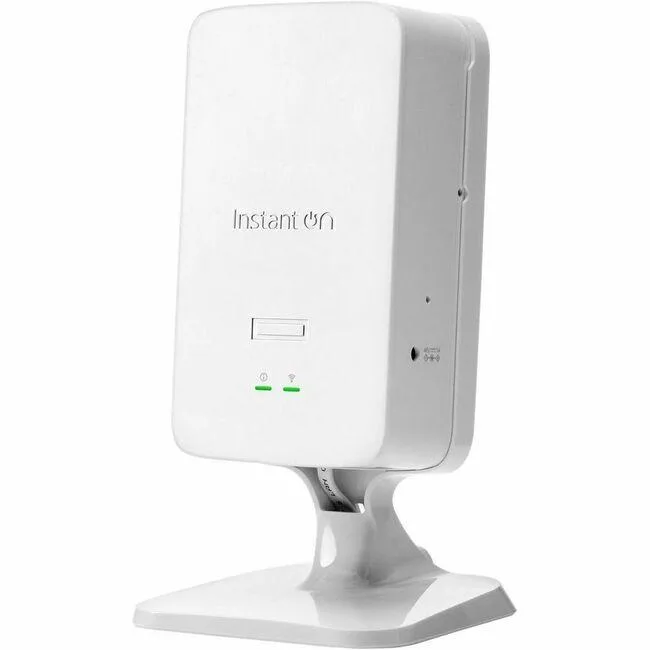
A wireless access point weighing 2.0000 units from HP, first listed in 2025
The HPE AP22D is a wireless access point built for organisations that need managed Wi‑Fi coverage in office or campus environments. It ships new and carries the HPE Networking Instant On platform for cloud‑based configuration and monitoring.
This unit replaces standalone consumer routers or legacy access points that lack centralised management. The jump is worth it when IT teams want a single dashboard for multiple sites, automatic firmware updates and client insights without on‑premises controllers.
Verify that your switch ports supply enough Power over Ethernet for the AP22D and confirm ceiling or wall‑mount hardware suits the intended location. Ensure the management VLAN and DHCP scope are configured so the device can reach the Instant On cloud service.
| Brand | HP |
|---|---|
| Model | S1U76A |
| Weight | 2.0000 |
The AP22D weighs 2.0000 units and is designed for standard ceiling or wall mounting; verify bracket compatibility with your surface type before installation.
After physical mounting, the AP22D must be adopted by an HPE Aruba Central or Instant cluster; skipping cloud onboarding leaves the radio offline.
Inspect the sealed antenna housing annually for physical damage or moisture ingress; replacement is only needed if the radome is cracked or performance degrades.
Also in this aisle
Same shelf, same checkout — eight coins and a 30-minute rate lock.
What you pay in, and what you read prices in.
Sent from your wallet at checkout
Display only — the catalogue is priced in USD
No currency matches that.
Pick the language the site speaks to you in.
No language matches that.
New here?
Already have one?
There is no automatic reset: this shop sends no mail, so there is no one-time link to ask for. Leave the address on the account and it gets picked up by hand.
Request noted
Nothing is on its way to your inbox — this shop sends no mail at all. Someone picks these up by hand.
Remembered it?


