
HPE Networking Instant On
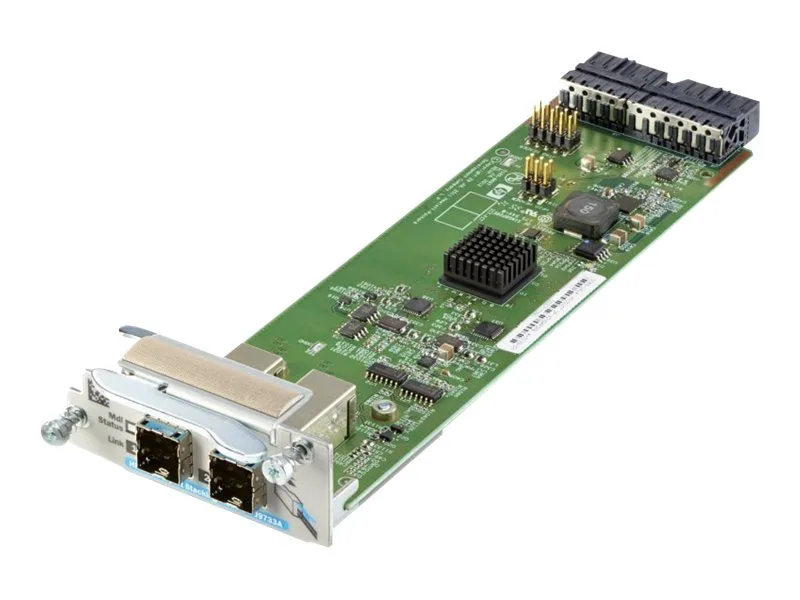
HPE Networking Instant On Aruba 2920 2-Port Stacking Module J9733A
Two-port stacking module adds plug-in uplink ports for Aruba 2920-24G, 2920-24G-PoE+, 2920-48G and 2920-48G-PoE+ switches
- Supported ModelAruba 2920
- Stack two Aruba 2920 switches into one logical unit with the dual stacking ports
- Plug the module into the dedicated stacking slot for instant expansion
- Connect 24G and 48G models including PoE+ variants without extra cables
- Manage the combined stack through a single IP address for simpler operations
- Increase bandwidth and resilience by linking switches over the native stacking fabric
Aruba 2920 Stacking Module for Switch Expansion
This plug-in module adds two dedicated stacking ports to compatible Aruba 2920 switches. It enables a unified management plane across multiple chassis in a single logical stack. The module fits the designated stacking slot on 24-port and 48-port models, both PoE+ and non-PoE variants. Network administrators use it to simplify scaling in campus or branch deployments.
Passive Operation With No Added Power Draw
The module draws no separate power supply and adds negligible heat to the host switch. It operates silently because it contains no fans or moving parts. Thermal load remains identical to the base switch specification under normal traffic. Power budgeting for the rack is therefore unchanged after installation.
Front-Facing Stack Ports Using Dedicated Cabling
Two stacking interfaces sit on the module face, accepting Aruba stacking cables for rear or front interconnect. The plug-in form factor secures with a captive screw, preventing accidental dislodgement during maintenance. Port placement keeps cable runs short when switches sit side by side in a rack. The design supports hot insertion so the stack stays live while adding or replacing a unit.
Highlights
- Stack two Aruba 2920 switches into one logical unit with the dual stacking ports
- Plug the module into the dedicated stacking slot for instant expansion
- Connect 24G and 48G models including PoE+ variants without extra cables
- Manage the combined stack through a single IP address for simpler operations
- Increase bandwidth and resilience by linking switches over the native stacking fabric
Specifications
| Brand | Aruba |
|---|---|
| Model | J9733A |
| Supported Model | Aruba 2920 |
Questions about this item
How do I install the J9733A stacking module in my Aruba 2920 switch, and what step is often missed?
Insert the module into the dedicated Stacking Module slot on the rear of the 2920-24G, 2920-24G-PoE+, 2920-48G, or 2920-48G-PoE+ while the switch is powered off, then secure the retaining screws; the step often missed is powering down the switch first, as hot insertion is not supported.
What maintenance or replacement will the J9733A stacking module need over time?
The module has no moving parts or consumable components, so it requires no scheduled maintenance; replacement is only necessary if a stack port fails or the unit suffers physical damage.
What limit appears first on the J9733A stacking module when the stack runs at full load continuously?
The two stack ports provide a fixed aggregate bandwidth ceiling; under sustained maximum traffic that port-level throughput limit is reached before any thermal or power constraint on the module itself.
Also in this aisle
People compared these
Same shelf, same checkout — eight coins and a 30-minute rate lock.


IBM
IBM 00JX058 Xeon E5-2640 v3 8-core 2.60 GHz 20 MB L3 90 W switch module
$217.99
0.00252809BTC
In stock
