
HPE
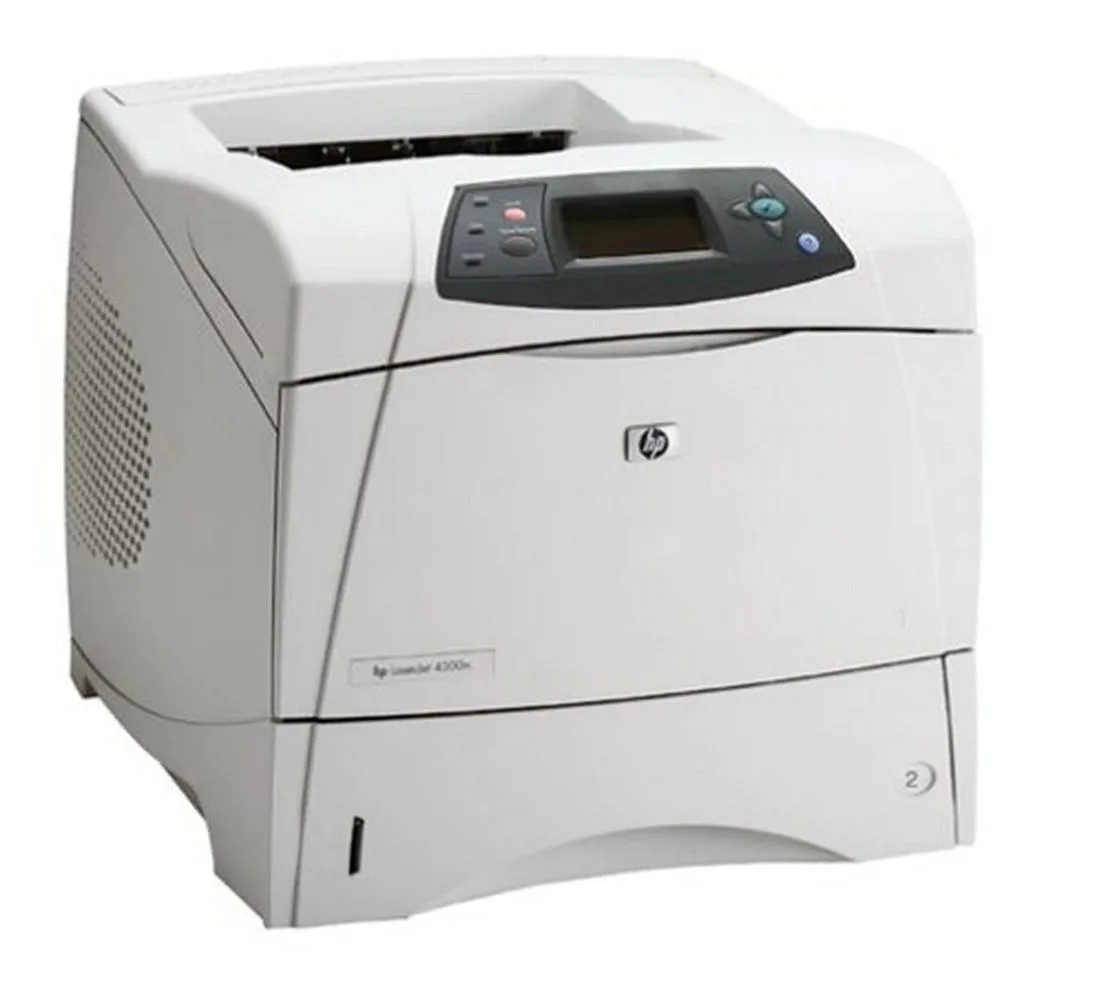
HPE LaserJet 4300N 45 ppm 500 sheets 1200 dpi Ethernet laser printer
A monochrome laser printer delivering 45 ppm at 1200 x 1200 dpi with a 500-sheet input capacity and Ethernet connectivity
- Output TypeMonochrome
- Laser TechnologyLaser
- Black Print SpeedUp to 45 ppm
- Black Print Quality1200 x 1200 dpi
- Input Capacity, max.500 pages
- Connectivity TechnologyEthernet (RJ-45)
- Fast 45 ppm output keeps queues short
- Sharp 1200 x 1200 dpi text for professional documents
- 500 sheet tray reduces reload frequency
- Wired Ethernet connects directly to the network
- New condition ready for immediate deployment
HPE LaserJet 4300N Network Printer
This HPE LaserJet 4300N is a monochrome laser printer built for shared office use. It prints up to 45 pages per minute at 1200 x 1200 dpi resolution. A maximum input capacity of 500 sheets reduces reloading frequency. Ethernet connectivity allows direct network integration.
Suited for high-volume black-and-white output
Workgroups needing fast, reliable monochrome printing on plain paper will benefit from the speed and paper capacity. Offices requiring colour documents, wireless connectivity, or included toner should consider other models. The unit ships without toner cartridges.
Ethernet RJ-45 network interface
The sole connectivity method is a wired Ethernet port, so a network drop or switch port must be available at the installation point. Computers on the same LAN can submit jobs without a direct USB or parallel connection. Ensure your infrastructure supports wired networking before purchase.
Highlights
- Fast 45 ppm output keeps queues short
- Sharp 1200 x 1200 dpi text for professional documents
- 500 sheet tray reduces reload frequency
- Wired Ethernet connects directly to the network
- New condition ready for immediate deployment
Specifications
| Series | LaserJet |
|---|---|
| Output Type | Monochrome |
| Laser Technology | Laser |
| Black Print Speed | Up to 45 ppm |
| Black Print Quality | 1200 x 1200 dpi |
| Input Capacity, max. | 500 pages |
| Connectivity Technology | Ethernet (RJ-45) |
Questions about this item
What clearance and power connections does the HPE LaserJet 4300N need on a desk?
The printer connects through a standard power cord and a single Ethernet (RJ-45) cable; allow enough depth for the 500-sheet input tray to open fully and for rear ventilation.
Which step is most often missed when adding the 4300N to a network?
After plugging in the Ethernet cable, you must configure the IP address — either by enabling DHCP on the router or by setting a static address from the control panel — before the printer appears to workstations.
Which consumable will need replacement first on a 45 ppm mono LaserJet 4300N?
The toner cartridge runs out before the fuser film, transfer roller or pickup rollers; the unit ships without toner, so a compatible cartridge must be installed before the first print job.
Also in this aisle
People compared these
Same shelf, same checkout — eight coins and a 30-minute rate lock.



CHIEF MANUFACTURING
CHIEF MANUFACTURING CMS018 18" 457 mm Fixed Extension Column projector accessory
- Extension Column
- Projector
$22.99$22.99
0.00027329BTC
In stock