


HP
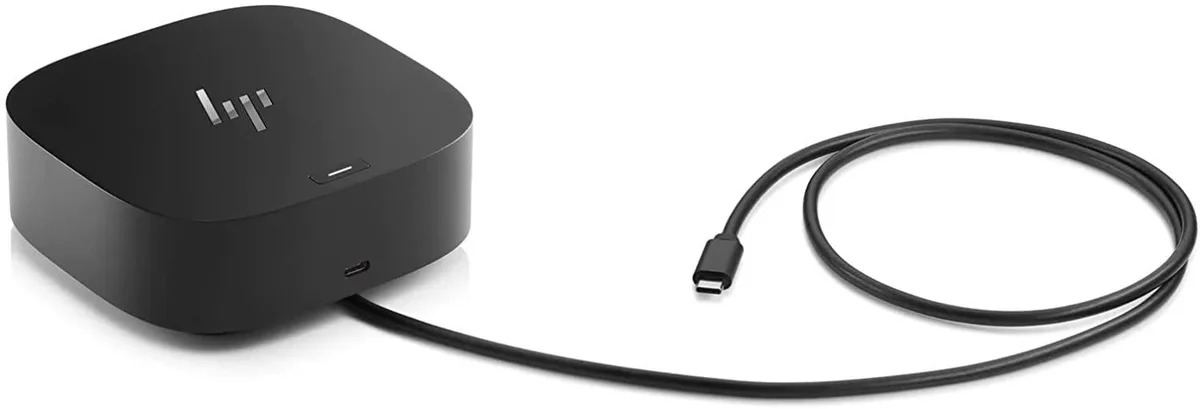
HP USB-C G5 Dock Docking Station Kit 120W AC Adapter
Docking station with 120W power adapter, 4 USB 3.0 ports, HDMI, 2 DisplayPort, USB-C, RJ-45 and audio jack for three external monitors
- ColorBlack
- Power three external monitors plus laptop screen
- 120 W AC adapter keeps laptop charged while docked
- Four USB 3.0 ports connect keyboard, mouse, drives and accessories
- Gigabit RJ-45 gives reliable wired network access
- Two DisplayPort and one HDMI drive multiple displays
USB-C G5 Dock with 120W Adapter
This HP docking station connects a laptop to external displays and peripherals through a single USB-C cable. The included 120W AC adapter delivers power to the dock and charges the host computer at the same time. It is designed for professionals who want a tidy desk setup with one connection.
Suits users needing three extra monitors
The dock drives up to three additional screens via HDMI and two DisplayPort outputs while providing four USB 3.0 ports for keyboards, mice or storage. Mac users should note that Ethernet and audio drivers are not supported on macOS. Buyers who need more than three external displays or require macOS Ethernet and audio should look at something else.
120W power delivery for host charging
The 120W adapter supplies enough power to run the dock and charge most USB-C laptops through the same cable. This single figure determines whether the dock can replace the laptop’s own charger. Check the laptop’s power requirement before purchase.
Highlights
- Power three external monitors plus laptop screen
- 120 W AC adapter keeps laptop charged while docked
- Four USB 3.0 ports connect keyboard, mouse, drives and accessories
- Gigabit RJ-45 gives reliable wired network access
- Two DisplayPort and one HDMI drive multiple displays
Specifications
| Color | Black |
|---|
Questions about this item
How loud or hot does the 120 W AC adapter get when the dock runs all day with three monitors?
The 120 W adapter powers the dock and up to three external displays continuously; it has no fan, so it runs silently and stays warm but within normal operating temperature.
Which host-port standard must my laptop already have to use the 4 × USB 3.0 ports, HDMI, 2 × DisplayPort and RJ-45 on this dock?
Your laptop needs a USB-C port that supports DisplayPort Alt Mode and power delivery so the single cable can drive video, data and charging through the dock.
Will the dock’s two USB-C ports and three video outputs work with my older USB-A laptop if I add a USB-A to USB-C adapter?
No — the dock requires a native USB-C connection with Alt Mode; a passive USB-A adapter cannot carry the video signals needed for the HDMI and DisplayPort outputs.
Also in this aisle
People compared these
Same shelf, same checkout — eight coins and a 30-minute rate lock.


Kensington
Kensington Desk Mount Cable Anchor K64613WW accessory
- Black
- Provides a secure a…
$19.99
0.00023172BTC
In stock
Panasonic
Panasonic CF-VDR291U laptop cooling pad
- Optical Drive
- Buffer Size: 2 MB B…
$213.99
0.00248053BTC
In stock
eReplacements
eReplacements PB992A-ER laptop battery 14.4V
- Battery
- Lithium-Ion
$65.99
0.00076494BTC
In stock