


HP
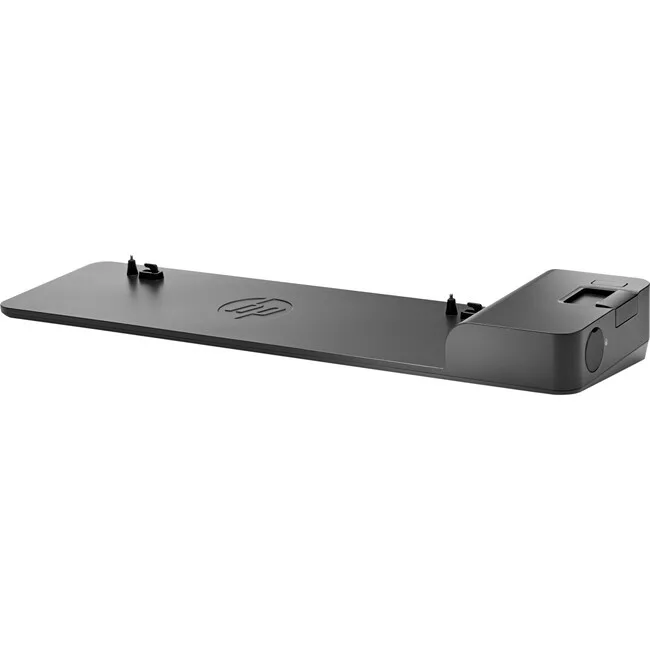
HP UltraSlim Dock 2013 D9Y32AA#ABA
A compact side dock adding four USB 3.0 ports, DisplayPort, VGA and Ethernet to compatible HP EliteBook and ZBook models
- ColorBlack
- Weight3.05
- One-click slide-in side dock for quick EliteBook connection
- Four USB 3.0 ports for high-speed device connectivity
- DisplayPort and VGA ports support legacy and modern displays
- Ethernet LAN port keeps you online at your desk
- Compatible with EliteBook 720 725 740 745 750 755 810 820 840 850 1020 1040 Folio 9470 9480 Revolve Pro x2 612 640 ZBook 14 14u 15U
HP UltraSlim Dock 2013 for EliteBook
This docking station is built for HP EliteBook ultraslim notebooks and compatible ProBook, ZBook and Revolve models. It adds display, network and peripheral connectivity through a single side-mounted slide-in connector. The unit suits professionals who need a quick desktop setup without cable clutter.
One-click slide-in installation
The dock uses a proprietary side connector that aligns automatically when the notebook is slid into place. No drivers are required for the USB 3.0 ports, DisplayPort or VGA outputs. Ensure the laptop’s side dock port is free of debris; misalignment can bend the connector pins and prevent detection.
Check notebook model and port availability
Verify that your EliteBook, ProBook, ZBook or Revolve appears in the supported model list before ordering. The dock only fits laptops equipped with the matching ultraslim side docking interface. Machines lacking this specific port cannot use the station.
Highlights
- One-click slide-in side dock for quick EliteBook connection
- Four USB 3.0 ports for high-speed device connectivity
- DisplayPort and VGA ports support legacy and modern displays
- Ethernet LAN port keeps you online at your desk
- Compatible with EliteBook 720 725 740 745 750 755 810 820 840 850 1020 1040 Folio 9470 9480 Revolve Pro x2 612 640 ZBook 14 14u 15U
Specifications
| Brand | .HP. |
|---|---|
| Color | Black |
| Weight | 3.05 |
Questions about this item
How do I verify the dock is functioning after connecting my EliteBook?
Slide the notebook into the side connector until it clicks; the power LED on the dock should light and any attached monitor, wired network or USB 3.0 device will become active immediately.
What comes in the box and what must I purchase separately?
The package contains the UltraSlim Dock 2013 unit and its AC power adapter; cables for DisplayPort, VGA or Ethernet and any USB 3.0 peripherals are not included and must be bought separately.
Which EliteBook models are supported by this D9Y32AA#ABA dock?
Compatible models include EliteBook 720 G1-G2, 725 G2-G4, 740 G1-G2, 745 G2-G4, 750 G1-G2, 755 G2-G4, 820 G1-G4, 840 G1-G4, 850 G1-G4, 1020 G1, 1040 G1-G3, Folio 9470m, 9480m, Revolve 810 G1 and G3, Pro x2 612 G1, ProBook 640 G2-G3, ZBook 14, ZBook 14u G4 and ZBook 15u G3-G4.
Also in this aisle
People compared these
Same shelf, same checkout — eight coins and a 30-minute rate lock.


Kensington
Kensington Desk Mount Cable Anchor K64613WW accessory
- Black
- Provides a secure a…
$19.99
0.00023137BTC
In stock
Panasonic
Panasonic CF-VDR291U laptop cooling pad
- Optical Drive
- Buffer Size: 2 MB B…
$213.99
0.00247679BTC
In stock
eReplacements
eReplacements PB992A-ER laptop battery 14.4V
- Battery
- Lithium-Ion
$65.99
0.00076379BTC
In stock