
NEC Display Solutions
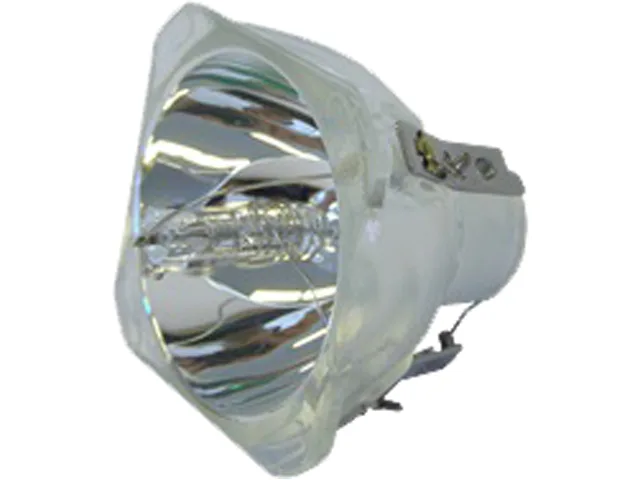
NEC Display Solutions NP40LP projector lamp
- Project Lamp
- 5.100
$106.99
0.00125212BTC
In stockWe take cryptocurrency — so the coins you hold can buy real hardware.Pay in crypto, spend it on real hardware. Free insured shipping worldwide over $399. Plain, unbranded boxes, sent from Germany.Free insured shipping over $399. Your rate is locked for 30 minutes once checkout opens.Rate locked 30 minutes. Every item sealed, serial-checked and covered by a 24-month warranty.Sealed, 24-month warranty.

HP
A 110-volt maintenance kit keeps compatible LaserJet 4240, 4250 and 4350 printers running with optimum print quality
The HP Q5421A is a 110-volt maintenance kit designed for specific LaserJet printers. It supports models including the 4240n, 4250 and 4350 series. Businesses that rely on these devices for daily output use this kit to keep equipment running reliably. It is not for printers outside the listed compatibility range.
The kit contains replacement components that maintain the printer's original thermal and power characteristics. No moving parts or active cooling are included, so noise levels remain unchanged after installation. Power draw stays consistent with the printer's factory specifications. The 20 weight figure refers to the packaged kit.
Regular installation at the recommended intervals preserves print quality during long, continuous print runs. Worn rollers or fuser parts that cause streaks or jams are replaced before they affect output. The kit helps the printer maintain consistent performance over extended duty cycles. It does not increase the engine's rated speed or monthly volume limit.
| Brand | HP |
|---|---|
| Model | Q5421A |
| Part Number | Q5421A |
| Product Sort | Printer Accessories |
| Product Type | Maintenance Kit |
| Color | Black |
| Compatibility | LaserJet 4240n, 4250, 4250dtn, 4250dtnsl, 4250n, 4250tn, 4350dtn, 4350dtnsl, 4350n, 4350tn |
| Weight | 20 |
| Features | Ensures optimum print quality. Ensure your HP printer stays up and running. Comes backed by HP warranty. |
| Shipping weight | 2.72 kg |
| Package size | 457 × 292 × 267 mm |
Power off the printer, open the right-side cover, remove the old fuser and rollers, insert the new fuser until it clicks, replace the rollers, close the cover, then run the automatic calibration from the control panel — skipping calibration is the step most users forget.
The fuser assembly, transfer roller, and pickup rollers included in the kit are consumable parts that wear with page volume and will require another maintenance kit when print quality declines or the printer prompts for service.
The fuser temperature stabilisation time becomes the limiting factor; after long print runs the printer pauses between jobs to maintain the correct 110-volt fuser temperature, slowing overall throughput.
Also in this aisle
Same shelf, same checkout — eight coins and a 30-minute rate lock.
What you pay in, and what you read prices in.
Sent from your wallet at checkout
Display only — the catalogue is priced in USD
No currency matches that.
Pick the language the site speaks to you in.
No language matches that.
New here?
Already have one?
There is no automatic reset: this shop sends no mail, so there is no one-time link to ask for. Leave the address on the account and it gets picked up by hand.
Request noted
Nothing is on its way to your inbox — this shop sends no mail at all. Someone picks these up by hand.
Remembered it?


