


HP
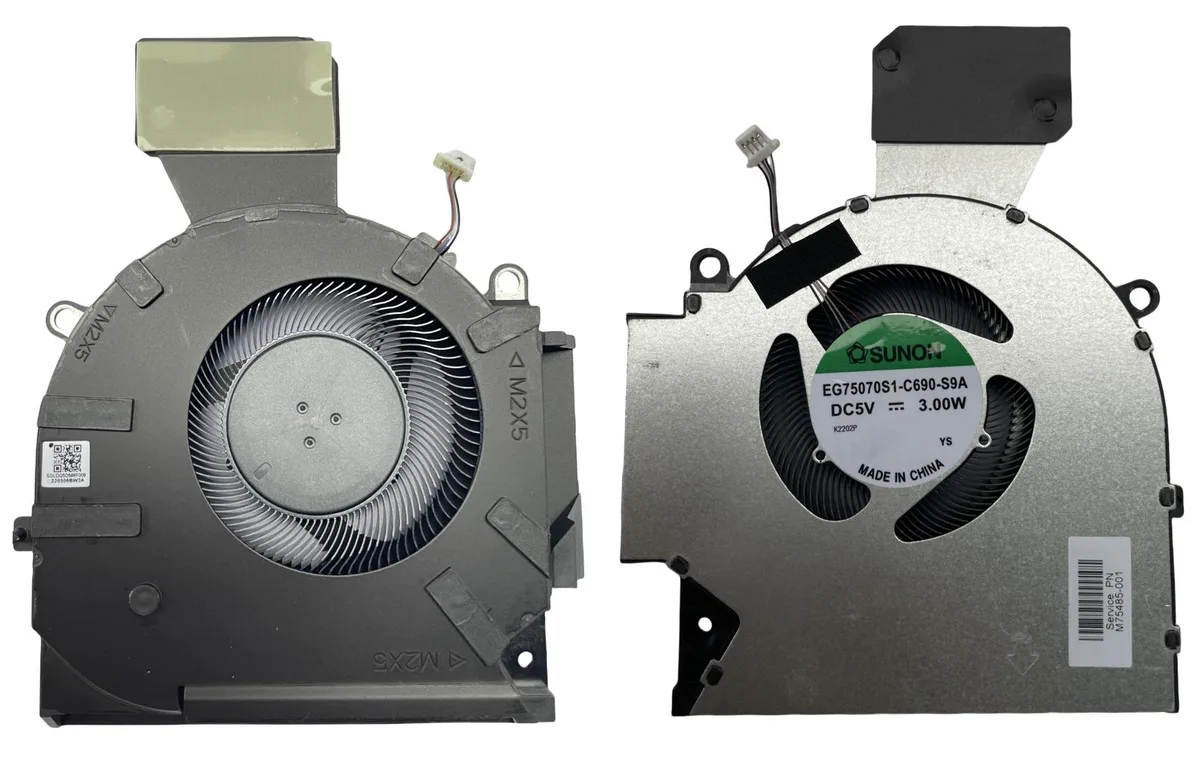
HP OMEN 16-B 16-C CPU GPU Cooling Fan 5V 3.00W TPN-Q265 TPN-Q267 M75483-001
Replaces the CPU and GPU cooling fan in HP OMEN 16-B and 16-C laptops, operating at 5V and 3.00W for compatible TPN-Q265 and TPN-Q267 models
- Featuresheat dissipation
- Replaces worn fan to restore heat dissipation
- DC 5 V 3.00 W power rating matches original spec
- Fits OMEN 16-B and 16-C chassis (TPN-Q265, TPN-Q267)
- Not compatible with 12 V laptop cooling systems
- Manufacturer part M75483-001 ensures correct fit
HP OMEN 16-B 16-C Replacement Fan
This new cooling fan replaces the CPU and GPU fan in HP OMEN 16-B and 16-C laptops. It carries part numbers TPN-Q265, TPN-Q267 and M75483-001. The unit runs on 5V DC power and is rated at 3.00W for heat dissipation. It is not suitable for 12V laptop designs.
Upgrade from worn or noisy original fan
The fan replaces an old or failing factory cooler that no longer moves enough air. The jump is worth it when the original fan spins loudly, rattles, or allows the processor and graphics chip to throttle under load. A fresh 5V 3.00W unit restores the intended thermal curve without changing the laptop's power envelope.
For owners of compatible OMEN 16 models only
This part suits owners of HP OMEN 16-B or 16-C units matching the listed part numbers who need a direct swap. Buyers with different OMEN series, other brands, or 12V cooling systems should look elsewhere because the connector, voltage and mounting will not match.
Highlights
- Replaces worn fan to restore heat dissipation
- DC 5 V 3.00 W power rating matches original spec
- Fits OMEN 16-B and 16-C chassis (TPN-Q265, TPN-Q267)
- Not compatible with 12 V laptop cooling systems
- Manufacturer part M75483-001 ensures correct fit
Specifications
| Brand | HP |
|---|---|
| Features | heat dissipation |
Questions about this item
What laptop models does this 5V 3.00W cooling fan fit?
This fan is suitable for HP OMEN 16-B and 16-C series laptops with part numbers TPN-Q265, TPN-Q267, M75483-001, EG750070S1-C680-S9A, K1503W, EG7500S1-C690-S9A or K150BB.
Which step is often missed when installing this replacement fan?
After securing the fan, the power cable must be fully seated into the motherboard header; a loose connection will stop the fan from spinning.
When should this DC5V 3.00W fan be replaced again?
Replace the fan if bearing noise returns, airflow drops noticeably or the laptop begins throttling under sustained load.
Also in this aisle
People compared these
Same shelf, same checkout — eight coins and a 30-minute rate lock.


Case Logic
Case Logic 3203990 briefcase for 15.6 in laptop with 10.1 in tablet pocket
$30.99
0.00036919BTC
In stock