
HP
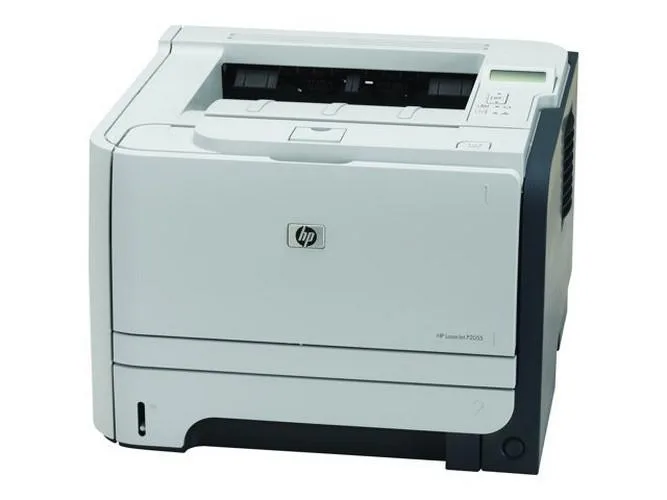
HP LaserJet P2055 Mono Laser Printer Value Bundle with Toner
Mono laser printer prints up to 35 ppm at 1200 x 1200 dpi with 300-sheet input and USB, bundled with a new generic toner cartridge
- Output TypeMonochrome
- Laser TechnologyLaser
- Black Print SpeedUp to 35 ppm
- Black Print Quality1200 x 1200 dpi
- Input Capacity, max.300 pages
- Connectivity TechnologyUSB
- Fast mono printing at up to 35 ppm
- Sharp 1200 x 1200 dpi text quality
- Holds up to 300 sheets for fewer reloads
- Includes new generic CE505A toner rated 2300 pages
- USB connectivity for simple direct connection
HP LaserJet P2055 Mono Printer Bundle
This HP LaserJet P2055 mono laser printer bundle delivers black-and-white output at up to 35 ppm with 1200 x 1200 dpi resolution. It ships with a new generic toner cartridge rated for 2300 pages and includes power and network cables. The unit has been fitted with a new maintenance kit covering fuser, rollers and pads to minimise paper jams.
Suited to small offices with USB-only needs
This printer suits users who need reliable monochrome printing over a direct USB connection and a 300-sheet input tray. It is not for buyers who require wireless or Ethernet networking, colour output, automatic duplexing or higher paper capacities.
USB connectivity decides fit
The sole interface is USB, so the printer must sit next to a host computer or a USB print server. If your workflow demands network discovery, mobile printing protocols or a built-in Ethernet port, this model will not integrate.
Highlights
- Fast mono printing at up to 35 ppm
- Sharp 1200 x 1200 dpi text quality
- Holds up to 300 sheets for fewer reloads
- Includes new generic CE505A toner rated 2300 pages
- USB connectivity for simple direct connection
Specifications
| Series | LaserJet |
|---|---|
| Output Type | Monochrome |
| Laser Technology | Laser |
| Black Print Speed | Up to 35 ppm |
| Black Print Quality | 1200 x 1200 dpi |
| Input Capacity, max. | 300 pages |
| Connectivity Technology | USB |
Questions about this item
What space and power connections does the HP LaserJet P2055 need to sit on a desk?
The printer connects by USB and includes a power cable; it holds up to 300 sheets in its input tray and ships with network cables where applicable.
What is the correct order for installing the bundled toner and updated firmware on the HP LaserJet P2055?
Install the new generic CE505A toner cartridge first, then power on the unit — the firmware has already been upgraded for current networking environments before shipment.
Which consumables will need replacement after the initial 2,300 pages on the HP LaserJet P2055?
The starter toner yields about 2,300 pages; after that you will replace the CE505A cartridge, and the maintenance kit (fuser, rollers, pads, transfer and pressure rollers) will need renewal when print quality declines.
Also in this aisle
People compared these
Same shelf, same checkout — eight coins and a 30-minute rate lock.


ID TECH
ID TECH IDMB-333133B credit card reader
- MagStripe Reader
- Keyboard Wedge
$52.99
0.0006095BTC
In stock
Brother
Brother TZES121 9mm Black on Clear Extra Strength Adhesive Tape pos accessory
- Label Accessories
- Black on Clear Indu…
$10.99
0.00012641BTC
In stock
Intermec
Intermec E23067 DuraTran II Gloss Polyester Thermal Transfer Labels pos accessory
- Thermal Transfer Pr…
- Desktop
$107.99
0.00124212BTC
In stock