


HP
HP Compaq 8200 Elite SFF desktop accessory
Small-form-factor desktop with Intel Core i5, 8 GB RAM, 250 GB hard drive and Windows 7 Professional
- Ready for business with Windows 7 Professional pre-installed
- Fast multitasking from Intel Core i5 up to 3.4 GHz
- 8 GB memory handles everyday workloads smoothly
- 250 GB drive stores documents and applications
- Compact SFF chassis fits tight desk spaces
HP Compaq 8200 Elite SFF Desktop
The HP Compaq 8200 Elite is a Small Form Factor desktop featuring an Intel Core i5 2nd Gen processor running up to 3.40GHz. It includes 8 GB of RAM and a 250GB HDD with Windows 7 Professional pre-installed. Integrated graphics handle display output and the chassis provides USB 2.0 connectivity.
Who This Suits and Who Should Look Elsewhere
This system suits offices needing a compact, legacy-compatible PC for basic productivity and line-of-business applications. It is not for buyers who need modern operating system support or faster storage interfaces. It is not for users requiring discrete graphics performance or higher memory capacity.
What to Check Before Ordering
Verify that your peripherals and network infrastructure work with USB 2.0 and the installed Windows 7 Professional edition. Confirm the SFF chassis fits your allocated workspace and mounting requirements. Ensure any required legacy software is compatible with the integrated graphics and processor architecture.
Highlights
- Ready for business with Windows 7 Professional pre-installed
- Fast multitasking from Intel Core i5 up to 3.4 GHz
- 8 GB memory handles everyday workloads smoothly
- 250 GB drive stores documents and applications
- Compact SFF chassis fits tight desk spaces
Specifications
| Model | HP Desktop |
|---|
Questions about this item
Which port do I need on my monitor to connect the HP Compaq 8200 Elite SFF?
The desktop uses integrated on-board graphics; connect a monitor using the VGA or DisplayPort output on the rear panel.
Will my existing USB 2.0 keyboard and mouse work with this system?
Yes, the SFF provides USB 2.0 ports that are fully compatible with standard USB 2.0 input devices.
How can I verify the Intel Core i5 reaches 3.4 GHz after setup?
Open Task Manager in Windows 7 Professional, select the Performance tab, and watch the CPU frequency read 3.40 GHz under load.
Also in this aisle
People compared these
Same shelf, same checkout — eight coins and a 30-minute rate lock.


Targus
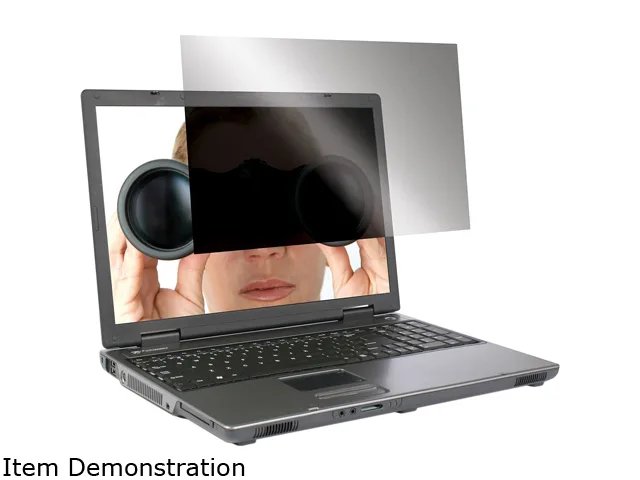
Targus ASF15USZ 15.0" 4:3 privacy filter accessory
- Privacy Filter
- Notebook
$39.99
0.00046682BTC
In stock