

Panorama Antennas
Panorama Antennas LG-IN2445 5G 71 Dome Wi-Fi adapter
- Accessories
$282.99
0.00337158BTC
In stockWe take cryptocurrency — so the coins you hold can buy real hardware.Pay in crypto, spend it on real hardware. Free insured shipping worldwide over $399. Plain, unbranded boxes, sent from Germany.Free insured shipping over $399. Your rate is locked for 30 minutes once checkout opens.Rate locked 30 minutes. Every item sealed, serial-checked and covered by a 24-month warranty.Sealed, 24-month warranty.


HP
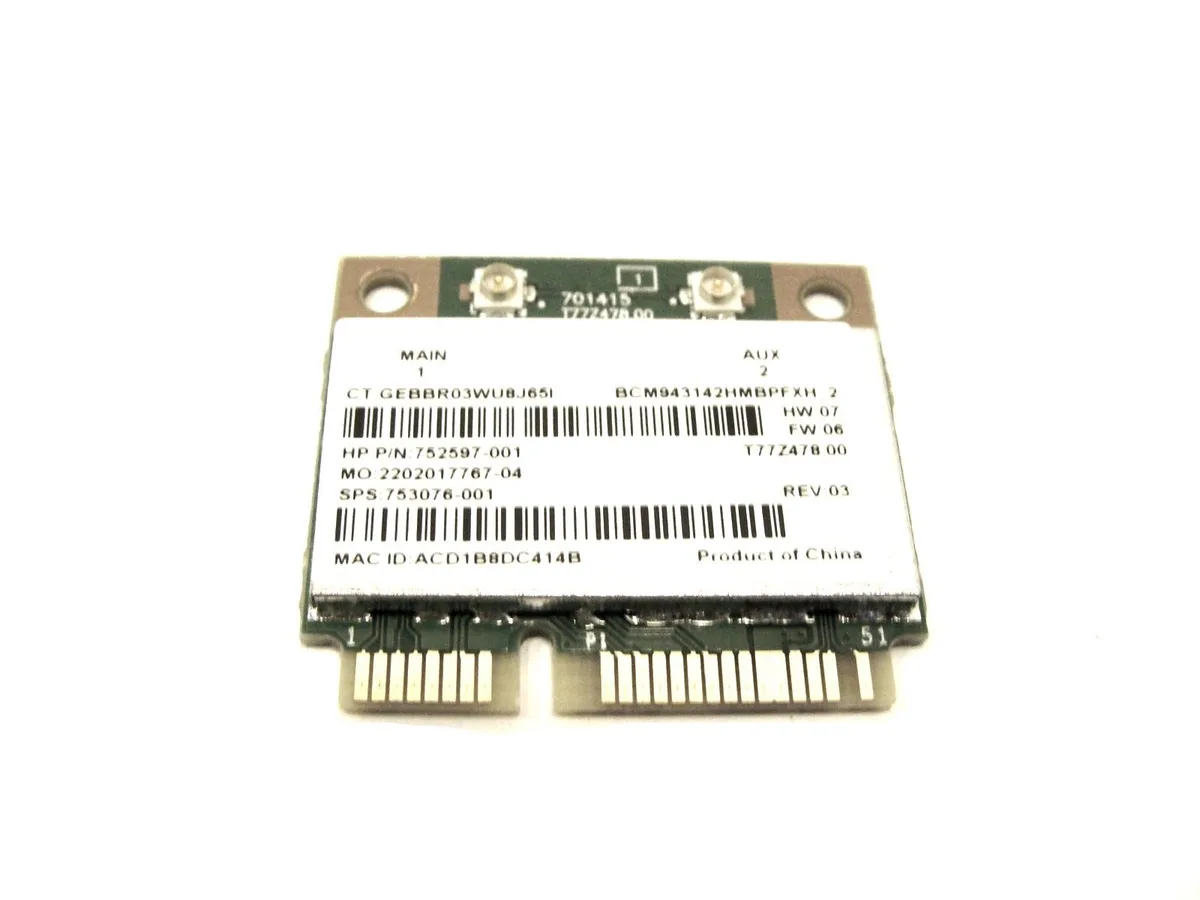
Adds wireless and Bluetooth connectivity via a Mini PCIe slot, supplied in bulk packaging
This HP wireless adapter uses the BCM943142HMBPFXH module in a Mini PCIe form factor. It is intended for notebooks or small-form-factor systems that have a compatible Mini PCIe slot and need integrated Wi-Fi and Bluetooth connectivity. The part number 753076-001 identifies the specific HP service part for ordering and inventory purposes.
This card upgrades a system that currently has no wireless capability or a defective Mini PCIe module. The jump is worth it when the original adapter has failed, when the slot is empty, or when a service manual lists 753076-001 as the correct replacement. It does not fit M.2 keyed slots, so buyers with M.2-only platforms cannot use this part.
| Type | M.2 Wi-FI Adapter |
|---|
Yes, the supplier lists the HP BCM943142HMBPFXH under part number 753076-001, so that is the identifier to quote when ordering.
Align the notch on the card with the key in the M.2 slot, insert at a slight angle, then press down and secure with the single mounting screw; skipping the screw leaves the antenna contacts loose.
Also in this aisle
Same shelf, same checkout — eight coins and a 30-minute rate lock.
What you pay in, and what you read prices in.
Sent from your wallet at checkout
Display only — the catalogue is priced in USD
No currency matches that.
Pick the language the site speaks to you in.
No language matches that.
New here?
Already have one?
There is no automatic reset: this shop sends no mail, so there is no one-time link to ask for. Leave the address on the account and it gets picked up by hand.
Request noted
Nothing is on its way to your inbox — this shop sends no mail at all. Someone picks these up by hand.
Remembered it?



