Corn Electronics
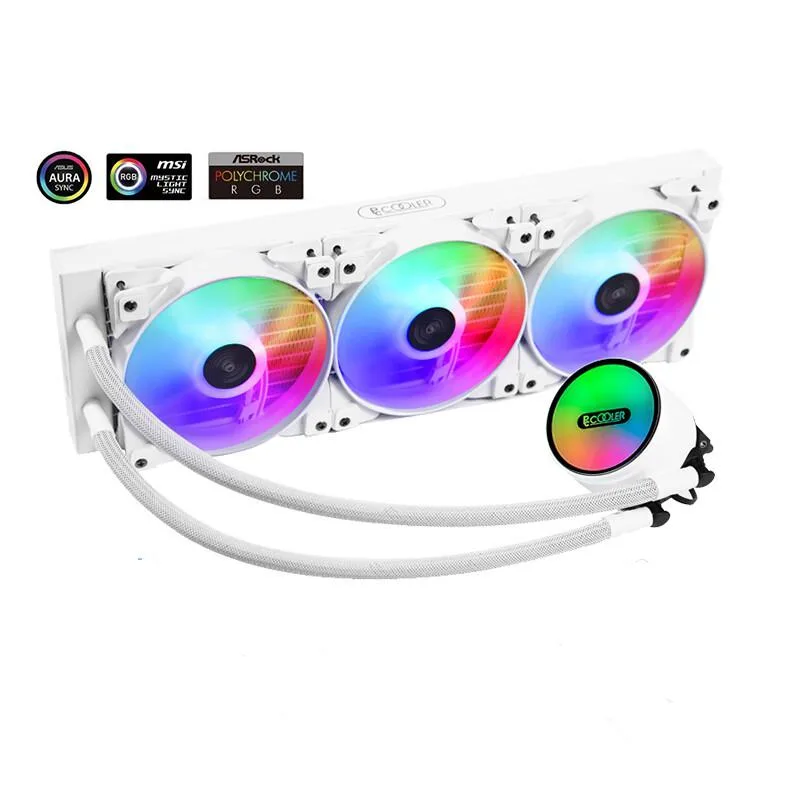
Corn Electronics laptop cooling pad white 360 mm 3 fan 120 mm ARGB
- White
- 3
$162.99
0.00188208BTC
In stockWe take cryptocurrency — so the coins you hold can buy real hardware.Pay in crypto, spend it on real hardware. Free insured shipping worldwide over $399. Plain, unbranded boxes, sent from Germany.Free insured shipping over $399. Your rate is locked for 30 minutes once checkout opens.Rate locked 30 minutes. Every item sealed, serial-checked and covered by a 24-month warranty.Sealed, 24-month warranty.


HP
Wireless dock adds four USB 3.1 Type-A ports, Gigabit Ethernet, dual DisplayPort 1.2 and VGA video, plus audio jacks and a security lock slot
The HP Advanced Wireless Docking Station connects a compatible tablet PC to wired peripherals and external displays through a wireless link. It provides four USB 3.1 Gen 1 Type-A ports with one port supplying power, a gigabit RJ45 network jack, two DisplayPort 1.2 outputs, a VGA port, microphone input, headphone output and a security lock slot. The unit measures 3.35 x 3.35 x 3.43 in and weighs 0.92 lb.
This dock suits users who want to attach a tablet to full-size DisplayPort or VGA monitors, a wired keyboard, mouse and Ethernet without plugging a cable into the tablet each time. It does not suit buyers who need USB-C downstream ports, video outputs beyond the two DisplayPort 1.2 and one VGA connectors listed, or a dock that delivers power to the tablet over the wireless connection.
The single specification that decides fit is the dual DisplayPort 1.2 video output combined with one VGA port, allowing up to three external displays from a wireless connection. If your workflow requires more than two DisplayPort streams or any USB-C video path, this station cannot meet that requirement.
| Color | Black |
|---|---|
| Function | Tablet PC |
| Dimension | 3.35 x 3.35 x 3.43 in |
| Weight | 0.92 |
The unit measures 3.35 x 3.35 x 3.43 inches and weighs 0.92 lb, so it fits on a small desk shelf or behind a monitor stand without blocking ventilation.
Connect the 4.5 mm DC power jack and press the dock power button before linking the DisplayPort cables; the dock will not negotiate video until its own power rail is live.
Blow compressed air through the ventilation slots every six months, or sooner if the chassis feels hot, to prevent dust buildup from raising internal temperatures above 35 °C.
Also in this aisle
Same shelf, same checkout — eight coins and a 30-minute rate lock.
What you pay in, and what you read prices in.
Sent from your wallet at checkout
Display only — the catalogue is priced in USD
No currency matches that.
Pick the language the site speaks to you in.
No language matches that.
New here?
Already have one?
There is no automatic reset: this shop sends no mail, so there is no one-time link to ask for. Leave the address on the account and it gets picked up by hand.
Request noted
Nothing is on its way to your inbox — this shop sends no mail at all. Someone picks these up by hand.
Remembered it?