

HP
HP 980 Yellow Ink Cartridge D8J09A 6600 Pages
Yellow pigment ink cartridge yielding approximately 6,600 pages for HP OfficeJet X585 and X555 series printers
- Cartridge QuantitySingle Pack
- Cartridge ColorYellow
- Replacement ModelHP
- Compatible ProductsHP Officejet Enterprise Color Flow MFP X585z (B5L06A) HP Off
- Ink TypePigment-based
- Approximate Page Yield6600 Pages
- Up to half the cost per page of colour lasers with Original HP pigment inks
- Approximately 6600 pages yield from a single yellow cartridge
- Pigment-based ink delivers crisp documents that dry fast and resist water
- Compatible with HP Officejet Enterprise X555 and X585 series printers
- Designed to keep your HP Officejet Enterprise printer running at top speed
Genuine HP 980 yellow pigment cartridge
This genuine HP 980 yellow ink cartridge uses pigment-based ink to produce crisp, fast-drying documents that resist water and fading. It delivers an approximate yield of 6600 pages and is supplied as a single pack in new condition. The cartridge is engineered for HP Officejet Enterprise X555 and X585 series printers and MFPs.
For offices printing high volumes on compatible HP
This cartridge suits businesses that need reliable colour output on HP Officejet Enterprise X555 or X585 devices and want the cost-per-page advantage of original pigment ink. It is not for printers outside the listed X555 and X585 series, nor for users who require a multi-colour pack or a different yield capacity.
6600-page approximate yield
The approximate page yield of 6600 pages is the key figure for planning print budgets and replacement cycles. Operating temperature ranges from 5 to 35 degrees Celsius, with humidity tolerance of 10 to 90 percent RH, ensuring consistent performance in typical office environments.
Highlights
- Up to half the cost per page of colour lasers with Original HP pigment inks
- Approximately 6600 pages yield from a single yellow cartridge
- Pigment-based ink delivers crisp documents that dry fast and resist water
- Compatible with HP Officejet Enterprise X555 and X585 series printers
- Designed to keep your HP Officejet Enterprise printer running at top speed
Specifications
| Brand | HP |
|---|---|
| Model | 980 |
| Part Number | D8J09A |
| Cartridge Quantity | Single Pack |
| Cartridge Color | Yellow |
| Replacement Model | HP |
| Compatible Products | HP Officejet Enterprise Color Flow MFP X585z (B5L06A) HP Officejet Enterprise Color MFP X585dn (B5L04A) HP Officejet Enterprise Color MFP X585f (B5L05A) HP Officejet Enterprise Color X555dn (C2S11A) HP Officejet Enterprise Color X555xh (C2S12A) |
| Ink Type | Pigment-based |
| Approximate Page Yield | 6600 Pages |
| Operating Humidity | 10 to 90% RH |
| Storage Humidity | 10 to 90% RH |
| Operating Temperature | 5 to 35 degrees Celsius |
| Storage Temperature | -40 to 60 degrees Celsius |
| Features | Lock in quality for up to half the cost per page of colour lasers. These Original HP pigment inks are designed to deliver quality with high cost savings - and help keep your HP Officejet Enterprise printer or MFP running at top speed. Make a strong impression with business-quality black-and-white documents and sharp black text. Your prints will stand up to highlighter pens and water and resist fading over time. Archive documents and important papers for decades. Just keep printing - install in seconds and print up to 10,000 pages per cartridge. Conserve paper with the HP Smart Print |
| Shipping weight | 0.20 kg |
| Package size | 272 × 97 × 13 mm |
Other versions of this model
3 more in the same range
Same family, different memory, cooler or clock — compare before you commit.


HP
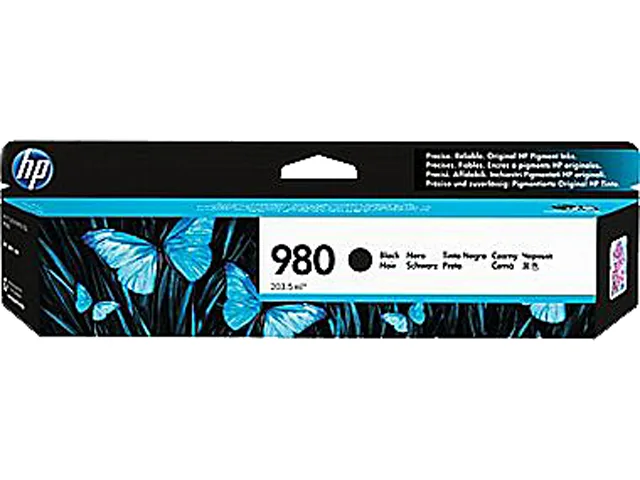
HP 980 Black Original Ink Cartridge D8J10A 10000 pages
- Single Pack
- Black
$113.99
0.00134885BTC
In stockQuestions about this item
What page yield does the HP 980 yellow cartridge D8J09A deliver?
The cartridge is rated for approximately 6600 pages, providing a high-volume supply for Officejet Enterprise X555 and X585 series printers.
Which printers accept the HP 980 yellow cartridge D8J09A?
It fits HP Officejet Enterprise Color X555dn, X585dn, X585f, and X585z models, matching the yellow slot in each device.
How do you install the HP 980 yellow cartridge D8J09A without triggering an error?
Open the front access door, wait for the carriage to centre, press the old yellow cartridge to release it, insert the new one until it clicks, then close the door.
Also in this aisle
People compared these
Same shelf, same checkout — eight coins and a 30-minute rate lock.



CHIEF MANUFACTURING
CHIEF MANUFACTURING CMS018 18" 457 mm Fixed Extension Column projector accessory
- Extension Column
- Projector
$22.99$22.99
0.00027204BTC
In stock