
HP
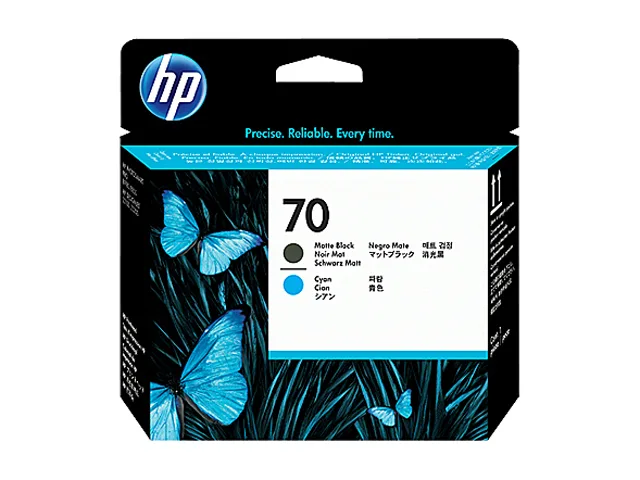
HP 70 (C9404A) Printhead Matte Black and Cyan
User-replaceable printhead delivers matte black and cyan output for consistent, problem-free printing
- Product TypeToner
- Weight0.1500 lb
- FeaturesSold as 1 Each.
- Original HP printhead ensures consistent, professional colour output
- Intelligent built-in technology optimises print quality and reliability automatically
- User-replaceable design avoids rework and saves time
- Supports matte black and cyan for detailed photographic prints
- Genuine HP supply delivers dependable performance for photographers and designers
HP 70 Printhead Matte Black Cyan
This HP 70 printhead combines matte black and cyan nozzles in a single user-replaceable unit. It is designed for photographers and graphic designers who require consistent colour output on compatible HP large-format printers. The supply arrives new and is sold as one each.
Intelligent technology optimises quality
Built-in intelligent technology optimises print quality and reliability during normal operation. The design aims to prevent rework so users save time and money on every job. No thermal, acoustic or power specifications are provided for this supply item.
Replaces worn printheads for consistent output
This printhead replaces a depleted or clogged unit to restore original colour accuracy and detail. The upgrade is worth it when banding, colour shift or nozzle failures appear on test prints. Buyers who need additional ink capacity or separate colour channels should look for dedicated cartridges.
Highlights
- Original HP printhead ensures consistent, professional colour output
- Intelligent built-in technology optimises print quality and reliability automatically
- User-replaceable design avoids rework and saves time
- Supports matte black and cyan for detailed photographic prints
- Genuine HP supply delivers dependable performance for photographers and designers
Specifications
| Brand | HP |
|---|---|
| Part Number | C9404A |
| Product Type | Toner |
| Weight | 0.1500 lb |
| Features | Sold as 1 Each. |
| Shipping weight | 0.11 kg |
| Package size | 142 × 89 × 28 mm |
Questions about this item
How do I install the HP 70 printhead and what step do people often miss?
Open the printer carriage, remove the old printhead, insert the new C9404A unit until it clicks firmly into place, then close the latch and run the automatic alignment routine from the control panel.
What maintenance or replacement will this printhead need later?
The printhead is a user-replaceable component designed to last through multiple ink cartridge changes; replace it when print quality no longer improves after cleaning cycles or when the printer signals a printhead error.
What limit appears first during sustained printing with this printhead?
Under continuous high-volume output the thermal inkjet nozzles can overheat, causing the printer to pause automatically until the printhead cools to a safe operating temperature.
Also in this aisle
People compared these
Same shelf, same checkout — eight coins and a 30-minute rate lock.



CHIEF MANUFACTURING
CHIEF MANUFACTURING CMS018 18" 457 mm Fixed Extension Column projector accessory
- Extension Column
- Projector
$22.99$22.99
0.00027278BTC
In stock