
HP
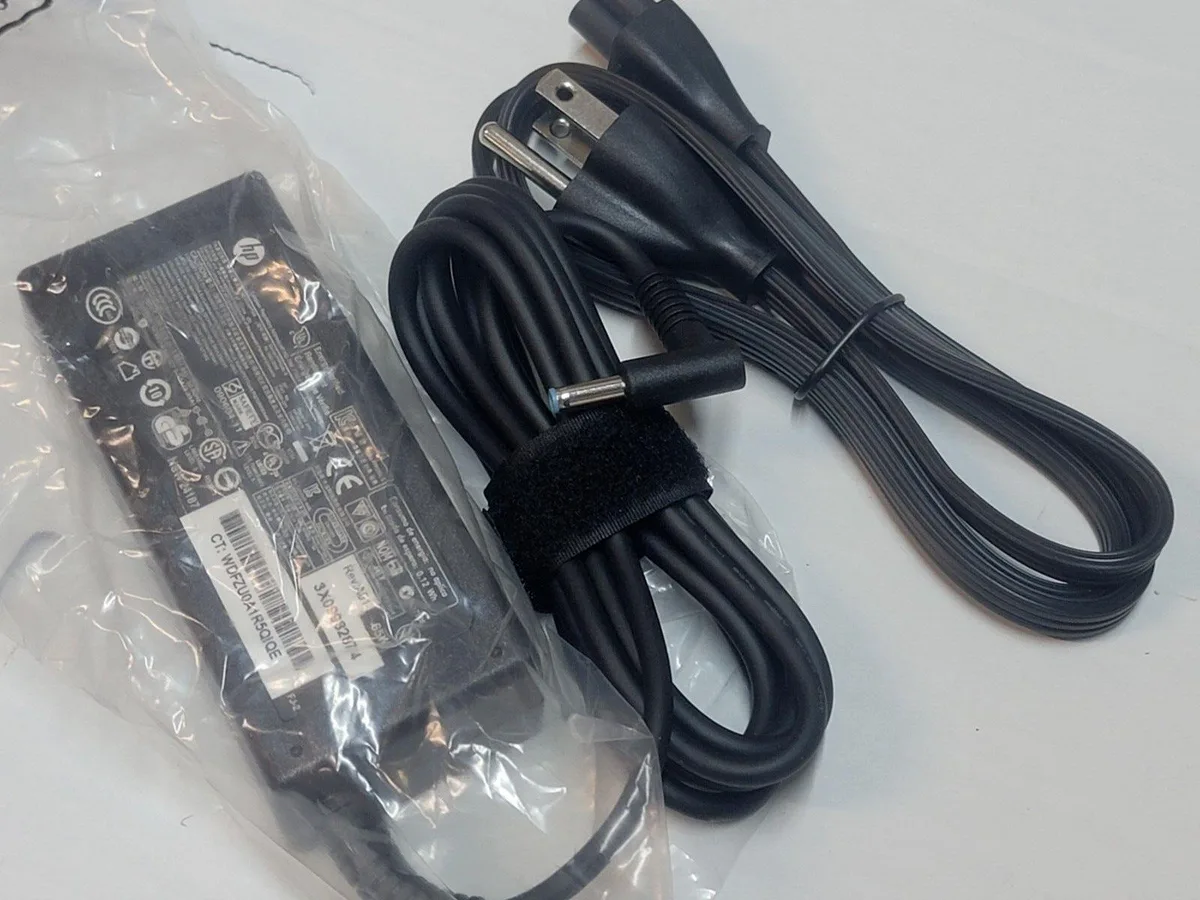
HP 65W 4.5mm AC Adapter EliteBook x360 830 G5-G8
65W AC adapter with a 4.5mm blue tip for HP EliteBook x360 830 G5 to G8 models
- 65 W output powers EliteBook x360 830 G5-G8
- 5 mm × 3.0 mm blue tip matches original connector
- 100-240 V 1.6 A input works worldwide
- 5 V 3.33 A delivery matches factory spec
- Replaces spare numbers 709985-001 and 710412-001
HP 65W 4.5mm AC Adapter
This 65W HP adapter powers compatible EliteBook x360 830 G5 through G8 models. It delivers 19.5V at 3.33A through a 4.5mm blue tip connector. The unit accepts 100-240V input at 1.6A for worldwide use. It replaces HP spare numbers 710412-001 and 709985-001.
Who this suits
Ideal for owners of the listed EliteBook x360 830 models needing a replacement or spare charger. It matches the original 65W specification and 4.5mm tip exactly. Not for laptops requiring a different voltage, amperage or tip size. Buyers with other HP series or non-HP brands should look elsewhere.
Deciding specification
The 4.5mm * 3.0mm blue tip connector determines physical compatibility with the laptop power jack. Verify this exact tip size against your device before purchase. The 65W output and 19.5V voltage must also match the original adapter ratings.
Highlights
- 65 W output powers EliteBook x360 830 G5-G8
- 5 mm × 3.0 mm blue tip matches original connector
- 100-240 V 1.6 A input works worldwide
- 5 V 3.33 A delivery matches factory spec
- Replaces spare numbers 709985-001 and 710412-001
Specifications
No published specifications for this item yet.
Questions about this item
What HP laptop models accept the 4.5 mm × 3.0 mm blue-tip plug on this 65 W adapter?
The adapter matches EliteBook x360 830 G5, G6, G7 and G8 models and crosses to spare numbers 710412-001, 709985-001, 709985-002, 709985-003, 714657-001, 709985-004, 677770-002, 677770-003, L25298-003, 913691-850, 613149-001, 693715-001 and N31180-001.
Can I keep using my existing IEC C5 mains lead with this 100-240 V 1.6 A input adapter?
Yes, the brick accepts 100-240 V at 1.6 A and uses a standard IEC C5 inlet, so any compatible C5 cable you already own will work.
How do I confirm the adapter is delivering 19.5 V at 3.33 A after I connect it?
The laptop charging LED should illuminate and the OS battery indicator will show AC power at 65 W; a multimeter on the barrel tip can verify 19.5 V output.
Also in this aisle
People compared these
Same shelf, same checkout — eight coins and a 30-minute rate lock.


Kensington
Kensington Desk Mount Cable Anchor K64613WW accessory
- Black
- Provides a secure a…
$19.99
0.0002397BTC
In stock
Panasonic
Panasonic CF-VDR291U laptop cooling pad
- Optical Drive
- Buffer Size: 2 MB B…
$213.99
0.00256595BTC
In stock
eReplacements
eReplacements PB992A-ER laptop battery 14.4V
- Battery
- Lithium-Ion
$65.99
0.00079128BTC
In stock