

Accsoon
Accsoon CineView SE Multi-Spectrum Wireless Video Transmitter 1200ft 1080p HDMI SDI
$181.99
0.00210408BTC
In stockWe take cryptocurrency — so the coins you hold can buy real hardware.Pay in crypto, spend it on real hardware. Free insured shipping worldwide over $399. Plain, unbranded boxes, sent from Germany.Free insured shipping over $399. Your rate is locked for 30 minutes once checkout opens.Rate locked 30 minutes. Every item sealed, serial-checked and covered by a 24-month warranty.Sealed, 24-month warranty.
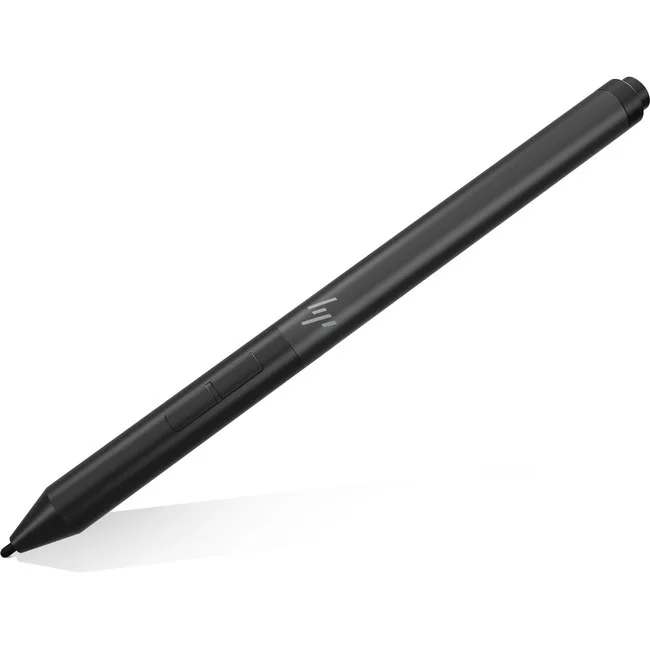


HP
Active pen for compatible notebooks with 9 customizable buttons and 360-degree hinge support
The HP 4WW09AA Active Pen in Silver is built for HP ZBook x360 notebook users who want a natural on-screen writing experience. It replaces keyboard-only input with pressure-sensitive inking for notes, sketches and precise navigation. The rechargeable design removes the hassle of disposable batteries. Creatives and mobile professionals gain a direct, pen-on-paper feel.
This pen works only with the supported ZBook x360 models listed in the compatibility data. Buyers who need a stylus for other HP notebooks, non-HP laptops or standalone drawing tablets cannot use this model. It does not support Bluetooth pairing or cross-device switching. If your workflow demands multi-device compatibility, this is not the right tool.
| Brand | HP |
|---|---|
| Model | 4WW09AA |
| Color | Silver |
| Features | Move beyond the keyboard when inspiration strikes with the HP Rechargeable Active Pen, the intuitive and customizable pen that lets you take notes, draw onscreen, and navigate your apps naturally. And it's easier than ever to keep track of, with a built-in magnetic attach capability. |
| Shipping weight | 0.91 kg |
| Package size | 305 × 229 × 178 mm |
The pen is designed for the HP ZBook x360 and uses a magnetic holder on the chassis for secure storage and charging.
Place the pen in the magnetic dock to charge, then press the pairing button until the LED flashes to complete the Bluetooth connection.
Also in this aisle
Same shelf, same checkout — eight coins and a 30-minute rate lock.
What you pay in, and what you read prices in.
Sent from your wallet at checkout
Display only — the catalogue is priced in USD
No currency matches that.
Pick the language the site speaks to you in.
No language matches that.
New here?
Already have one?
There is no automatic reset: this shop sends no mail, so there is no one-time link to ask for. Leave the address on the account and it gets picked up by hand.
Request noted
Nothing is on its way to your inbox — this shop sends no mail at all. Someone picks these up by hand.
Remembered it?



