


HP
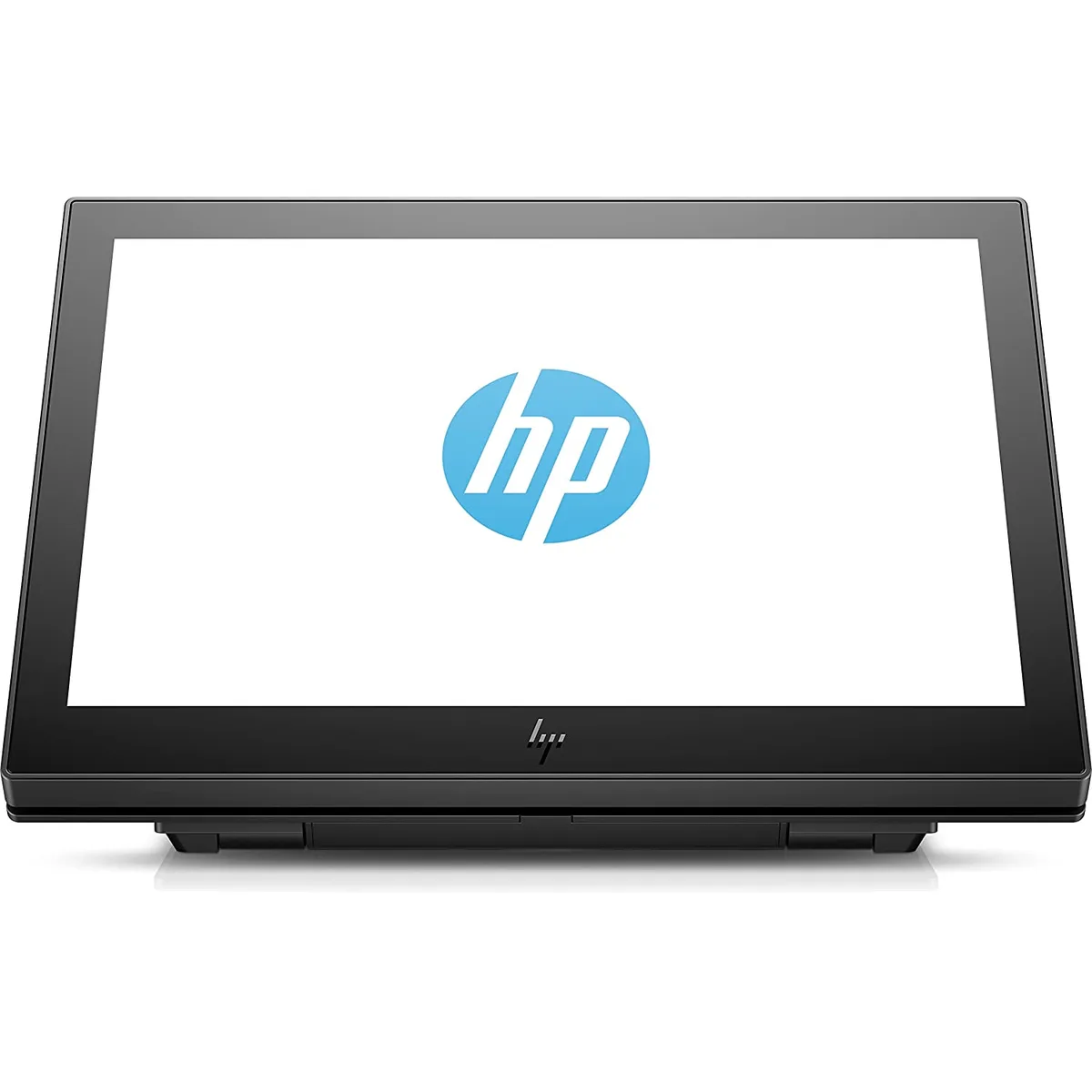
HP 1XD80AA Engage One 10.1" pos computer Black
A 10.1-inch LCD display with 1280 x 800 resolution, 500 cd/m² brightness and single-cable USB-C power for compact point-of-sale setups
- Screen Size10.1"
- Resolution1280 x 800 @ 60 Hz
- TouchscreenNo
- Aspect Ratio16:10
- ColorsUp to 16.1 million colors
- Brightness Control500 cd/m2
- Single-cable USB-C power keeps counters tidy
- 1 inch edge-to-edge glass cleans easily in busy areas
- 500 cd/m² brightness stays readable under bright lights
- 170° viewing angles remain clear from the side
- Tilt adjusts 15 to 90 degrees for flexible placement
Compact POS Display for Retail Counters
The HP Engage One 1XD80AA is a 10.1 inch LCD monitor designed for point-of-sale environments. It connects through a single USB-C cable that carries both signal and power up to 15W. The non-touch screen suits fixed-menu displays, kitchen order screens or customer-facing signage where touch input is not required.
Upgrade from Older USB or Proprietary Displays
Replacing legacy monitors that need separate power bricks and video cables reduces counter clutter and simplifies installation. The jump is worthwhile when a business wants a lighter 3.30 lb unit with a 16:10 aspect ratio and 500 cd/m2 brightness for readable menus in bright venues. Buyers who need touch interaction or a larger diagonal should look elsewhere.
Limits of USB-C 5V 3A Power Delivery
The display draws a maximum of 15W from a USB-C 5V 3A source, so the host or adapter must supply that rating without negotiation. Typical draw is 12W and standby is 0.5W. The 25ms response time and 800:1 contrast ratio suit static or slow-changing content rather than video playback. Operating temperature range is 5 to 35°C.
Highlights
- Single-cable USB-C power keeps counters tidy
- 1 inch edge-to-edge glass cleans easily in busy areas
- 500 cd/m² brightness stays readable under bright lights
- 170° viewing angles remain clear from the side
- Tilt adjusts 15 to 90 degrees for flexible placement
Specifications
| Brand | HP |
|---|---|
| Model | 1XD80AA |
| Screen Size | 10.1" |
| Resolution | 1280 x 800 @ 60 Hz |
| Touchscreen | No |
| Aspect Ratio | 16:10 |
| Colors | Up to 16.1 million colors |
| Brightness Control | 500 cd/m2 |
| Response Time | 25ms |
| Viewing Angle | Horizontal Viewing Angle (typical CR>10): 170° Vertical Viewing Angle (typical CR>10): 170° |
| Tilt Adjustment | 15 to + 90 degrees |
| Contrast Ratio | 800:1 |
| Color | Black |
| Power | USB-C 5V/3A, 15W |
| Power Consumption | Power Consumption - Maximum: 15w Energy Saving/Standby Mode: 0.5w Power Consumption - Typical: 12w |
| Temperature | Operating Temperature: 5° - 35°C / 41° - 95°F Non-operating Temperature: -20° - 60°C / 29° - 140°F |
| Humidity | Operating Humidity: 20% - 80% (non-condensing) Non-operating Humidity: 5% - 95% |
| Dimensions | 9.69" x 6.07" x 1.38" |
| Weight | 3.30 lbs. |
| Features | Maintain a streamlined counter space with single-cable connectivity through USB-C. Place the durable, 10.1" diagonal LCD display in a range of high-traffic areas. The edge-to-edge, bezel-less glass is easy to clean, helps provide protection from dust, and retains the modern aesthetic of the HP Engage One AiO System. Use the included low-profile, adjustable tilt stand to find the perfect spot in your retail and hospitality environment to grab customer attention. |
| Shipping weight | 1.93 kg |
| Package size | 306 × 232 × 110 mm |
Questions about this item
What counter depth does the 9.69" x 6.07" x 1.38" display need?
The unit is 1.38 inches deep and weighs 3.30 lbs, so any flat surface with at least that depth and a USB-C port nearby will hold it securely.
Which way does the USB-C cable route when the screen is tilted to 90 degrees?
The single USB-C 5V/3A cable plugs into the rear; tilt the display from 15 to 90 degrees after connecting so the cable exits downward and avoids strain.
How often should the edge-to-edge glass be cleaned in a high-traffic area?
Wipe the bezel-less glass daily with a non-abrasive cloth; the sealed surface resists dust and liquid ingress, so no disassembly or internal cleaning is required.
Also in this aisle
People compared these
Same shelf, same checkout — eight coins and a 30-minute rate lock.



CHIEF MANUFACTURING
CHIEF MANUFACTURING CMS018 18" 457 mm Fixed Extension Column projector accessory
- Extension Column
- Projector
$22.99$22.99
0.00026573BTC
In stock