HODO 5550/ 14-in-1 Docking Station
A 14-in-1 USB-C docking station adds dual 4K HDMI, DisplayPort, Gigabit Ethernet, six USB ports, card readers, audio and 100 W power delivery
- ColorGray
- CompatibilityWork with the Laptop has thunderbolt 3/4 /USB-C 3.1 Gen1/Gen
- Thunderbolt 3thunderbolt_3
- Ports Spechdmi, ethernet, displayport, usb3.0, thunderbolt_3, thunderb
- Weight0.164 kilograms
- FunctionWork with the Laptop has thunderbolt 3/4 /USB-C 3.1 Gen1/Gen
- 14-in-1 hub expands one USB-C into dual 4K HDMI plus DisplayPort
- Triple-display support extends workspace across three external monitors
- Gigabit Ethernet adds stable wired networking through the dock
- 100 W Power Delivery charges the host laptop while all ports are active
- 164 kg lightweight design keeps the setup portable
14-in-1 USB-C Docking Station
The HODO 5550 expands a single USB-C port into fourteen connections. It provides dual 4K HDMI outputs, one DisplayPort, Gigabit Ethernet, two USB 3.0 ports, two USB 2.0 ports, two USB-C data ports, SD and microSD card slots, 3.5 mm audio, and a USB-C power delivery port. It is built for professionals who need a compact, multi-display workstation hub.
Suits laptops with full-feature USB-C
This dock works when the host port supports DisplayPort Alt Mode and Power Delivery simultaneously. It is not for laptops whose USB-C ports carry only data or charging, nor for users who need independent extended displays on macOS, as that operating system mirrors external screens. Buyers without a compatible host port should look elsewhere.
Dual 4K HDMI and 1080p DisplayPort video
The decisive specification is the video output capability: two HDMI ports at 4K resolution plus one DisplayPort at 1080p for triple-display setups. This determines whether the dock matches the monitor configuration and resolution requirements of the intended workstation.
Highlights
- 14-in-1 hub expands one USB-C into dual 4K HDMI plus DisplayPort
- Triple-display support extends workspace across three external monitors
- Gigabit Ethernet adds stable wired networking through the dock
- 100 W Power Delivery charges the host laptop while all ports are active
- 164 kg lightweight design keeps the setup portable
Specifications
| Brand | HODO |
|---|---|
| Series | 14 Port Docking Station, HODO |
| Color | Gray |
| Compatibility | Work with the Laptop has thunderbolt 3/4 /USB-C 3.1 Gen1/Gen2(with DP)/ USB-C 3.2 Gen 1/Gen2(with DP);Dell XPS 12 2-IN-1 9250/XPS 13 Laptop 9315 9340 9315 9350 9360 9370 9380 9320/XPS/Dell Latitude 3540 Laptop Model/Latitude 3440/3340 or 2-in-1/3450/3550/3110/3140/3420/3445/3510/3500/3520/3540/3571/Alienwarex14/x15/x16/x17 R2 Gaming Laptop/Dell Alienware x15 R7 Gaming Laptop/Alienware m16/m18 Gaming Laptop/HP Spectre Laptop 13-af001TU/Spectre x360 13t/Spectre folio (13t-ak000cto)/HP Spectre x2/HP Spectre x360/HP Elite×2 1012/HP Elitebook Folio G1/HP ZBook 15 G3/HP Laptop 13-af001TU/H |
| Thunderbolt 3 | thunderbolt_3 |
| Ports Spec | hdmi, ethernet, displayport, usb3.0, thunderbolt_3, thunderbolt_4, usb3.2_gen_2, 4, 14 |
| Weight | 0.164 kilograms |
| Function | Work with the Laptop has thunderbolt 3/4 /USB-C 3.1 Gen1/Gen2(with DP)/ USB-C 3.2 Gen 1/Gen2(with DP);Dell XPS 12 2-IN-1 9250/XPS 13 Laptop 9315 9340 9315 9350 9360 9370 9380 9320/XPS/Dell Latitude 3540 Laptop Model/Latitude 3440/3340 or 2-in-1/3450/3550/3110/3140/3420/3445/3510/3500/3520/3540/3571/Alienwarex14/x15/x16/x17 R2 Gaming Laptop/Dell Alienware x15 R7 Gaming Laptop/Alienware m16/m18 Gaming Laptop/HP Spectre Laptop 13-af001TU/Spectre x360 13t/Spectre folio (13t-ak000cto)/HP Spectre x2/HP Spectre x360/HP Elite×2 1012/HP Elitebook Folio G1/HP ZBook 15 G3/HP Laptop 13-af001TU/H |
Questions about this item
Will the HODO 5550/ docking station work with my Dell XPS 13 9315 and Latitude 3540 laptops?
Yes, the HODO 5550/ is compatible with Dell XPS 13 models including 9315, 9340, 9350, 9360, 9370, 9380, 9320 and Latitude 3540, provided they have Thunderbolt 3/4 or USB-C with DisplayPort Alt Mode.
How can I verify that the dual 4K HDMI and triple display functions are active after connecting the dock?
Connect up to two monitors via the HDMI ports and one via DisplayPort; on Windows, open Display Settings to confirm each external screen appears as an extended desktop at 4K on HDMI and 1080P on DP.
Which cables and power adapter are included with the HODO 5550/, and what must I supply separately?
The dock provides 14 ports including dual HDMI, DisplayPort, Gigabit Ethernet, two USB 3.0, two USB 2.0, two USB-C data, SD/TF readers and 3.5 mm audio; you must supply your own host USB-C cable and a USB-C power adapter up to 100 W for Power Delivery charging.
Also in this aisle
People compared these
Same shelf, same checkout — eight coins and a 30-minute rate lock.
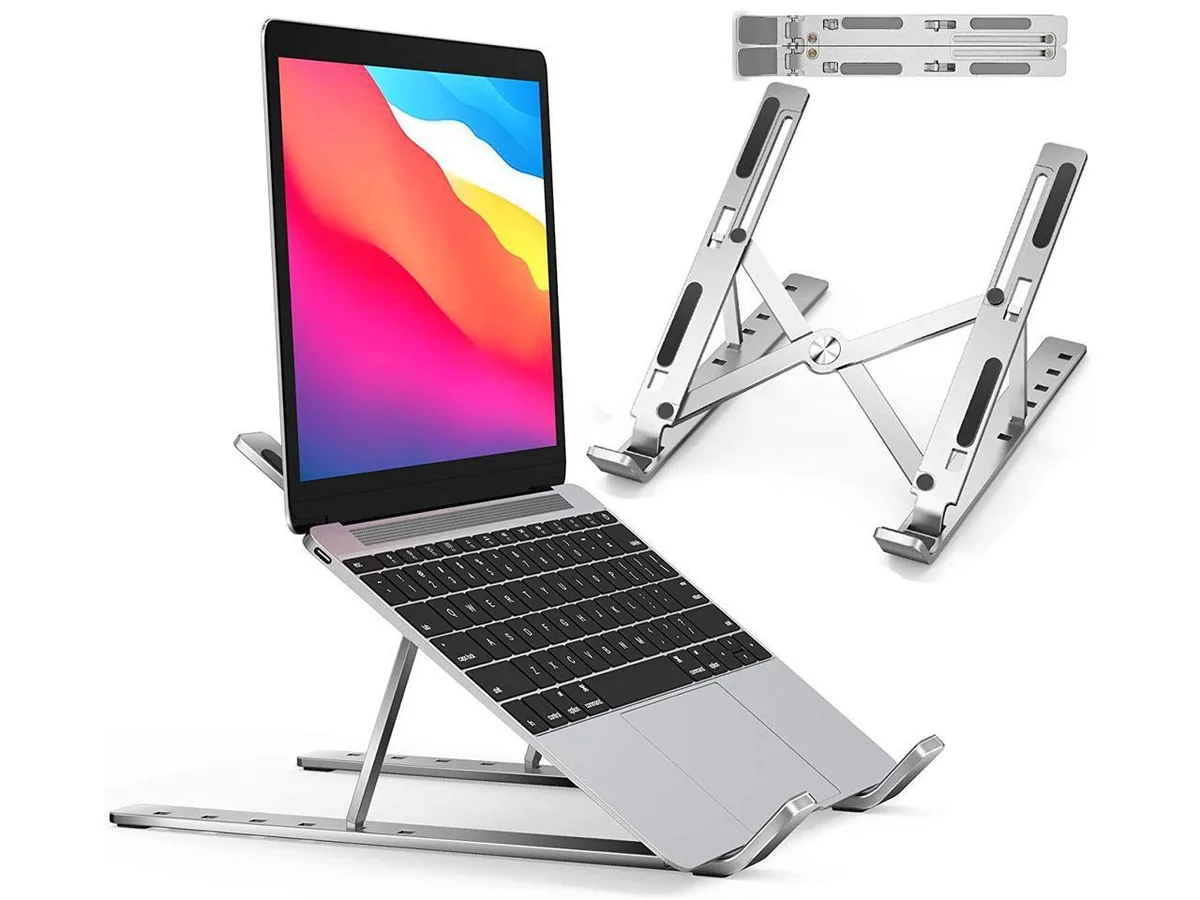


IXJYLCPC
IXJYLCPC C08LS Adjustable Ergonomic Riser Stand Black 10-15.6
- Stand
$31.99
0.00036735BTC
In stock