

Panorama Antennas
Panorama Antennas LG-IN2445 5G 71 Dome Wi-Fi adapter
- Accessories
$282.99
0.00329894BTC
In stockWe take cryptocurrency — so the coins you hold can buy real hardware.Pay in crypto, spend it on real hardware. Free insured shipping worldwide over $399. Plain, unbranded boxes, sent from Germany.Free insured shipping over $399. Your rate is locked for 30 minutes once checkout opens.Rate locked 30 minutes. Every item sealed, serial-checked and covered by a 24-month warranty.Sealed, 24-month warranty.


Hitoor
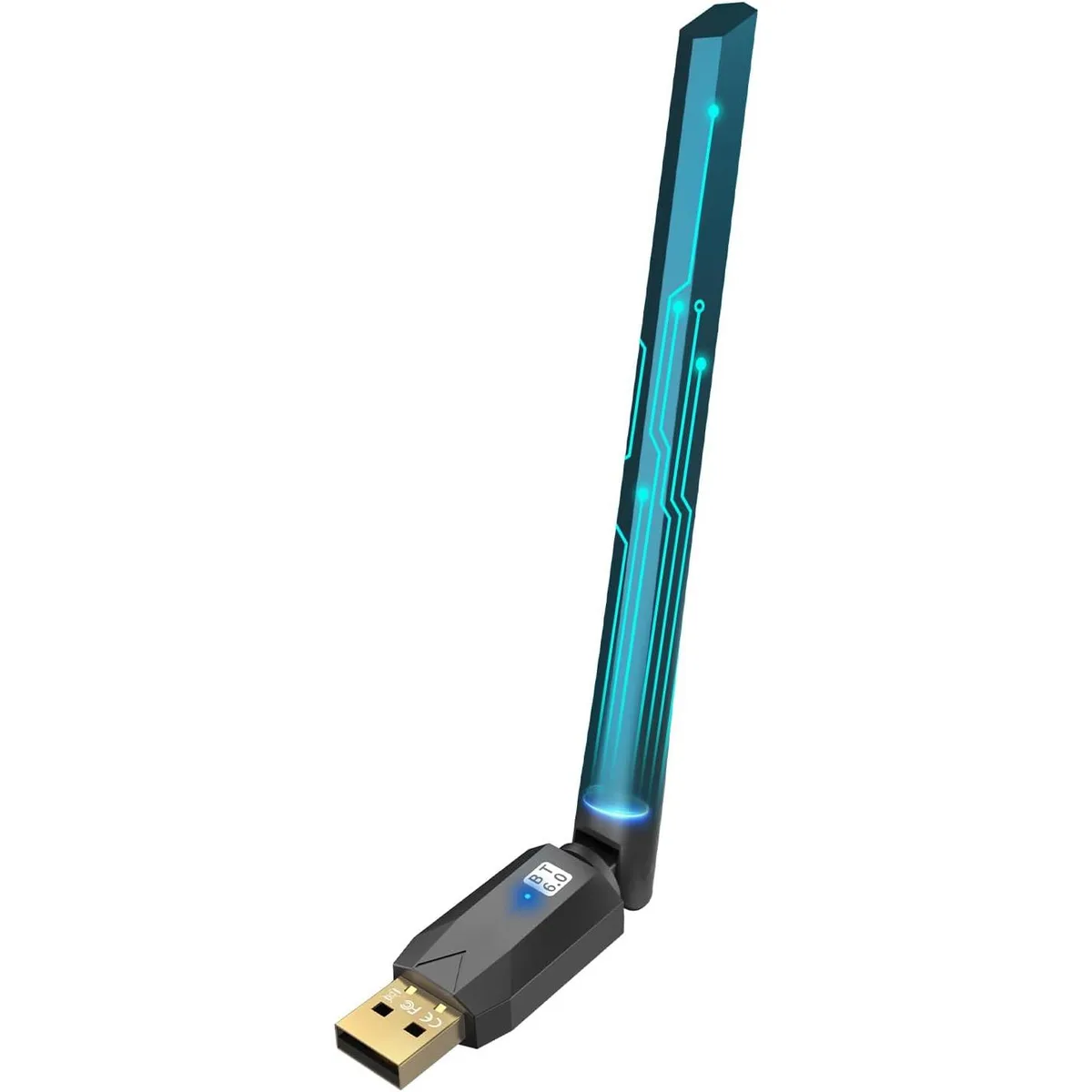
Adds Bluetooth 6.0 to Windows PCs with a high-gain antenna for up to 200 m range
This Hitoor BT609 adapter adds Bluetooth 6.0 BR/EDR+BLE dual-mode connectivity to desktop and laptop computers via a USB port. It supports Windows 11, 10, 8.1 and 7, with plug-and-play operation on the three newest versions. The Class 1 radio with built-in PA and adjustable external antenna provides extended wireless range.
Buyers who want to connect up to five Bluetooth peripherals such as headphones, speakers, keyboards, mice or game controllers simultaneously will benefit from the dual-mode design. It is not for Mac, Linux, TV, car stereo or game-console users, nor for systems running Windows 8, XP or Vista.
Verify the computer runs Windows 7, 8.1, 10 or 11 before ordering, because other operating systems are not supported. Ensure a free USB port exists for the adapter, and note that Windows 7 requires a driver download while newer versions install automatically.
| Type | Bluetooth Adapter |
|---|---|
| Color | Black |
| Interface | USB |
| Bluetooth | Bluetooth 6.0 |
| Operating Range | The USB Bluetooth 6.0 adaptor for laptop utilizes Class 1 radio technology, built-in extra PA and equipped with adjustable external antenna, and the transmission range in the open area can reach 656ft/200m, Bluetooth connections are no longer affected by distance. Note: The actual transmission range will be affected by physical obstructions and wireless interference. |
| System Requirements | Latest Bluetooth 6.0 BR/EDR+BLE Dual Mode Function for Window 7/8.1/10/11 OS PC Laptop Desktop Computer, Pair With Bluetooth Headphones / Headset / Earbuds / Speakers, Pair With Bluetooth Mouse / Keyboard, Pair With Bluetooth Smart Tablet / Printer / Cellphone / PC, Pair With PS4 / PS5 / Xbox Bluetooth Game Controller |
| Features | Latest Bluetooth 6.0 Adapter |
| Dimensions | 13.2L x 6W x 1.2H centimetres |
| Package Contents | 1 x Bluetooth Adapter, 1 x User Manual |
Yes, it plugs directly into any standard USB port on a Windows 11, 10 or 8.1 computer and requires no separate power supply.
The adapter is backward compatible with Bluetooth 5.4, 5.3 and earlier versions, so existing headphones, speakers, keyboards and mice will connect normally.
Open Windows Settings > Bluetooth & devices; the adapter will appear as a Bluetooth radio and the status will show "On" when it is ready to pair.
Also in this aisle
Same shelf, same checkout — eight coins and a 30-minute rate lock.
What you pay in, and what you read prices in.
Sent from your wallet at checkout
Display only — the catalogue is priced in USD
No currency matches that.
Pick the language the site speaks to you in.
No language matches that.
New here?
Already have one?
There is no automatic reset: this shop sends no mail, so there is no one-time link to ask for. Leave the address on the account and it gets picked up by hand.
Request noted
Nothing is on its way to your inbox — this shop sends no mail at all. Someone picks these up by hand.
Remembered it?



