J-Tech Digital Inc.
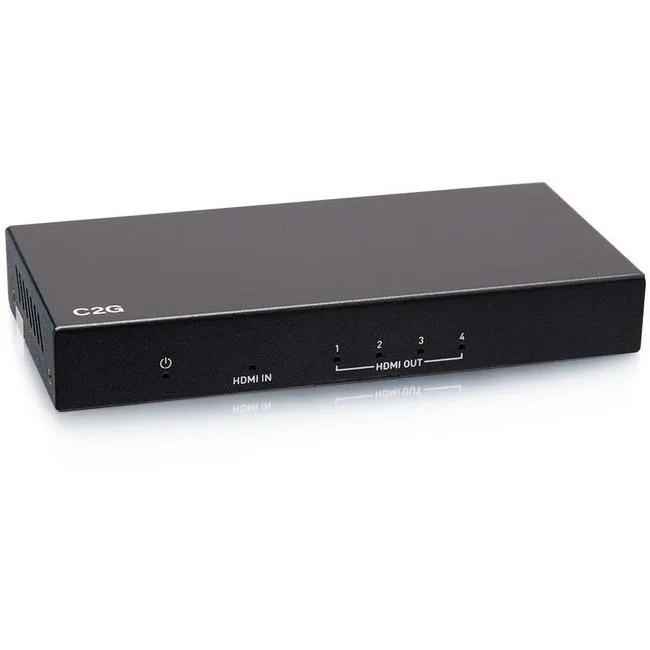
J-Tech Digital ProAV Unlimited HDMI Extender Matrix Transmitter 12x12 8x8 1080p 120m 394ft 400ft
$83.99
0.00097039BTC
In stockWe take cryptocurrency — so the coins you hold can buy real hardware.Pay in crypto, spend it on real hardware. Free insured shipping worldwide over $399. Plain, unbranded boxes, sent from Germany.Free insured shipping over $399. Your rate is locked for 30 minutes once checkout opens.Rate locked 30 minutes. Every item sealed, serial-checked and covered by a 24-month warranty.Sealed, 24-month warranty.


Hetai Tech
Wireless 2.4 GHz gamepad with built-in 250 mAh battery, two receivers and USB charging for PC, Mac, Switch and classic consoles
The Hetai Tech gamepad connects via 2.4G wireless using two included USB adapters. One adapter fits NES or SNES Classic Mini systems while the other works with Windows PCs from XP to Windows 10 and with Android devices. A built-in 250mAH lithium-ion battery charges through the supplied Micro-USB cable.
This controller serves players who want a single wireless pad for classic Nintendo mini consoles and general PC gaming. It is not for buyers who need Bluetooth connectivity, native Nintendo Switch pairing, analog trigger pressure, or a headset jack for voice chat.
The package provides two dedicated 2.4G receivers so the gamepad can switch between a retro console and a computer without re-pairing. This dual-receiver design is the specification that determines whether the controller fits the user's hardware setup.
| Type | Joystick |
|---|
The built-in 250 mAh polymer lithium-ion battery provides several hours of play; the controller enters sleep mode after 10 minutes of inactivity to conserve power.
The 2.4 GHz connection uses two included USB adapters — one for PC/Android/Windows and one for NES/SNES classic systems — giving a stable, low-latency link within typical room distances.
Simply insert the appropriate USB adapter into your PC, Android device, or classic console; no drivers or mounting hardware are required.
Also in this aisle
Same shelf, same checkout — eight coins and a 30-minute rate lock.
What you pay in, and what you read prices in.
Sent from your wallet at checkout
Display only — the catalogue is priced in USD
No currency matches that.
Pick the language the site speaks to you in.
No language matches that.
New here?
Already have one?
There is no automatic reset: this shop sends no mail, so there is no one-time link to ask for. Leave the address on the account and it gets picked up by hand.
Request noted
Nothing is on its way to your inbox — this shop sends no mail at all. Someone picks these up by hand.
Remembered it?